
- Resources
Innovative Thinking


Google Search Console reports what happened on Google before anyone reached your site: which searches showed your pages, how often they appeared, where they sat and which page Google picked. Google Analytics 4 starts at the click and covers everything after it. Enquiries falling has three possible causes — fewer people saw you, fewer of them clicked, fewer of those who clicked did anything — and no single report covers all three.
Search Console vs Google Analytics gets framed as a choice, and the framing is where the trouble starts. The two measure opposite sides of the same click, their click counts will never agree, and an owner who treats one as a check on the other ends up distrusting both.
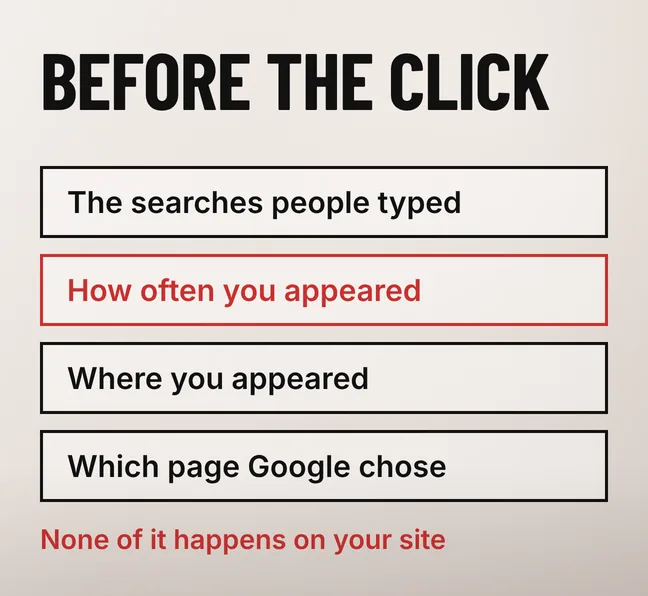
Google Search Console shows the half of a visit that happens on Google: the search terms people typed, how many times your pages appeared, the average position they appeared at, and which of your pages Google chose. Google Analytics 4 shows the half that happens on your own site, after the click. Neither one can report the other half.
| The question you are asking | The tool that answers it | Where it lives |
|---|---|---|
| Which searches bring my site up at all? | Search Console | Performance, Queries tab |
| How often do we appear without being clicked? | Search Console | Performance, impressions |
| Which of my pages did Google choose for that search? | Search Console | Performance, Pages tab |
| Is this page even indexed? | Search Console | Pages report |
| Where did this visit come from? | Google Analytics 4 | Traffic acquisition |
| What did they look at after landing? | Google Analytics 4 | Pages and screens |
| Did anyone reach the enquiry form? | Google Analytics 4 | Key events |
Impressions are the number with no equivalent anywhere else. Search Console’s own documentation defines an impression as “How many times your site appeared in Search results” and a click as “The number of times a user clicked your site from Google Search results”, with average position given as “The average position of the topmost result from your site”. A result nobody clicked leaves no trace on your website, so Analytics cannot count it.
That gap matters because plenty of searches are now settled on the results page itself, without a click. A page can gain impressions for months while its clicks stay flat, which looks like nothing happening in Analytics and looks like progress in Search Console. We have written about what zero-click search does to the relationship between rankings and traffic, and this is where you would see it first.
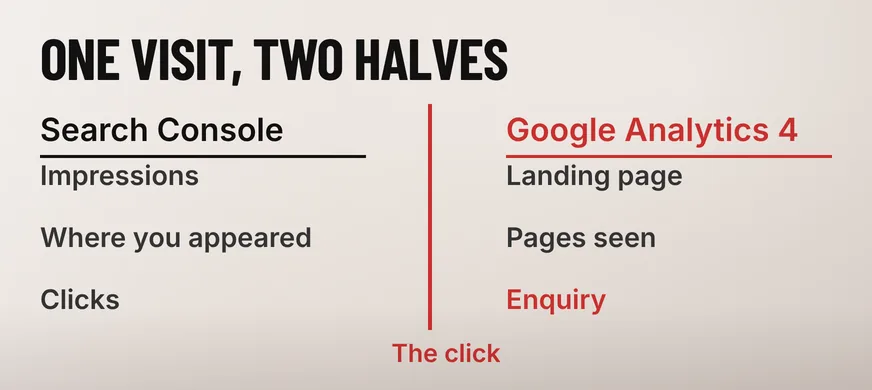
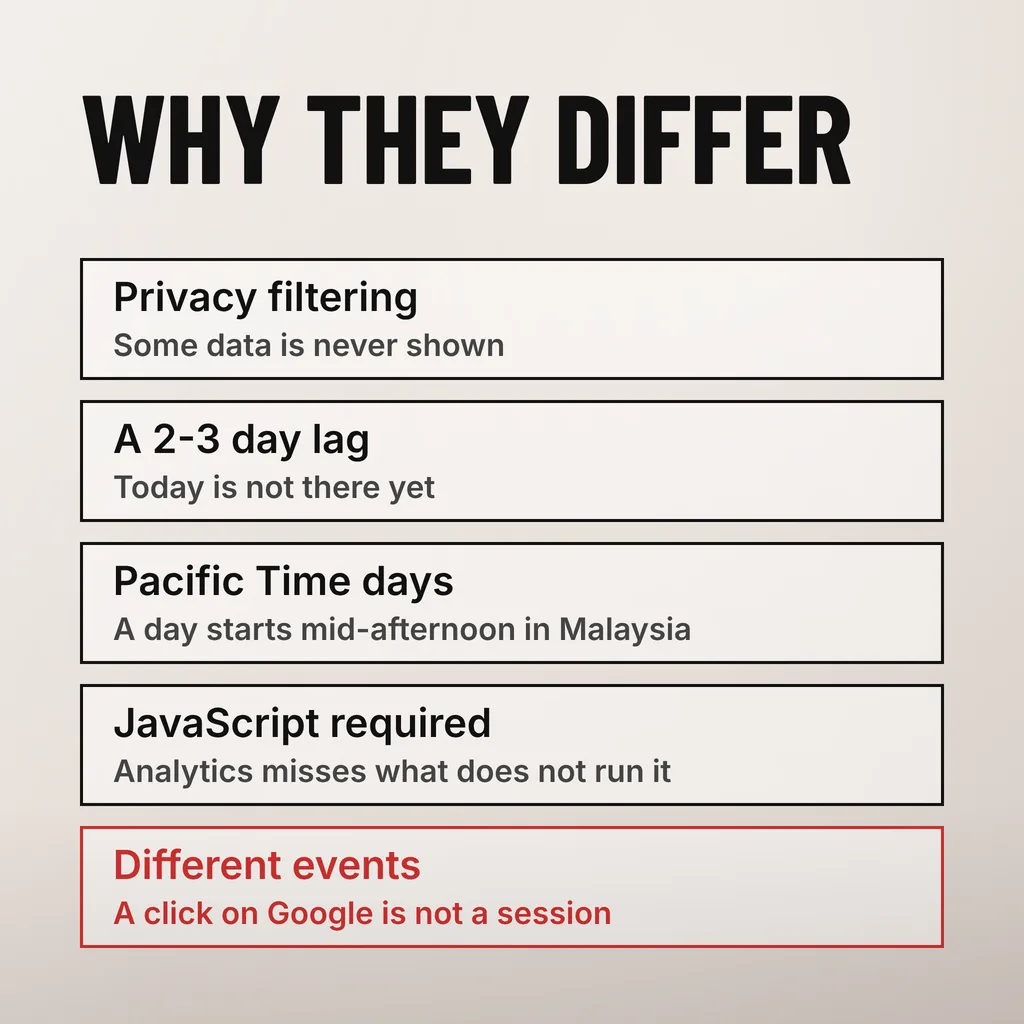
Because the two tools count different events, on different days, by different methods. Search Console records a click on your result inside Google. Google Analytics 4 records a session on your site, and only when its measurement code runs. Google publishes the reasons the figures diverge, and none of them is a fault anybody can fix.
Google’s page on troubleshooting data discrepancies in the Performance report lists them plainly. “To protect user privacy, the Performance report does not show all data.” “Collected data is usually available in 2–3 days.” And on the comparison most owners are actually making: “Some tools, such as Google Analytics, track traffic only from users who have enabled JavaScript in their browser.”
The time zone is the one that catches Malaysian businesses out. The same page says that “In all views (except the 24-hour view), the Performance report tracks and labels daily data in Pacific Time (PT)”. Malaysia sits 15 or 16 hours ahead of Pacific Time depending on American daylight saving, so a day on the Search Console chart begins in the middle of your afternoon.
In practice that means a Saturday promotion, or a WhatsApp blast that went out after dinner, lands split across two labelled days in Search Console while Analytics keeps it on one, assuming the Analytics property is set to Kuala Lumpur time. Before concluding that a Tuesday was bad, check which Tuesday each tool means.
Two separate limits take queries off the list. Google withholds rare searches to protect the people who typed them, and the interface caps what you can take out at a thousand rows. The totals at the top of the Performance report include the withheld searches; the table underneath them does not, which is why the rows never add up to the headline figure.
Google’s Search Central blog set the threshold out in its deep dive into Search Console performance data filtering and limits, written by Daniel Waisberg in October 2022: “Anonymized queries are those that aren’t issued by more than a few dozen users over a two-to-three month period.” On the export, it is equally direct: “The maximum you can export through the Search Console user interface is 1,000 rows of data.”
For a Malaysian SME this is not a rounding error. The queries worth the most to a specialist business are long, specific and local, and a phrase typed by a dozen people in Kota Damansara over three months is exactly the sort Google withholds. The valuable end of your demand is the end you cannot see by name.
The filtering has a side effect that quietly changes the totals. The same post notes that “The anonymized queries are omitted whenever a filter is applied”, so the moment you filter by a brand name or a keyword, every withheld row drops out of the total as well. The filtered number is lower than reality, and comparing it against an unfiltered total from last month is comparing two different measurements.
Open Google Search Console first. It is the only tool that can tell you whether the loss happened before the click, which is the part of the chain your own website never sees. If impressions and clicks both held steady, the problem sits on the site or in the form, and Google Analytics 4 is where you look next.
Step four assumes the Analytics side is recording something useful, which on plenty of sites it is not: a tag on some pages and not others, or no key event marked for the enquiry at all. If you have never checked, start with what a minimum useful analytics setup looks like before trusting a single figure in it.
Work the order rather than skipping to the end. The common mistake is to redesign something and never discover that impressions had halved a fortnight earlier.
Google Analytics 4 covers everything after the click: which page the visit landed on, how long it stayed, where it went next, whether it reached the contact form, and which channel it arrived through. Google Search Console sees none of that, and it sees nothing whatsoever about visits that did not start in Google Search.
That last point matters for most Malaysian SMEs, because a large share of their traffic never touches a search box. A link pasted into a WhatsApp group, an Instagram ad, a QR code on a flyer: Search Console is blind to all of it, and every bit of it is Analytics territory.
There is a setting worth checking before you promise anyone a year-on-year comparison. Google’s Analytics Help documentation lists the retention options for event-level data in a standard property as 2 months or 14 months, with 26, 38 and 50 months available only to Analytics 360. On the shorter setting, last Hari Raya is already gone, and no report will bring it back.
Yes, and it takes a few minutes. Linking the two puts Search Console’s query and landing-page data inside the Analytics property, so you stop switching tabs to answer one question. Google’s Analytics Help documentation says the link “makes two reports available in your Google Analytics property”: Google Organic Search Queries and Google Organic Search Traffic.
One detail stops most people here. The same page states that “The Search Console collection of reports is unpublished by default”, so the reports exist but do not appear in the navigation until somebody publishes the collection from the Library. Plenty of sites have the link set up correctly and nobody has ever seen the data.
What the link does not do is reconcile the two. The privacy filtering, the reporting lag, the Pacific Time labelling and the JavaScript requirement all still apply, so the numbers sit side by side without agreeing. Read each one for the question it can answer.
Yes, for any business that expects work to come from Google. Search Console is the only place the pre-click half of the visit exists, and Google Analytics 4 is the only place the on-site half exists. Running one alone leaves you guessing at the other, and both are free: the cost is the half hour it takes to verify the site.
It means the page is appearing in results that nobody clicks. Check the average position first: a page sitting well down the first page, or on the second, collects impressions from people who never scroll that far. The other common cause is a query Google answers on the results page itself, where your listing is seen and never needed.
It is accurate about what it measures, which is narrower than most people assume. Google states that the Performance report does not show all data, that collection usually runs two to three days behind, and that days are labelled in Pacific Time. Read it for direction and proportion over weeks, not as a precise daily count to reconcile against another tool.
The order above is how we approach a site whose enquiries have gone quiet, because the answer is usually settled before anybody opens the website. Our SEO and search visibility service covers that diagnosis, the query research that comes out of it and the work it points to. One thing to do this week: open your Performance report, change the date range to 28 days and compare it with the previous 28.