
- Resources
Innovative Thinking


A WhatsApp button website visitors can see and tap is the shortest enquiry path most Malaysian businesses have, and when it stops producing enquiries the cause is usually mechanical rather than a matter of design. The number behind it is in the wrong form or sits on a phone nobody watches, the chat opens with nothing in it, the floating icon covers the content underneath it, or the taps have never been counted.
That is worth an afternoon because the button collects the easy enquiries. Someone who would never complete a form will send one line on WhatsApp, and if that line lands in an unwatched inbox you never learn it was sent. Every check below can be made from your own phone.
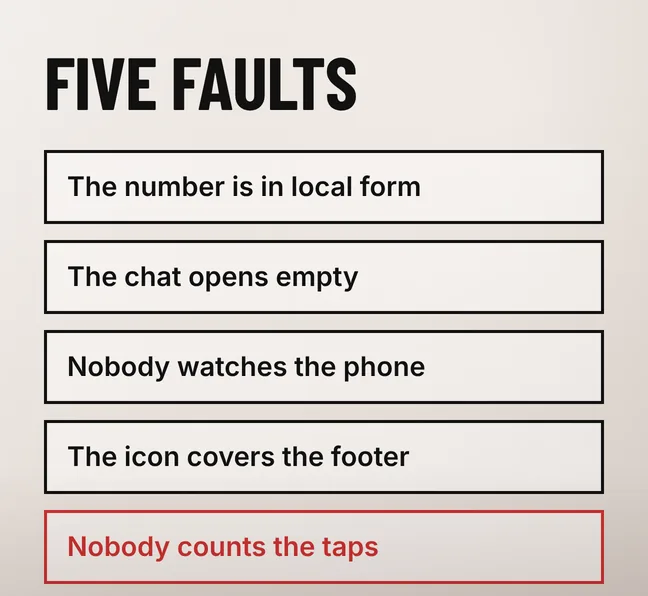
Five faults account for most of it: the link carries the number in local form, the chat opens empty, the account sits on a phone nobody watches, the floating icon covers the footer or another control, and nothing records the tap. Work through them in that order, because the first two cost one edit each and the last changes what you can see.
| What is wrong | What the visitor gets | Where it is fixed |
|---|---|---|
| The number is in local form, with a leading zero, brackets or dashes | A chat that does not open, or opens on a number that does not exist | The link |
| The chat opens empty | A blank message box, so the enquiry has to be composed from nothing | The link |
| Nobody watches the phone the account is on | A message read days later, or not at all | Who holds the account |
| The icon covers the footer, the cart or the form button | Taps that land on the wrong control | Placement and spacing |
| Nothing records the tap | Nothing — but the button cannot be argued for or improved | Analytics configuration |
None of this is the same problem as a site that gets no enquiries at all. If the button works, the number is watched and the enquiries still are not arriving, the cause sits upstream of it, in what the page says or in whether anyone reaches it. Our guide to why a website gets no enquiries works through those causes in order.
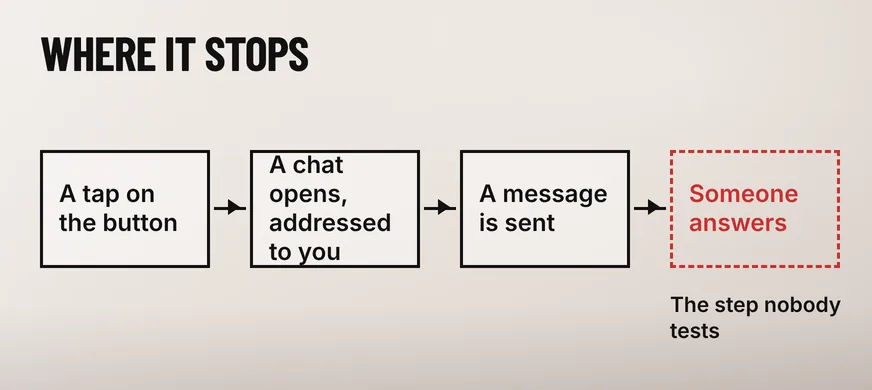
Open your own site on a phone and tap the button. It should open a WhatsApp conversation addressed to the number you want enquiries on. If it opens a blank WhatsApp screen, a number with digits missing, or an error, the phone number in the link is written in the wrong form — the most common of the five faults, and the quickest to correct.
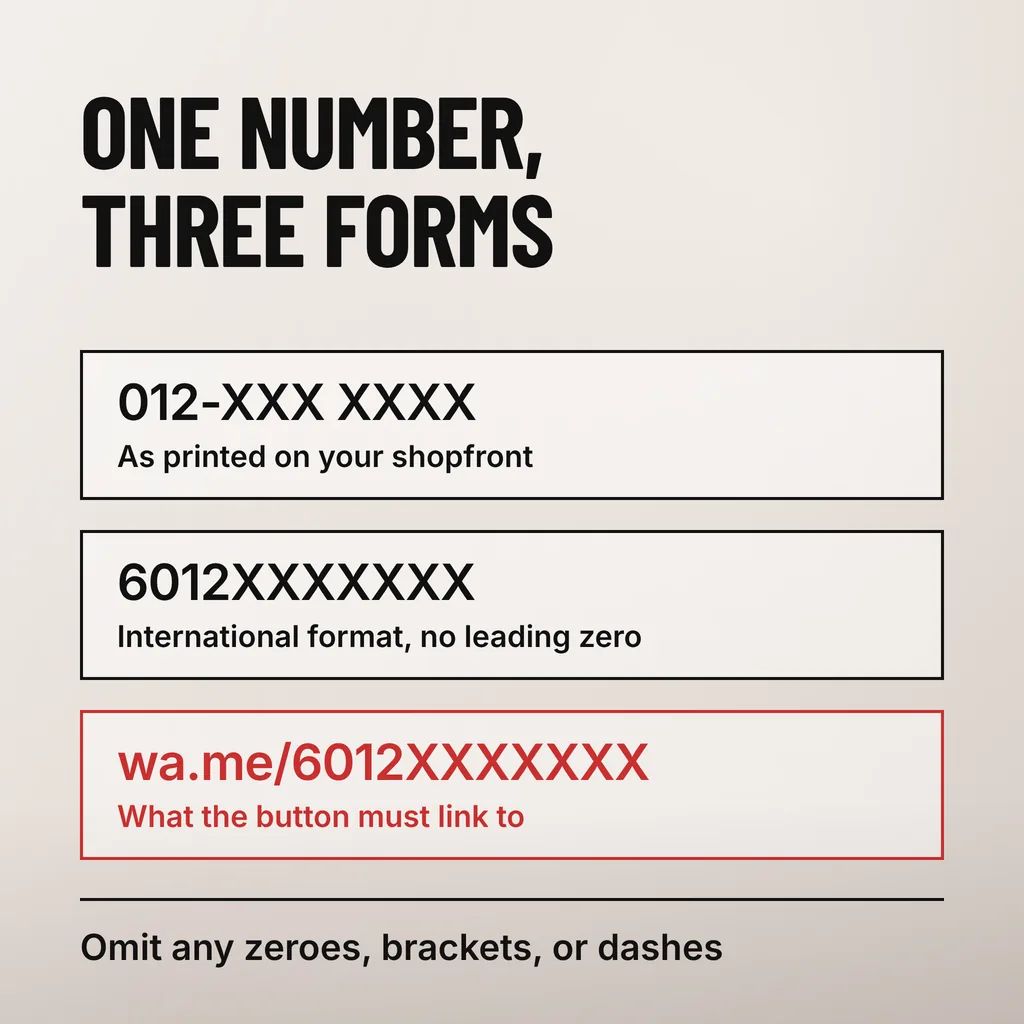
WhatsApp’s own click to chat documentation states the format in two sentences: “Use https://wa.me/<number> where the <number> is a full phone number in international format”, and “Omit any zeroes, brackets, or dashes when adding the phone number in international format.” The same page describes what the feature is for: it “allows you to begin a chat with someone without having their phone number saved in your phone’s address book”.
For a Malaysian mobile that means dropping the leading zero and putting 60 in front. A number printed on a shopfront as 012-XXX XXXX becomes 6012XXXXXXX in the link, so the finished link reads wa.me/6012XXXXXXX. A number copied straight off the contact page, dashes and all, produces a link that opens WhatsApp and then fails, and the visitor has no way of telling you that it did.
Then check whose phone the chat lands on. A number belonging to a staff member who has left, or a personal phone on silent after six, is worse than a broken link: the enquiry arrives, is never answered, and reads to the sender as a business that ignored them. The enquiry number belongs to the company the way its email address does, with one person responsible for answering and a second who can, and the WhatsApp Business app’s away message and business hours are what stop an 11pm enquiry reading as silence.
Prefill the message with the page the visitor was reading and a short opening line, so the enquiry arrives with its context attached and the visitor types nothing to start. A chat that opens already reading “Hi, I am asking about the service page” gets answered faster and more usefully than one that opens on an empty box and gets “Hi”.
The mechanism is part of the same documented link. WhatsApp’s click to chat page gives the form “Use https://wa.me/whatsappphonenumber?text=urlencodedtext where whatsappphonenumber is a full phone number in international format and urlencodedtext is the URL-encoded pre-filled message”, and says “The pre-filled message will automatically appear in the text field of a chat.” The visitor can edit or delete it before sending, so it is a starting point rather than a script.
One site-wide message wastes the mechanism. The button on a service page should name that service, and the one on a location page should say where the enquiry is coming from. That is a different link per template, and it turns an inbox of unidentifiable greetings into one that shows which pages produce enquiries.
A floating WhatsApp icon covers whatever sits beneath it, and on a phone that is usually the footer, a cookie notice, a back-to-top control or the page’s own enquiry button. Open your three most visited pages on a real phone, scroll to the bottom of each, and look at what the icon is sitting on before accepting whatever position the plugin chose.
WCAG 2.2 sets the floor for the icon itself. Success Criterion 2.5.8, Target Size (Minimum), a Level AA criterion, requires that “the size of the target for pointer inputs is at least 24 by 24 CSS pixels”, and allows smaller targets only where “a 24 CSS pixel diameter circle is centered on the bounding box of each” without the circles intersecting another target. A large circular chat icon passes the size test comfortably and can still fail on spacing, because the control it overlaps is the problem rather than its own dimensions.
The second question is how many things on the page want the same tap. A sticky call bar, a floating chat icon, a cookie banner and a form in the content give a visitor four invitations and one thumb. Deciding what the page is for comes first; our guide to where the button should go and what it should say sets out how to make that call.
Google Analytics 4 is probably already recording it. A wa.me link leads to another domain, so a tap on it counts as an outbound click, and enhanced measurement collects those with no code added. The data is in the Events report; what is usually missing is not the measurement but anyone looking at it.
Google’s documentation on enhanced measurement events is specific. The Outbound clicks option sends a click event “each time a user clicks a link that leads away from the current domain and to another website”, and “by default, outbound click events will occur for all links leading away from the current domain.” Among the parameters collected is “Link URL (from link_url)”, which is what separates WhatsApp taps from every other outbound link on the site.
Counting the taps is the first step; treating them as an outcome is the second. Google’s documentation on recommended events lists generate_lead for a user who “submits a form or a request for information”, and notes that “because these events require additional context to be meaningful, they’re not sent automatically.” A WhatsApp tap is a request for information, so sending generate_lead as well, or marking the outbound click as a key event, is what puts the button in the same report as the contact form.
A tap is not an enquiry: nothing on the website can tell you which taps became conversations. Compare the count with what arrived in the inbox over the same fortnight, because a large gap usually means the chat is opening without being addressed properly.
Yes. WhatsApp’s click to chat documentation says the feature “works on both your phone and WhatsApp Web”, so a tap in a desktop browser opens the chat for anyone signed in there. Visitors who are not signed in see a prompt to open WhatsApp, which is why a desktop page still needs a visible number or a form as well.
No. Keep both, because they catch different people. The button suits a quick question during shop hours; the form suits anyone sending a specification or a file at midnight, and anyone unwilling to start by handing over a phone number. Pushing every enquiry into one channel loses the ones that needed the other.
Yes, in two places. A prefilled message that names the page arrives inside the chat itself, which is the only signal readable without analytics. In Google Analytics 4 the outbound click event records the link URL and the page the click happened on, so a report can show which pages produce taps.
We treat the enquiry path as the thing being revamped rather than the button: the link tested on a real phone, a prefilled message written per template, the icon placed so that it covers nothing, and the tap recorded as an event that can be reported on. Our digital marketing and ads service covers that work where it sits alongside the campaigns sending people to the page. If you do one thing this week, open your own site on your phone and tap your own button.