- Resources
Innovative Thinking



A phased website revamp is usually the right call for the pages, and the wrong one for the structure that holds them together. The words, photos and individual service pages can be revamped a few at a time over months. The navigation, the shared templates and any change to the page addresses cannot be half-done: they change everywhere at once, so they belong in one release, ideally the first. On a small or medium site, Google’s own advice points the same way for the addresses.
So the useful question is rarely “stages or all at once?” It is which parts of your site can wait, and which have to move together.
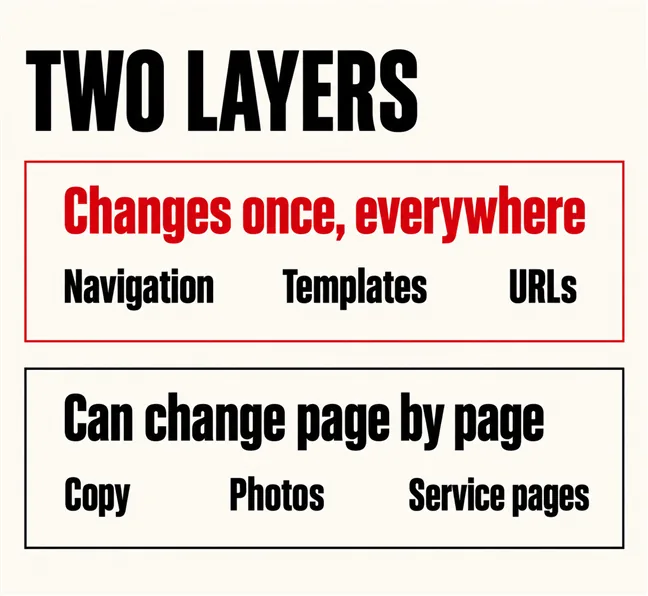
Think of a site as two layers. The first is shared: the navigation, the header and footer, the page templates, the page addresses (URLs) and the platform underneath. Each appears on every page, so it changes once, everywhere. The second layer can change page by page: the copy, the photos, the individual service pages, a better contact form.
The second layer stages well. Rewriting twelve service pages two at a time is a sound plan, because the first two teach you what the other ten need. Most of what makes a revamp slow lives here, which is why how long a revamp takes depends so heavily on content.
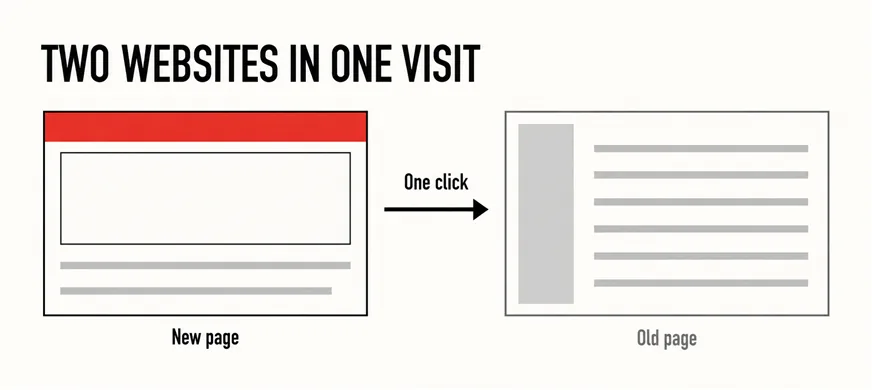
The first layer does not stage. Put a new menu and design on the homepage and three service pages, leave the rest on the old template, and a visitor who clicks from a new page to an old one sees two websites in one visit — a different menu, different fonts, sometimes a different phone number in the footer. That looks less trustworthy than either version alone. When the structure is the problem, it is the structure that has to move first and all together.
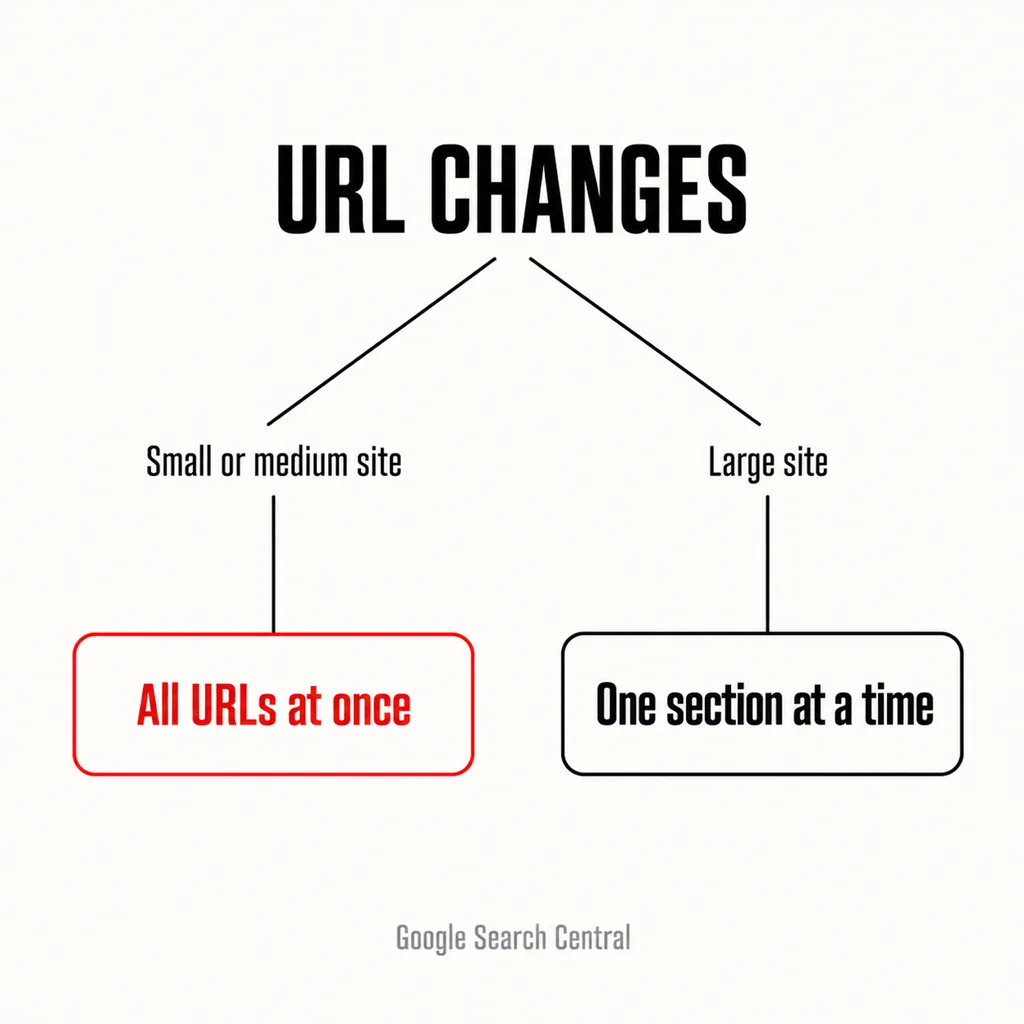
If the addresses are changing — /services/aircon-repair becoming /aircon-repair, say — Google has answered this directly. Its guidance on site moves with URL changes says:
Almost every Malaysian SME site we see is in the first group: a few dozen pages, perhaps a hundred with the blog. For those, the URL map and every 301 redirect go live on the same day as the new structure, rather than handing Google a moving target for months.
The same page adds a caution for anyone tempted to “test” with one section first: “while moving just one section is a great way to test your move, it’s not necessarily representative of a whole site move when it comes to Search.” A twenty-page service site gains nothing by it. Redesigning without losing rankings covers the redirect work, and the cleanest outcome is often to keep the addresses you have: a revamp that changes no URLs has no site move to stage.
Nielsen Norman Group’s article on radical redesign or incremental change leans firmly towards small steps: “Drastic website changes are jarring for users and risky for business,” and “Never make radical changes when minimal adjustments will suffice.” We agree for most sites. But the same piece lists when an overhaul is the honest answer, and those cases map onto the shared layer:
None of these needs a rebuild: a single release can keep the content, addresses and platform that work. Revamp or full rebuild is a separate decision from how many releases it takes.
When the shared layer is sound, or can be fixed in one release, and the slow part is the pages. Four situations fit:
That last point is the case the GOV.UK Service Manual makes for government services, and it travels well. Its standard on iterating starts from the premise that services are never “finished”, and its core principles of agile warn against “creating a ‘too-big-to-fail’ service that should not be released, but must be released anyway”. A relaunch nobody dares delay is that service, at SME scale.
The shared layer, plus the pages that carry the enquiries. In practice:
| Stage | What changes | Why it goes here |
|---|---|---|
| One | Navigation, templates, URL map and redirects; homepage, main service pages, contact | Shared parts change once; these pages bring the work |
| Two | Remaining service and location pages, rewritten in the new templates | Content-heavy, safe to release a few at a time |
| Three | Blog and resources: merge, prune, refresh | Least urgent; often smaller once pruned |
| Later | Second language, new features, photography | Each can ship on its own |
The first stage that does not work is the homepage alone, redesigned but still on the old menu and templates. It is the commonest request, and it pays for the shared decisions twice. Whether to fix the homepage or revamp the whole site explains why most visitors never see the homepage anyway.
Before stage one starts, decide what survives (what to keep from the old site covers the audit) and put the whole plan in the revamp brief, so each stage is quoted against the same scope.
Stage two is where staged revamps die: stage one launches, the pressure lifts, and the old pages sit there for a year. NN/g’s piece notes the pattern in big redesigns too: “Some projects start and stop multiple times, while other projects fizzle completely.” Three habits prevent it:
Briefly, and only if the menu, header and footer are already new everywhere. Mismatched page bodies inside one frame look like a site being updated; mismatched menus look like two businesses.
Not if the addresses change in one go, or not at all. Rewriting content over several months is ordinary maintenance as far as search is concerned. The risk is changing URLs a section at a time on a small site, which Google advises against.
When a client asks us to revamp in stages, we usually agree — and then argue for putting the navigation, templates and any URL changes into stage one. Our web development and design service plans every stage up front, so later stages are content work inside a finished structure. Not sure the site needs a revamp at all? Start with the signs it needs more than a refresh.