- Resources
Innovative Thinking


Change website platform when the platform is the thing costing you: you cannot make a change without going back to whoever built the site, the feature the business now needs is something the platform will not do, or the bill keeps arriving while the site stays as it was. Any of those three and a move pays for itself. None of them, and a revamp on what you already have lands sooner for less.
That decision is usually settled in an afternoon. The planning goes into what the move bills you for afterwards, and it is never the design. It is the page addresses, the content that does not survive the export, and the person who has to learn a new editor.
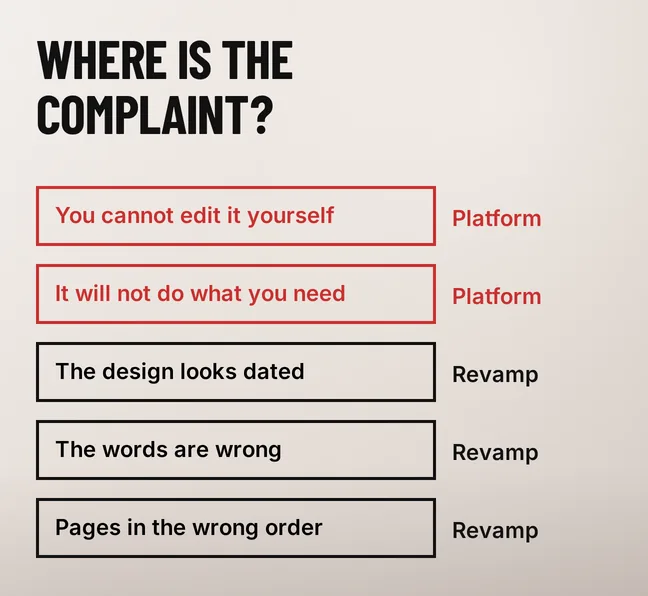
Put the complaint into one of two layers. The platform layer is who can change the site, what it is technically able to do, and what it costs to keep the lights on. The revamp layer is what the site says, how it looks and the order the pages sit in. A move only helps with the first layer, and three complaints sit squarely in it:
Everything else argues for staying. Dated design, weak copy, a homepage that buries the thing you actually sell — a new platform rewrites none of it. If visitors cannot find what they came for, the problem is usually the structure rather than the content, and structure is rebuilt on any platform at roughly the same price. So the question our revamp or full rebuild article keeps asking applies here too: what, specifically, is broken?

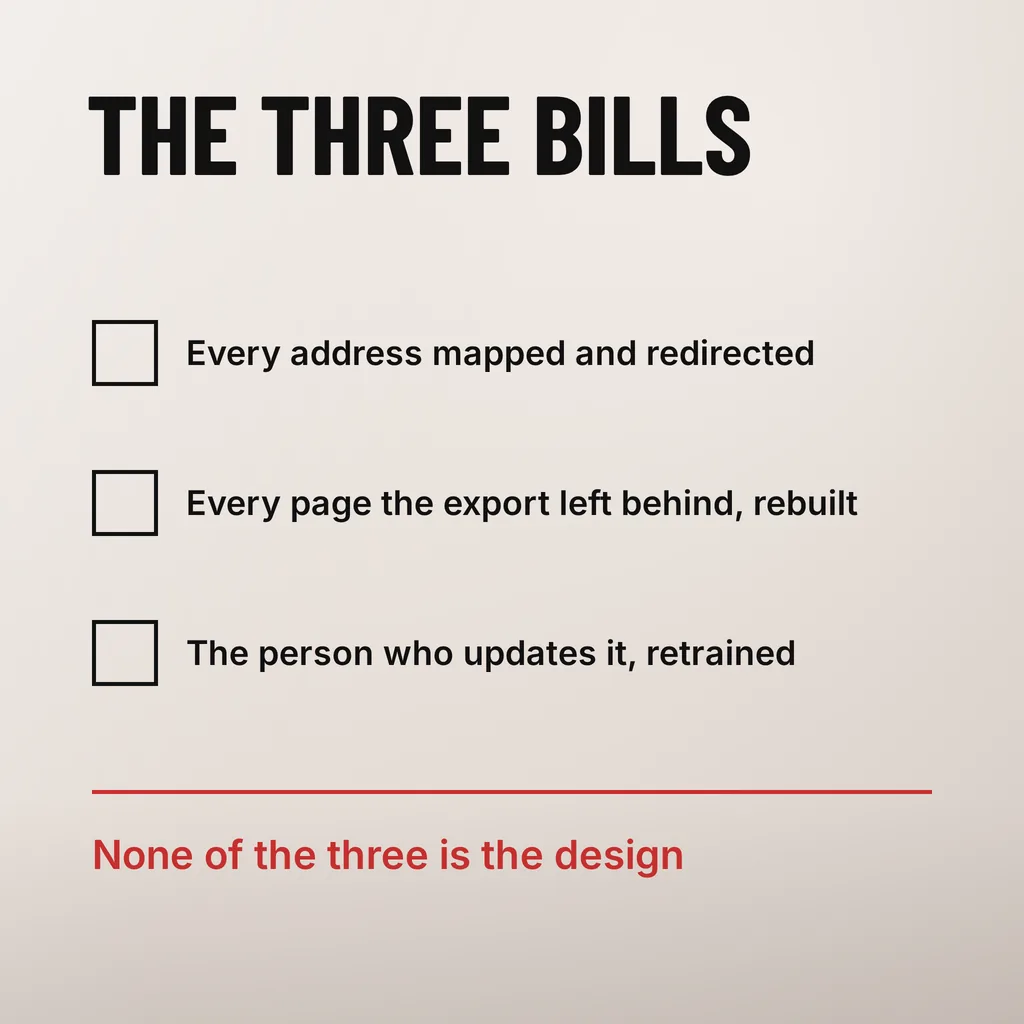
Three lines, and the design is not one of them.
The first is the addresses: if every page gets a new URL, every old URL needs a permanent redirect to whatever replaced it, and someone writes that mapping by hand. The second is the content the export leaves behind, which you rebuild page by page. The third is the time your staff lose while the new editor is unfamiliar, plus documenting it for the next person.
We are not going to attach a ringgit range to that, because the figure turns on a number you can count yourself before anyone quotes you. Open your sitemap, or ask for the page list, and count. A fifteen-page site with one blog is a different job from a two-hundred-page site with eight years of posts and three forms wired into a CRM.
| What is moving | What decides the work |
|---|---|
| Page addresses | How many URLs exist, and whether the new platform can keep the same paths |
| Pages and posts | How much of it the export actually carries, and how much is rebuilt by hand |
| Forms and integrations | How many systems receive the enquiry today, and whether each has a connector |
| The editor | How many people update the site, and whether anyone writes down how |
The last row is the one people forget. A platform the business can actually use beats a platform with a longer feature list — the same argument we made about what you are paying a web agency for.
Read your current platform’s own export documentation before you agree a price, not after. The published lists are specific, and shorter than people expect.
Squarespace is the clearest example, because it writes the limits down. Its guidance on exporting your site content explains that the export is a WordPress-format .xml file, and that “Many features rely on our platform’s JavaScript and CSS, so some content doesn’t export.” What does not come across is listed outright: album, cover, index, info, calendar, portfolio and store pages; content in page-specific headers, footers and sidebars; dropdowns; audio, product and video blocks; drafts; style settings; custom CSS. And on a site with more than one blog: “Only one blog page exports.”
None of that makes a move wrong. It tells you what the second half of the project is: a shop, a portfolio and a second blog are pages a person rebuilds, and they belong in the quote. Treat the export as the start of a content audit, which raises the same questions as any revamp about what to keep from the old website and keeps the revamp timeline honest, because rebuilding forty pages by hand is weeks nobody costed.
Where a platform publishes no such list, ask for an export file before signing and open it. A file you can read is evidence; an assurance that everything transfers is not.
Only if the addresses change and the redirects are wrong. Keeping the same paths on the new platform is the cheapest protection available, and most platforms allow it. Where they have to change, Google’s guidance on site moves with URL changes asks for a mapping from every current URL to its replacement, server-side permanent redirects, and patience: “for medium-sized websites, it can take a few weeks or more for Google to gradually start showing the new URLs instead of the old ones (and for larger sites, even longer).” It also warns against stacking redirects, advising a chain of “ideally no more than 3 and fewer than 5”.
Two consequences for a Malaysian SME. Pick a quiet month rather than the fortnight before a Raya campaign, because weeks of movement in your busiest season is a real cost. And keep the old URLs resolving: cancelling the old hosting the day after launch takes the redirects down with it, the failure our guide to moving a website without breaking it exists to prevent. More on the ranking side in how to redesign without losing SEO rankings.
Email dies quietly in a platform move. If the current platform also hosts your mail, enquiries stop arriving and nobody notices for days. Check the email and DNS side before launch day, not on it.
Four things, in this order, and all four are cheap:
Then put the move and the redesign in one release. The addresses, the templates and the platform all change everywhere at once, which is the argument in our piece on revamping in stages or all at once; two rounds of disruption buys nothing. If the four answers show the platform is fine, write a revamp brief instead and spend the budget on the pages.
We do both: a revamp on the platform you have, and a move when the platform is the constraint. Either way the first conversation is the audit above, and the pre-launch checks are the same. To go through the count, the export and the redirect map with someone, that is our web development and design work.
Usually, yes, and it is worth insisting on. Most platforms let you set the path for each page, so /services/aircon-repair can stay /services/aircon-repair. Ask for that explicitly at quoting stage, because a default URL structure imposed by the new platform is the most expensive thing to undo later.
Not on its own. The platform sets a floor, and after that the hosting, the page weight and the images decide what a visitor on a mid-range phone experiences. A move is a good moment to fix those, since you are rebuilding the pages anyway, but the move alone is not the fix.
Mostly it depends on how many pages the export leaves behind, because those are rebuilt by hand. Count them first. Then allow time after launch for the redirects to settle: Google says a few weeks or more for a medium-sized site before the new URLs replace the old ones in search results.
A platform move buys control and capability, and is worth it when either is missing. It cures nothing on a site that says the wrong things. Count your pages, open an export, and the answer usually arrives within a day.