
- Resources
Innovative Thinking


Take the site offline behind a holding page, write down what you are seeing, change every password from a computer you trust, and leave the backup alone until you know how they got in. A website hacked over the weekend is usually still serving the attacker’s pages on Monday morning, and the quickest repair costs the most: delete the odd-looking file, put the site back, and the way in is still open.
Order matters more than speed. While the site is flagged, browsers and search results warn people away from your name, and that is what stops enquiries.
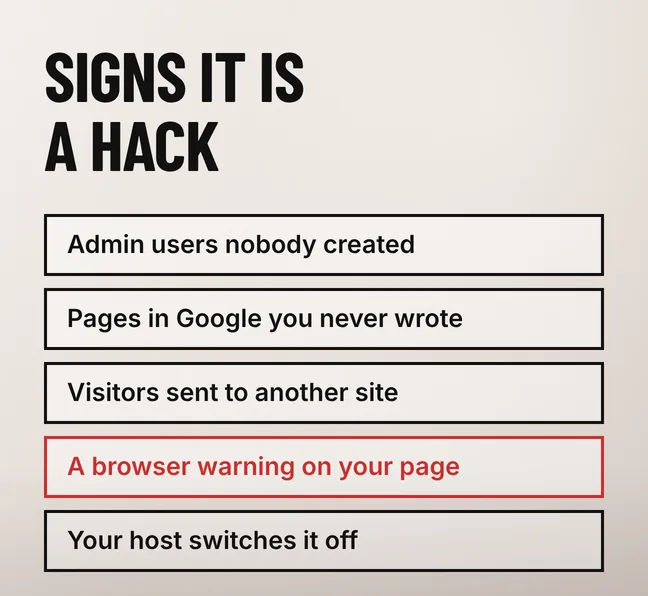
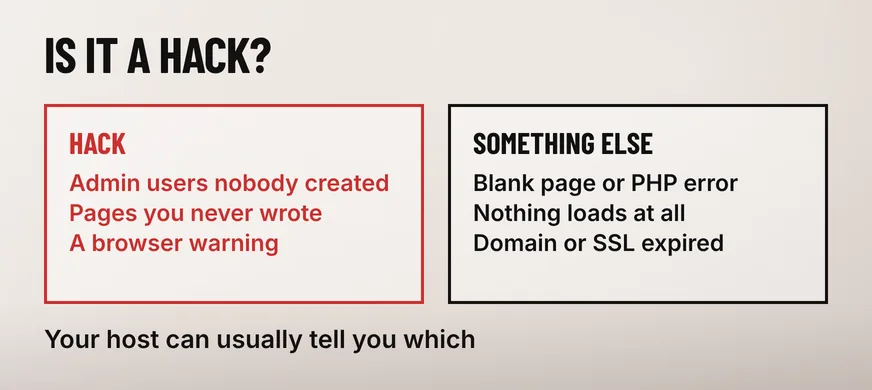
A hack shows up as things nobody on your team did: administrator accounts that appeared on their own, pages in Google you never wrote, visitors sent somewhere else, or a warning in front of your homepage. An outage, an expired domain or a plugin conflict breaks the site without adding anything to it.
| What you are seeing | What it usually means | Where to check |
|---|---|---|
| Admin users nobody created | A hack | The users list in your CMS |
| Pages in Google you never wrote | A hack, injected for spam | A site: search for your own domain |
| A browser warning in front of the site | A hack, flagged by Safe Browsing | Security Issues in Search Console |
| Visitors redirected elsewhere | A hack, or hijacked DNS | Your DNS records and .htaccess file |
| A blank page or a PHP error | Usually an update or plugin conflict | Your host’s error log |
| Nothing loads at all | Usually hosting, DNS or an expired domain | Your host’s status page and the domain expiry |
Ask your hosting provider before concluding anything. WordPress’s own documentation on a hacked site, which counts a host disabling your website among the clear indicators of compromise, notes that “Your hosting provider might also be able to confirm if a hack is an actual hack or a loss of service, for example.”
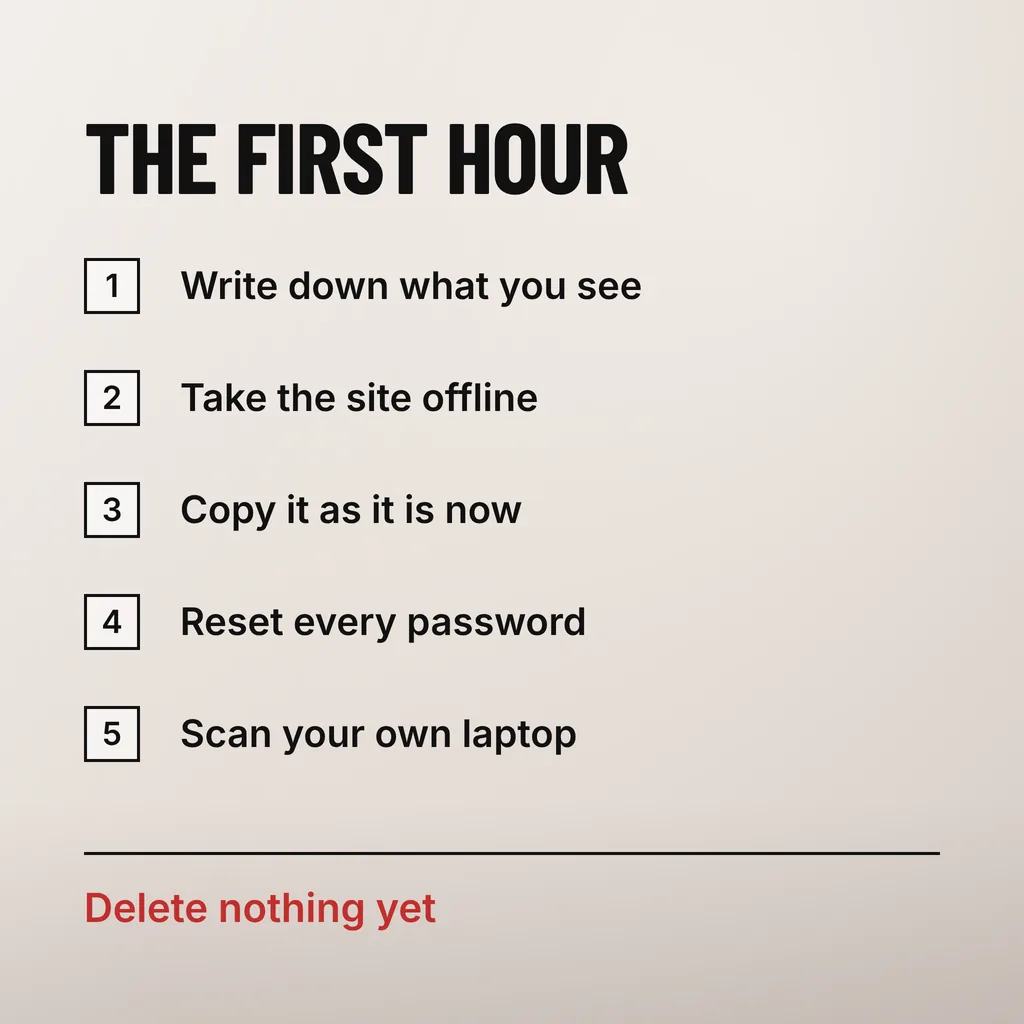
Write down what you are seeing and when, take the site offline behind a holding page, copy the compromised site exactly as it stands, then reset every password and log everyone out. Four moves, in that order, and none involves deleting anything — what looks like the problem is often the only evidence of how it started.
Documentation comes first because your developer, your host or whoever does the forensic work will ask what you saw and when. The WordPress documentation is blunt: “The first actionable step you should take post-compromise is documentation”.
Change the passwords from a machine you have already scanned, and end every active session rather than trusting the password change to do it.
Restore only once you know roughly when the break-in happened, and only from a copy taken before it. Restoring first feels like progress and buys a few hours: the most recent backup carries either the same backdoor or the same unpatched hole, so the site is reinfected and the evidence is overwritten too.
Two questions decide which copy to use: when the first symptom appeared, and how far back your backup history goes. A compromise noticed on Friday may have begun three weeks earlier, and if your host keeps a rolling week of daily copies, every one is already infected. Our guide to how often a business website should be backed up covers retention, which decides whether a clean copy exists at all.
With no clean backup, rebuilding beats cleaning. Reinstall the platform files from the official download at the same version, by file transfer rather than the admin updater, because an updater overwrites existing files and a hack usually adds new ones. The WordPress documentation names .htaccess among the most commonly modified files, with index.php, header.php, footer.php and the theme’s functions file. Keep your database and your content; treat plugin and theme files as suspect until replaced from source.
Fix every affected page, then request a review in the Security Issues report in Google Search Console. Google removes the warning only after its own recheck, and its documentation says that review “can take from a few days to a few weeks to complete”, so the label outlives the clean-up. Partial fixes do not shorten it.
Google’s Search Console documentation on the Security Issues report sets out what visitors see and what clears it. Affected pages “can appear with a warning label in search results or an interstitial warning page in the browser”, and on doing half the job it is explicit: “Fixing the issue on just some pages will not earn you a partial return to search results.” Request one review, and do not resubmit while it is pending.
You only find out early if someone verified the site in Search Console beforehand. Google’s Search Central documentation on preventing malware infection, last updated on 10 December 2025, says that “If Google detects malware on your site, you’ll see a notification in the message panel in Search Console.” An unverified site gets no message, which is how owners hear it from a customer instead.
Tell them if their personal data could have been reached: names, phone numbers, addresses, order history, or passwords they reused elsewhere. Say what happened, what was exposed, what you have changed, and what you want them to do. If customer personal data was involved, your business may also owe a notification to Malaysia’s Personal Data Protection Department.
That department runs a data breach notification channel inside its own portal. We are not lawyers, and the exact trigger, deadline and form are worth confirming with the department or your own adviser rather than from any blog, this one included. Start by working out what data your site actually held, because that is where any notification begins.
Most Malaysian SME sites hold less than their owners fear and more than they remember. Card numbers are usually absent, since FPX and hosted gateway pages keep payment details off your server. Enquiry forms, order records and customer accounts are another matter: names, phone numbers, delivery addresses and WhatsApp numbers sit in the database. Check the forms, the users table and any plugin that stores submissions before telling anyone that nothing was taken.
Close the entry point before you put the site back, then change every password a second time. The first change happened while the attacker still had access, which is why the WordPress documentation says “you need to change the passwords for your site after making sure your site is clean” — the database user and the configuration file holding its password included.
Then reduce what an attacker can reach: current versions of every component, fewer administrator accounts, two-factor authentication on the ones that remain. Google’s Search Central documentation on preventing malware recommends you “Make a list of all the software and plug-ins used for your website, and keep track of the version numbers and updates”, and notes that your host’s own operating system patches matter too. Our article on what to check on a site that is still live works through the same list before anything goes wrong.
Finding the actual entry point is harder. The WordPress documentation calls forensics “the process of understanding what happened. How did the attackers get in?” and admits owners often cannot do it for lack of data. Server access logs are usually where the answer sits, if your host keeps them.
Rarely, and not safely. Deleting what you can see removes the symptom, while the backdoor that let those files be written usually sits elsewhere: another directory, the database, a scheduled task, or a plugin that looks legitimate. If the entry point stays open, the files come back.
The visible damage is the warning rather than a penalty you can see in a rankings tool. Google’s documentation says hacked pages can appear with a warning label in search results or an interstitial warning in the browser. People who see that next to your name do not click, so enquiries stop before any ranking question is settled.
Until the entry point is closed and the files are replaced, which for a small site is usually days rather than hours. A holding page carrying your phone number and WhatsApp link keeps you contactable meanwhile, and it beats a site that comes back twice.
We take the call at the point where most owners are about to delete something: site offline behind a holding page, the compromised copy preserved, access reset, then the entry point found before anything is restored. Our website maintenance service covers the part that prevents a second incident, with updates on a schedule, backups you can actually restore from, and the site verified in Search Console so a warning reaches you before it reaches your customers. If you are in the middle of one now, write down what you can see and when you first saw it.