
- Resources
Innovative Thinking



Merge two websites into one when the same buyer could plausibly land on either of them. Most Malaysian SMEs running a second site are in exactly that position: a .com for the company and a .com.my for one product line, or a separate site an old agency built for a single service, both selling to the same person and only one of them actually maintained.
A second website is rarely free. It carries its own hosting, its own WordPress and plugin updates, its own enquiry form that someone has to remember to check, and its own share of the visits that could have landed where you answer. The question worth asking is whether the second site earns all of that, and for most businesses with two sites the honest answer is no.
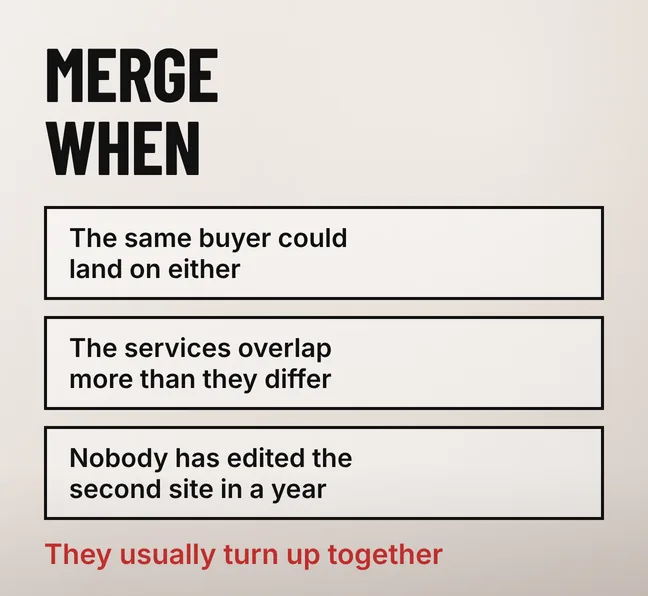
Merge the two sites when the same buyer could use either one, when the services on them overlap more than they differ, and when nobody has edited the second site in the past year. Those three signals usually appear together, and together they mean the second site is consuming maintenance and attention while returning very little.
| What you see | What it usually means | Verdict |
|---|---|---|
| The same buyer could land on either site | Your content, links and attention are split in two | Merge |
| Both sites carry the same services, reworded | Two pages of yours compete for one query | Merge |
| The second site has not been edited in a year | It is showing services, prices or staff you no longer have | Merge |
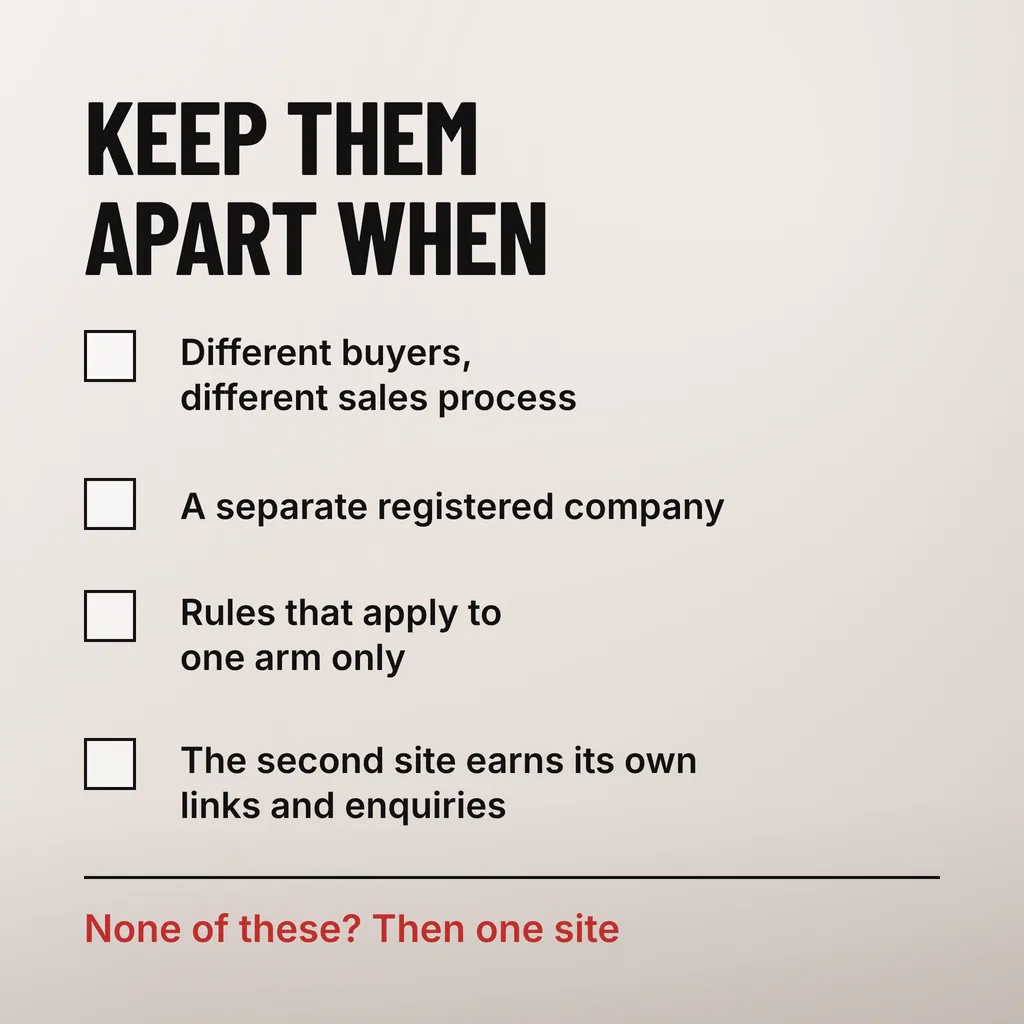
| The second site sells to a different buyer entirely | Two audiences, two sales processes | Keep |
| The second brand is a separate registered company | The two names have to stay distinct in public | Keep |
| The second site earns its own links and enquiries | It is doing work the main site is not | Keep |
The enquiry path is the signal most owners already know the answer to. Ask where the WhatsApp enquiries arrive, where the number on the Google Business Profile points, and which address staff give a customer who asks. If every answer is the same site, the other one is a doorway visitors walk past while it still needs its own updates, certificate and backups — the maintenance that gets skipped on a site nobody looks at, which is how a forgotten second site becomes the one that gets hacked.
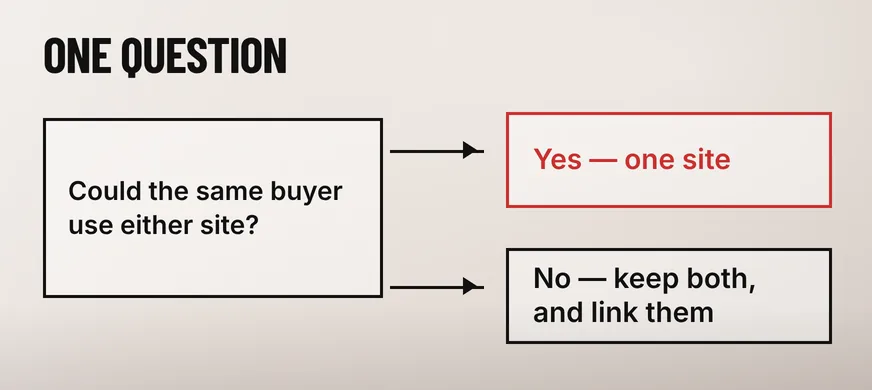
Two websites stay separate when they sell to genuinely different buyers through different sales processes, when the second brand is a separate registered company that has to keep its own identity in public, when rules apply to one arm of the business and not the other, or when the second site has earned links and enquiries of its own.
A manufacturer with a trade arm and a retail arm is the clearest case. The trade buyer wants specifications, lead times and a quotation; the retail buyer wants a price and a cart. One homepage cannot open with both, and splitting them is a decision about the business rather than about the website.
Regulation is the second case, and in Malaysia it is a real one. A group that includes a clinic, a pharmacy or another licensed practice has to keep what that arm advertises inside its own rules, and folding it into a general commercial site makes every page harder to keep compliant. The same applies to a separate SSM-registered entity whose name, registration number and terms belong on its own pages.
Wanting to speak to a second audience is usually not enough on its own. A section with its own landing page, navigation entry and enquiry form does that job without a second domain to maintain.
Permanent redirects carry the closing site’s signals across to the pages that replace them, and Google states plainly that they cost no PageRank. Expect a few weeks of movement while Google works through the change rather than a permanent drop, provided every old address points at the page that now answers the same question.
Google’s guidance on site moves with URL changes is specific on both points. It says “we recommend that you use HTTP permanent redirects if possible, such as 301 and 308”, and that “301 and other permanent redirects don’t cause a loss in PageRank.” On timing it says: “As a general rule, a small to medium-sized website can take a few weeks for most pages to move, and larger sites take longer.”
A redirect states a preference rather than deleting a page. Google’s documentation on canonicalization describes one as “a strong signal that the target of the redirect should become canonical” and says to “use permanent redirects to tell Google that a redirected URL is a worse version than the URL it redirects to”. That is the mechanism behind a merge: two near-identical services pages stop competing, and the signals they held separately are consolidated onto one address.
Keep the redirects long after the launch. The site-move guidance says to “keep the redirects for as long as possible, generally at least 1 year”. Search Console Help’s page on the Change of Address tool says “You must be an owner of both the old and new properties in Search Console” and that its effects “continue for 180 days after you start migration in Search Console”. A merge reversed six weeks in because rankings moved has usually not been given long enough; what a URL change does over a full cycle is covered in our guide to redesigning a website without losing SEO rankings.
Map every address on the closing site to the single page that now answers the same question, page by page, before anything is switched over. The URL map is the part of a merge that decides how it goes, and it has to be finished while both sites are still live and can be compared side by side.
Google’s site-move guidance puts it directly: “It’s important to map your old site’s URLs to the URLs for the new site.” It also names the shortcut to avoid, saying “don’t redirect many old URLs to one irrelevant single URL destination, such as the home page of the new site.” Sending every closing page to the homepage is quick, and throws away what the merge was meant to keep.
Orphan pages are where a merge quietly loses content worth keeping, and where it picks up pages worth dropping; our guide to deciding which pages should go sets out how to tell the two apart. Where the merge creates new addresses, Google’s URL-structure documentation recommends “using hyphens (-) instead of underscores (_) to separate words in your URLs” and “readable words rather than long ID numbers”. Addresses that already work are best left alone: every URL you change is one more redirect to maintain.
Merging costs you the second domain as a live address, the direct visits from anyone who typed or bookmarked it, and the ability to report the two parts of the business separately without setting that up again. Those losses are real, and smaller than the cost of carrying a site nobody maintains.
What you gain is what the two sites were splitting: one address everything points at, one enquiry path to test, one set of updates to apply, and one page per question instead of two versions of the same answer.
Yes, and that is usually the right end state. Keep registering the old domain and redirect its pages one by one to the pages that replace them, rather than sending everything to the homepage. The domain stays yours, old links and printed addresses keep working, and only one website has to be maintained.
No. Two sites ranking for the same query compete for the same visit, so a merge consolidates signals onto one page rather than adding the two totals together. Google describes canonicalization as a way for search engines to consolidate the signals they hold for individual URLs: a stronger single page, not twice the visits.
At least a year. Google’s site-move guidance says to keep redirects “for as long as possible, generally at least 1 year”, and adds that from a user’s perspective you should consider keeping them indefinitely. Since the redirects live on the old domain, that means keeping the registration too.
We treat a merge as a revamp with a URL map at the centre of it: both sites audited page by page, every closing address matched to the page that replaces it, the duplicates rewritten as one better page, and the redirects tested before anything is switched. Our website revamp service covers that work. If you are weighing it up now, start with the URL list rather than the design, because that is the part that decides how the merge goes.