
- Resources
Innovative Thinking


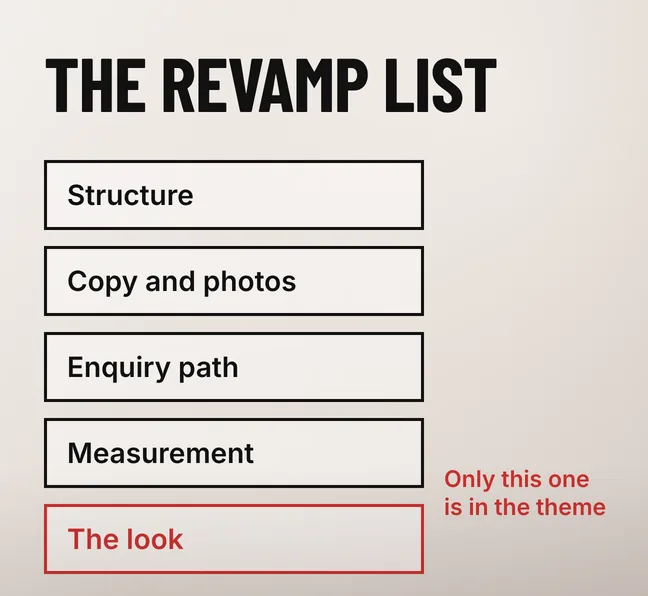
Website template vs custom design is the wrong first question in a revamp, because a well-chosen template carries most Malaysian SME sites perfectly well. The work that decides whether the revamped site performs — the structure, the copy and photos, the enquiry path and the measurement — sits outside the theme either way. What the choice really decides is how much of your site the theme is allowed to own.
That matters because a theme can be changed and a dependency cannot. A template whose job stops at the look can be swapped in an afternoon three years from now. One that supplies your property listings, your tabs and your enquiry form takes them with it, and that is the bill nobody quotes for at the start.
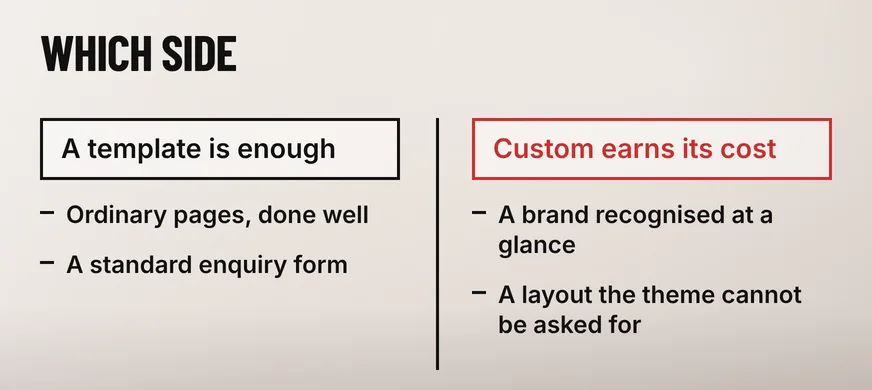
Most revamps need a template. A premium theme already handles the layouts, the responsive behaviour and the block editor support that a small site uses, and the parts of a revamp that change what the site produces are written rather than designed. Custom design earns its cost when the business needs something the theme cannot be asked for.
| What the revamp has to deliver | What that decides |
|---|---|
| A clearer structure, better copy and real photographs | A template. None of that work lives in the theme, so custom design does not buy any of it |
| An enquiry path that matches how customers make contact | A template, with the form and the WhatsApp link configured rather than left at the demo defaults |
| Listings, bookings or a product configurator | Neither. That belongs in a plugin whichever route you take |
| A brand a visitor recognises at a glance | Custom design, or a template whose layout is replaced in a child theme |
| Pages a staff member can extend without a developer | A template, provided its layouts are standard blocks |
The money follows the same split: a revamp budget goes mostly on content, structure and the build, and the theme licence is a small line on it, as our breakdown of what actually affects a website revamp’s price sets out. Choosing custom design to fix a content problem spends the budget in the one place that cannot fix it.
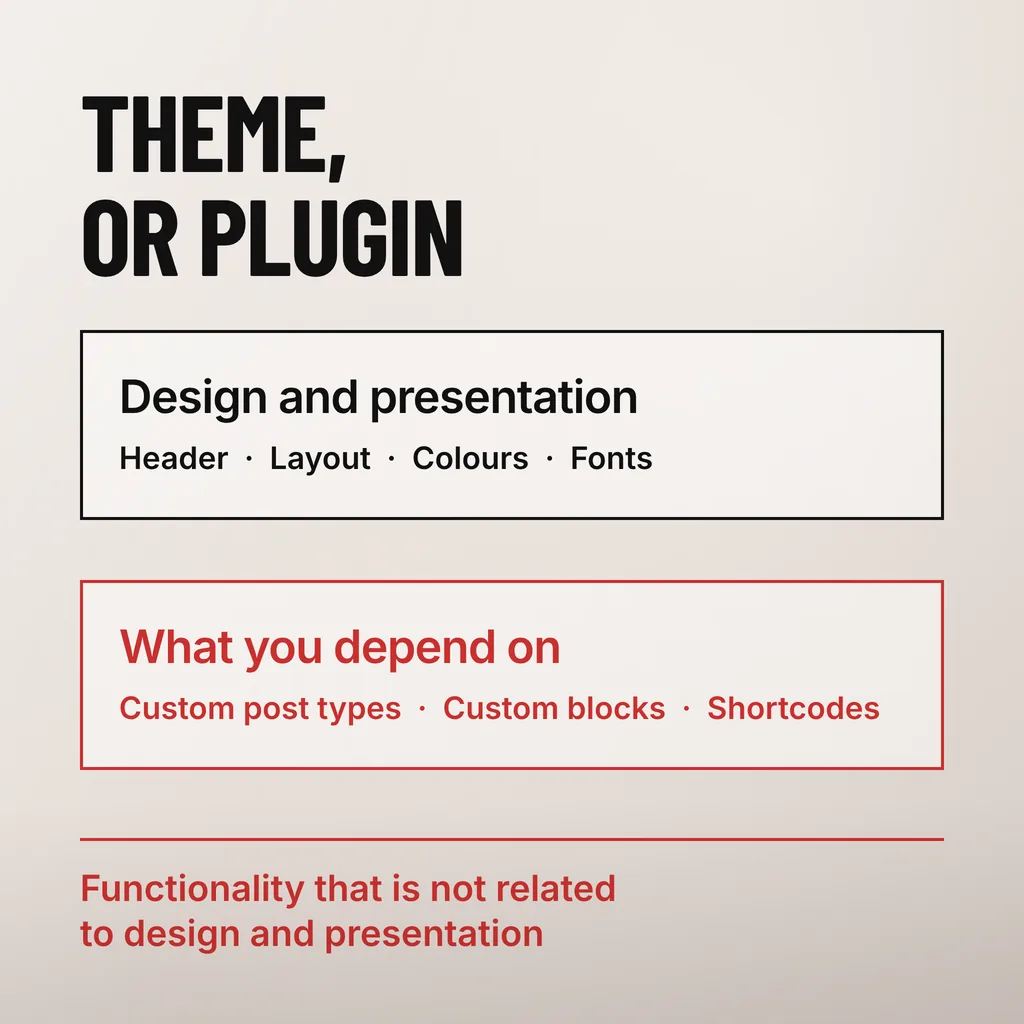
A WordPress theme is allowed to handle design and presentation, and little else. The theme review guidelines WordPress.org applies to its own directory list what a theme must not include, and the list names the exact things a growing business tends to want: custom post types, custom blocks and shortcodes. The reason is ownership, not tidiness.
The WordPress theme review requirements put it plainly. Under “Do not include” they name “Custom post types”, “Custom blocks”, “Shortcodes” and, as the catch-all, “Functionality that is not related to design and presentation”. The same page sets the licence rule — “Themes must be compatible with the GNU General Public License”, and “All code, data, and images — anything in the theme zip file — must comply with the GPL or a GPL-Compatible license” — and the privacy rule that “any tracking and collection of user data must be disabled by default and opt-in only.”
Those requirements bind the free themes in the WordPress.org directory. A premium theme from a marketplace is reviewed against that marketplace’s rules instead, and plenty of them register post types, ship their own page builder and bundle a dozen plugins. That breaks no rule, but it makes the directory’s list the most useful checklist published for a theme you are about to pay for: the more of it a theme breaks, the more of your site it owns.
Whatever the old theme owned breaks. Switching a theme that only styled your pages changes the appearance and nothing else. Switching one that registered your custom post types, supplied the shortcodes sitting inside your content or built your layouts in its own page builder leaves pages showing raw shortcode text, or empty where a section used to be.
Three things tend to go at once. Listings or testimonials registered as a post type stop appearing, because the post type no longer exists. Layouts built in the theme’s own builder revert to the blocks underneath, usually a wall of unstyled text. Slider and tab shortcodes print as square brackets mid-paragraph, visible to every visitor until someone edits each page.
A page builder creates the same tie, and the cost shows up long after launch; our article on what a page builder costs you after the site is built goes through where that lands. Before buying a theme, ask the seller what happens to the demo content when the theme is deactivated. A seller who has thought about it answers in one sentence.
Importing demo content is not a revamp either. On a live site the demo either sits alongside the real content or overwrites the menus that worked, and the old pages still have to be moved one at a time — the part of the schedule most quotes understate.
Yes, through a child theme, which is the only safe way to modify a purchased template. Edits made directly to a theme’s files are erased by its next update, and skipping updates on a theme leaves the security patches uninstalled. A child theme keeps the modifications in a separate folder that updates do not touch.
WordPress’s own documentation on child themes describes the mechanism: “Child themes are extensions of a parent theme. They allow you to modify an existing theme without directly editing that theme’s code”, and they “allow parent themes to be updated without losing your modifications.” A developer who edits the parent theme directly is leaving you a site that cannot be updated.
The same page marks where that approach runs out, and it is the honest answer to the question in this article’s title: “making extensive customizations from within a child theme can eventually become a management headache. For these more extensive projects, it is often better to fork the original theme and create a full/parent theme of your own.” Once the child theme has overridden most of the parent’s templates, the template has stopped being the cheaper route and the business is paying for custom design without having commissioned it.
Check what the licence covers, when the theme was last updated, how much of the demo depends on bundled plugins, and how it performs on a page carrying your own content. A theme’s sales page is a demo on fast hosting with optimised images, which is the one condition your site will never run in.
None of these checks needs a developer, and all are quicker than the rebuild that follows choosing wrongly. A theme that owns your content types has already made the next revamp a migration.
No. Google ranks pages on what they contain and how they perform, so a theme is one input into performance rather than a ranking factor. A template on standard blocks, loading quickly on a phone and carrying proper headings, can outrank a slow custom site. The theme becomes an SEO problem only when it blocks something: unindexable content, or a layout that pushes the answer below three screens of slider.
Not automatically. A free theme in the WordPress.org directory has at least been reviewed against the published requirements, including the rule against functionality unrelated to design and presentation. A premium theme is reviewed against a marketplace’s own standard, which is usually looser about what the theme may own. Judge either on its update record and on how much of your content it would hold.
Usually yes, and that is the sensible order for a business still changing shape. The condition is that the theme must not own the content: keep listings, forms and anything holding data in plugins, and keep modifications in a child theme. Done that way, a later custom design changes the appearance rather than migrating the site.
We treat the theme as the smallest decision in a revamp and ownership as the real one: which content types live in plugins, what the child theme overrides, and what would still work if the theme were replaced in three years. Our website revamp service covers that assessment alongside the structure and content work the theme never touches. If you are shortlisting templates this week, open each one’s documentation and look for the words child theme.