Comparisons of WordPress page builders tend to list the same three or four products, describe their features in the vendors’ own words, and stop. For a business owner the interesting question arrives later: a page builder is chosen once, usually by whoever builds the site, and then lived with for years. What does it cost over those years?
Two things, and only one of them is visible on launch day. The first is weight on every page. The second is that leaving one is not a migration — it is a rebuild.
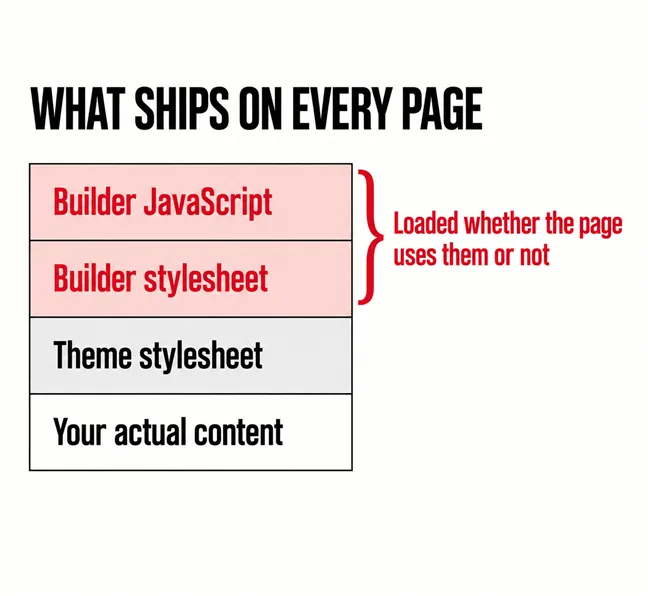
Its stylesheet and its JavaScript, generally everywhere. A builder cannot know in advance which page will use its accordion or its slider, so the usual approach is to enqueue the lot site-wide. Your contact page, which is a heading and a form, carries the machinery for a parallax hero it does not have.
Chrome’s own Lighthouse documentation is unusually direct about where this comes from. On unused JavaScript it says plainly that “Unused JavaScript can slow down your page load speed”, flags every file carrying more than 20 kibibytes of unused code, and notes that sending unused code over the network is wasteful for people without unlimited data. Its recommended fix names the culprit outright: consider reducing, or switching, the number of WordPress plugins loading unused JavaScript on your page.
The stylesheet side is the same story. Lighthouse notes that “Unused CSS also slows down a browser’s construction of the render tree”, that each external stylesheet has to be fetched over the network, and — again — recommends reducing or switching the WordPress plugins loading unused CSS. When Google’s own performance tooling names your plugin stack twice, that is worth more than any vendor comparison.
Google’s performance documentation names WordPress plugins as the fix. Twice.
What that costs a Malaysian visitor on a mid-range phone is the subject of whether three seconds is really the limit, and whether the result is usable under a thumb is in is your website easy to use on a phone.
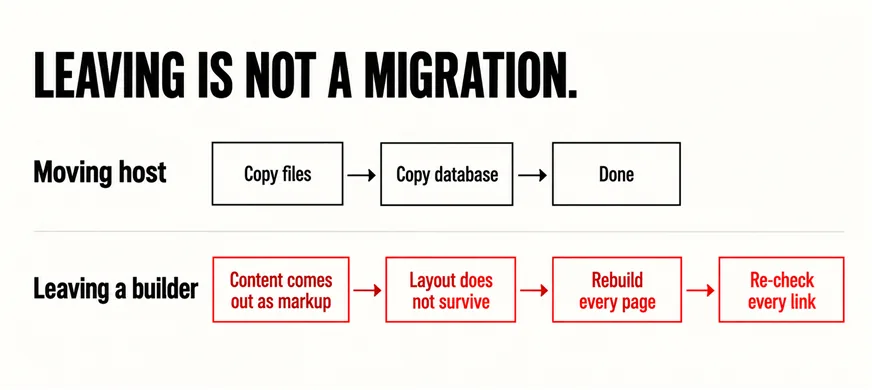
This is the part nobody mentions at the start, and it is the larger cost. Moving a WordPress site between hosts is ordinary work: copy the files, copy the database, repoint the domain, as set out in migrating a website without breaking it. Moving off a page builder is a different category of job.
In the sites we migrate, builder content does not come out as clean content. It comes out as the builder’s own markup, and once the plugin is gone the layout does not survive it. In practice that means rebuilding every page by hand, which is why a “simple theme change” quoted at a few days turns into a project. We are describing what we see rather than citing a study, because no official documentation says this — but it is consistent enough that we now ask which builder a site uses before quoting any redesign.
It is worth being even-handed here. WordPress itself now ships a block editor, and its documentation describes it in familiar terms: “Blocks are the content elements that you add to create content layouts”, with blocks for all common content elements and more available through plugins. For a brochure site, core blocks plus a well-built theme now cover a great deal of what a builder was bought for in 2019. That is not an argument to rip anything out today; it is an argument to ask the question before the next build.
No — it is a trade, and the trade is reasonable when you know you are making it. The honest summary:
| It buys you | It costs you |
|---|---|
| A faster, cheaper first build | Weight on every page, including pages that use none of it |
| Edits without a developer | A skill tied to one product rather than to WordPress |
| Layouts your theme cannot do | Content that does not leave cleanly |
| A licence you keep renewing | A dependency on the vendor staying in business |
The left column is real value, especially for a small business that needs to change a page on a Friday afternoon without raising a ticket. The mistake is not choosing a builder; it is choosing one without being told there is a right column at all.
Usually nothing dramatic. A builder-based site that is fast enough, patched and editable is fine, and replacing it for purity would be a poor use of money. The things worth doing are smaller: switch off the builder’s modules you never use, check whether its assets can be loaded only on the pages that need them, and keep it updated. That is routine maintenance, covered in what a care plan actually covers.
The decision changes when the site is due for a revamp anyway. At that point the builder is a live question rather than a sunk one, and the answer feeds into what carries over — the subject of what to keep in a website revamp — and how to do it without going dark, in revamping without downtime. If the builder is the reason every change is slow and expensive, that pattern is the one described in a website becoming expensive to maintain.
Usually yes, and sometimes substantially, because the builder’s stylesheet and script stop loading on every page. But the gain is not free: rebuilding the pages is the real cost, so it rarely makes sense on its own. It makes sense as part of a revamp that was happening anyway. Measure first with Lighthouse so the decision is based on your site rather than a general claim.
For many brochure sites now, largely yes. Its documentation describes blocks for all common content elements, with more available through plugins, and a decent theme fills most of the rest. For a site with complex custom layouts the answer is less clear, and the honest test is to rebuild one representative page in blocks before committing to anything.
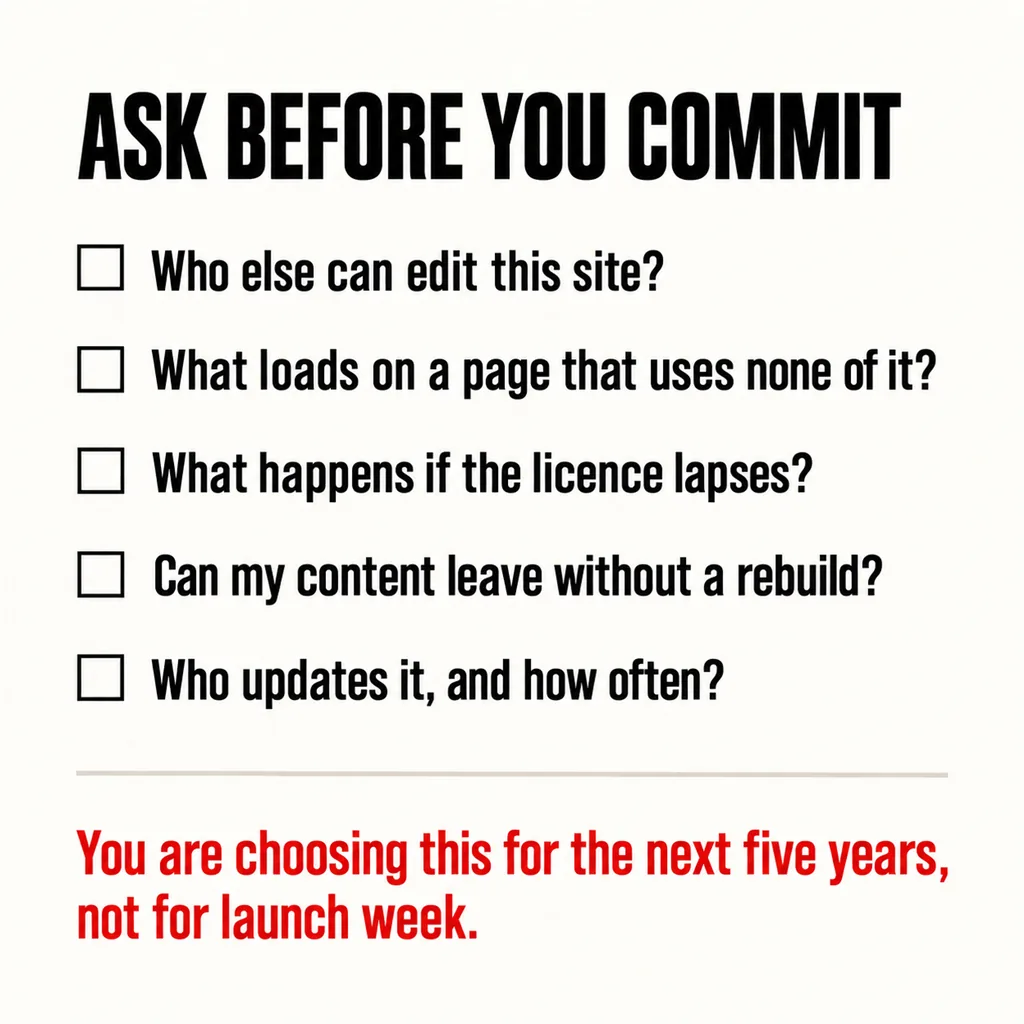
It is common, and it is not sinister — agencies standardise on one tool so their team is fast and consistent. The problem is only that the trade-off is rarely explained, and it is your business that lives with it. Asking the four questions above before the next build costs nothing and changes what you are agreeing to.
When we quote a revamp, which page builder a site uses is one of the first things we check, because it determines whether we are editing a site or rebuilding one. Our web development and design service will tell you which of the two you are looking at before any work starts, including when the answer is that the existing build is fine and should be left alone. If the question is bigger than the builder, our guide to choosing between a revamp and a full rebuild sets out how to decide.