- Resources
Innovative Thinking


If your website was built or optimised in the last few years, open any blog post and look at its page source for the word aggregateRating. On a surprising number of Malaysian SME sites it is there, on every post, usually at four-point-something out of five, from reviews nobody ever left. It was added to win star ratings in search results, and review schema applied this way is more likely to cost them.
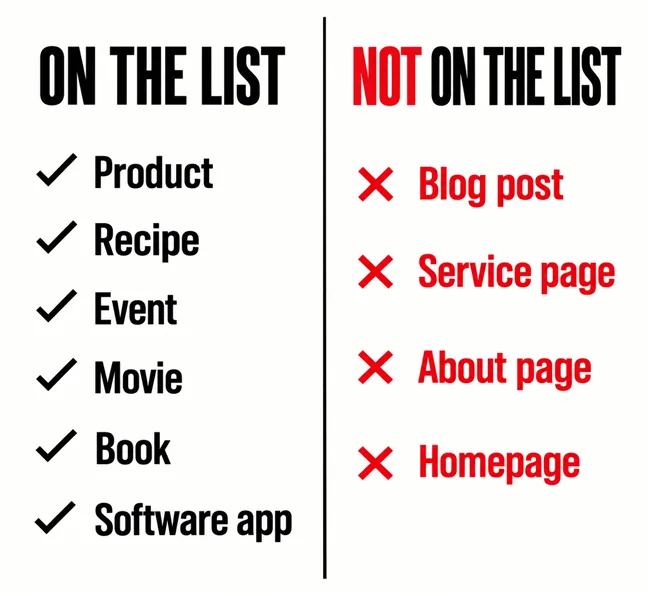
Google publishes the list of content types that ratings are valid for. It is short, specific, and does not include articles, service pages or homepages.
Google’s review snippet documentation states it plainly — “You can supply ratings for the following features:” — and then lists them: Book, Course list, Event, Local business, Movie, Product, Recipe and Software App. A second list adds a set of schema.org types, mostly media and series. Read both lists twice and notice what is missing: there is no Article, no blog post, no service page, no homepage.
Two entries on that list carry a restriction printed right beside them, and it is the one that catches agencies out. Against Local business, the documentation says review markup is “only for sites that capture reviews about other local businesses”. Against Organization, the same: only for sites that capture reviews about other organizations. In other words, the markup is for a site that reviews other people. It was never intended for a business applying stars to itself.
The markup is for a site that reviews other businesses. Not for a business rating itself.
That reading is supported by the general guidelines, which require that “Your structured data must be a true representation of the page content”. A guide to choosing a contractor is not a product with a price and a rating. Marking it up as though it were is not a clever edge; it is a description of the page that is not true.
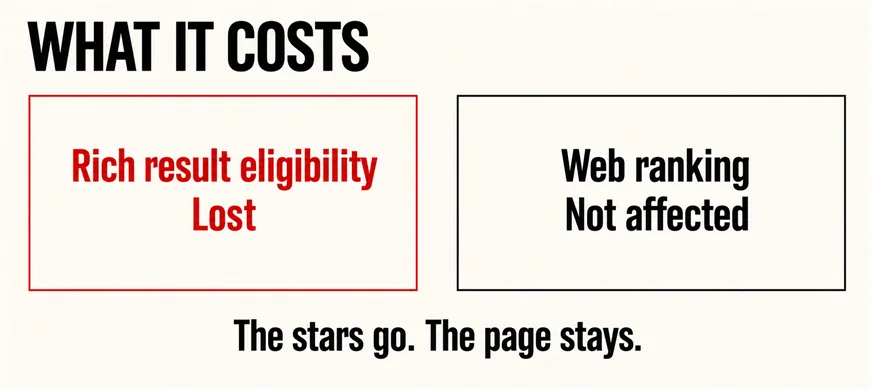
Something narrower than most people fear, and worth stating precisely rather than dramatically. The guidelines say that if a page contains a structured data issue it can result in a manual action, and that a structured data manual action means a page loses eligibility to appear as a rich result. The same sentence is explicit that this does not affect how the page ranks in ordinary web search.
So the realistic downside is not that your site disappears. It is that the stars you were sold stop appearing, possibly across the site, and you have to find and remove markup you did not know was there. The guidelines also warn directly about ratings that are not genuine: reviews or ratings not by actual users may result in manual action.
| What people fear | What the documentation says |
|---|---|
| The site gets penalised in search | A structured data manual action costs rich-result eligibility, not web ranking |
| Stars are a ranking boost | Structured data enables a feature; it does not guarantee one |
| More markup is safer | Markup must be a true representation of the page content |
| Nobody checks invisible markup | Do not mark up content that is not visible to readers |
That last row is the one worth sitting with. If a rating exists only in the code and no visitor can see a single review on the page, the markup is describing something that is not there.
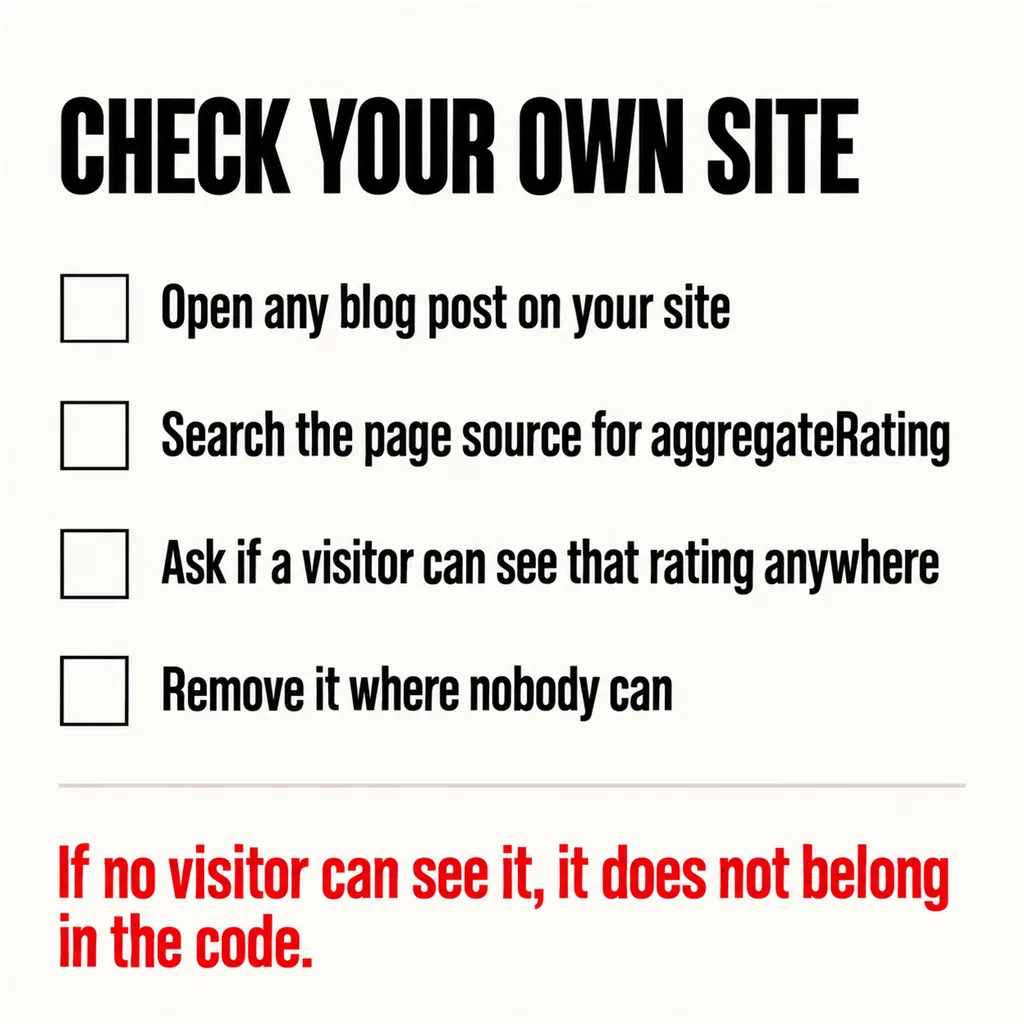
Without any tools, in about two minutes:
aggregateRating and for ratingValue. If you find them on an article, that is the thing to question.Plenty, and this is not an argument against structured data. Describing your organisation, your location, your opening hours and your actual services helps machines read the business correctly, which matters increasingly as search becomes answer-shaped — the subject of our articles on whether your site is ready for AI search and SEO, AEO and GEO. Keeping those details consistent everywhere is the point of making your business understandable to machines. The rule is simply that markup should describe what is on the page.
Into reviews that exist. A genuine review on a profile a customer can click through to is worth more than a number in your own source code, and it survives any policy change because it is true. What else reassures a Malaysian buyer is in our article on website trust signals.
And into the pages themselves. Stars in a snippet are a tactic for winning a click you were already in the running for; they do nothing for a page that does not answer the question. Writing pages that do is covered in answer-first service pages, the reason a plainer rival often outranks you in why a competitor with a worse website can outrank you, and the reality that some searches never send a click at all in zero-click search. If the plugin that added the markup is also three years out of date, that is worth a look too — see whether your website is still secure.
Not necessarily dishonest, but worth questioning. Blanket schema is often applied as a site-wide default by a plugin rather than chosen page by page, so nobody made a decision about your blog posts specifically. The test is simple and does not require blaming anyone: does the page show a rating a visitor can see, and is this a page type on Google’s list? If not, it should come off.
The documentation says a structured data manual action affects rich-result eligibility rather than web ranking, which implies the markup was not holding your ranking up in the first place. Removing markup that was never valid takes away a feature you were probably not getting and a risk you did not know you had.
Yes, where the page type qualifies and the reviews are real and visible. A product page with genuine customer reviews on it is the clearest case. The restriction in the documentation is aimed at self-applied ratings and at sites rating themselves — if the reviews exist, are from actual users, and appear on the page a visitor reads, you are in much safer territory.
Finding and removing markup that should not be there is a small job with an outsized effect on how much of your site is at risk, and it is one of the first things our SEO service checks on a site we inherit. Usually it is one plugin setting, applied everywhere, that nobody chose. If the audit turns up enough of these to suggest the whole build was done on autopilot, our guide to choosing between a revamp and a full rebuild sets out how to decide what to do next.