- Resources
Innovative Thinking


Yes, and the orders are not what a revamp puts at risk in the first place. A new theme, a rebuilt product page and a shorter checkout do not touch the rows your orders are stored in. What loses orders is the moment the finished work is moved onto the live store, when a database copied down from a staging site is pushed back over the top of a store that has been taking orders all week.
So a WooCommerce store revamp is two jobs treated as one. The design and build is the visible job. The cutover decides whether Monday’s orders still exist on Tuesday, and it is a sequencing problem with a correct answer rather than a matter of care. Get the sequence right and a florist taking FPX payments through Raya can be redesigned without losing an order.
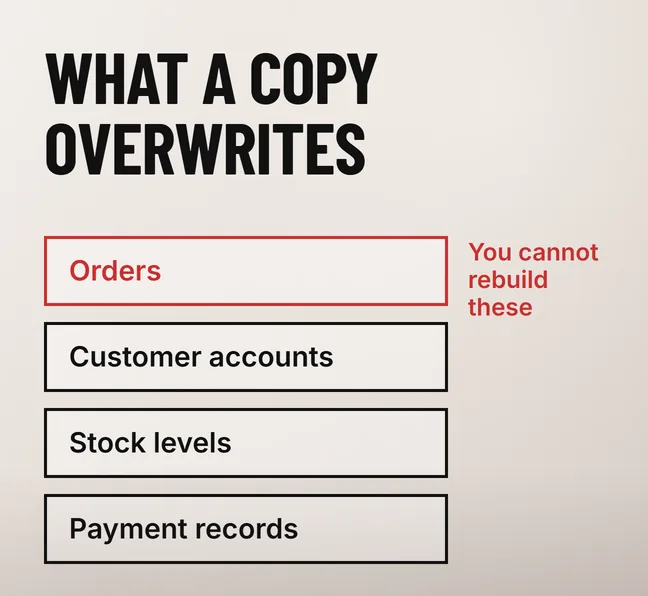
One action loses orders: copying a whole database from staging onto the live store at go-live. The staging copy was taken when the build started, so its order tables are a snapshot from weeks ago. Pushing it back replaces every order, customer account, stock level and payment record created since, and no amount of design review catches that.
It keeps happening because the two halves of a WooCommerce site move in opposite directions. Files, theme, plugins and settings are built on staging and travel to the live store. Orders, customers and stock are created on the live store and must never travel back. A single database export carries both halves at once, in the wrong direction for the half that matters.
| What you are moving | Which way it goes | What goes wrong if it goes the other way |
|---|---|---|
| Theme, plugins, templates | Staging to live | Nothing — this is the work you paid for |
| Settings, menus, page content | Staging to live, selectively | Live-only changes made during the build are reverted |
| Orders and order notes | Never moves | Every order placed during the build disappears |
| Customer accounts and addresses | Never moves | Returning customers cannot log in; saved addresses are gone |
| Stock levels and coupon usage | Never moves | Sold-out items go back on sale; used coupons become valid again |
A hardware supplier running a four-week revamp takes hundreds of orders in those weeks, and a staging snapshot has never heard of one of them.
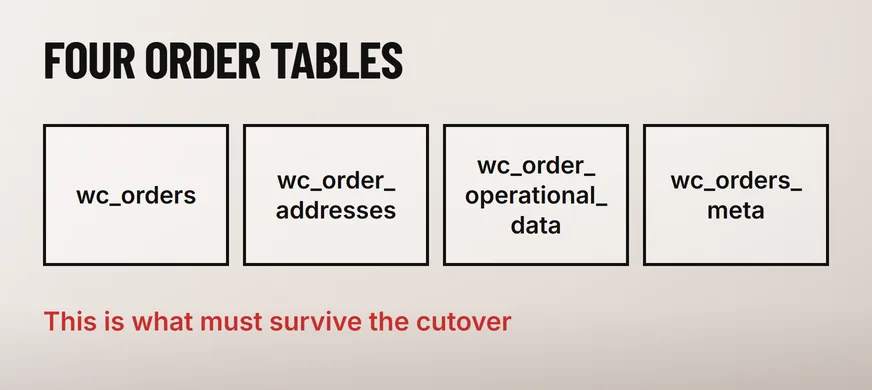
In four dedicated database tables, on any store using High-Performance Order Storage. WooCommerce’s own documentation states that order data under High-Performance Order Storage is “synced from the _posts and _postmeta table to four custom order tables”: wc_orders, wc_order_addresses, wc_order_operational_data and wc_orders_meta.
Knowing the four names changes the question you put to whoever is doing the work: not whether they will be careful with the database, but which tables their deployment writes to. One that touches those four on the live store is the one to stop.
Older stores still keep orders the previous way. The same documentation says that on the legacy setting “the system will save the order data within _posts and _postmeta tables” and that “order tables are not utilized in this scenario”, which is harder to protect, because the orders sit in the same tables as your pages and posts. WooCommerce also offers a compatibility mode that keeps both sets in sync. Find out which of the three your store is on before anyone exports anything: it decides whether the order data can be isolated at all.
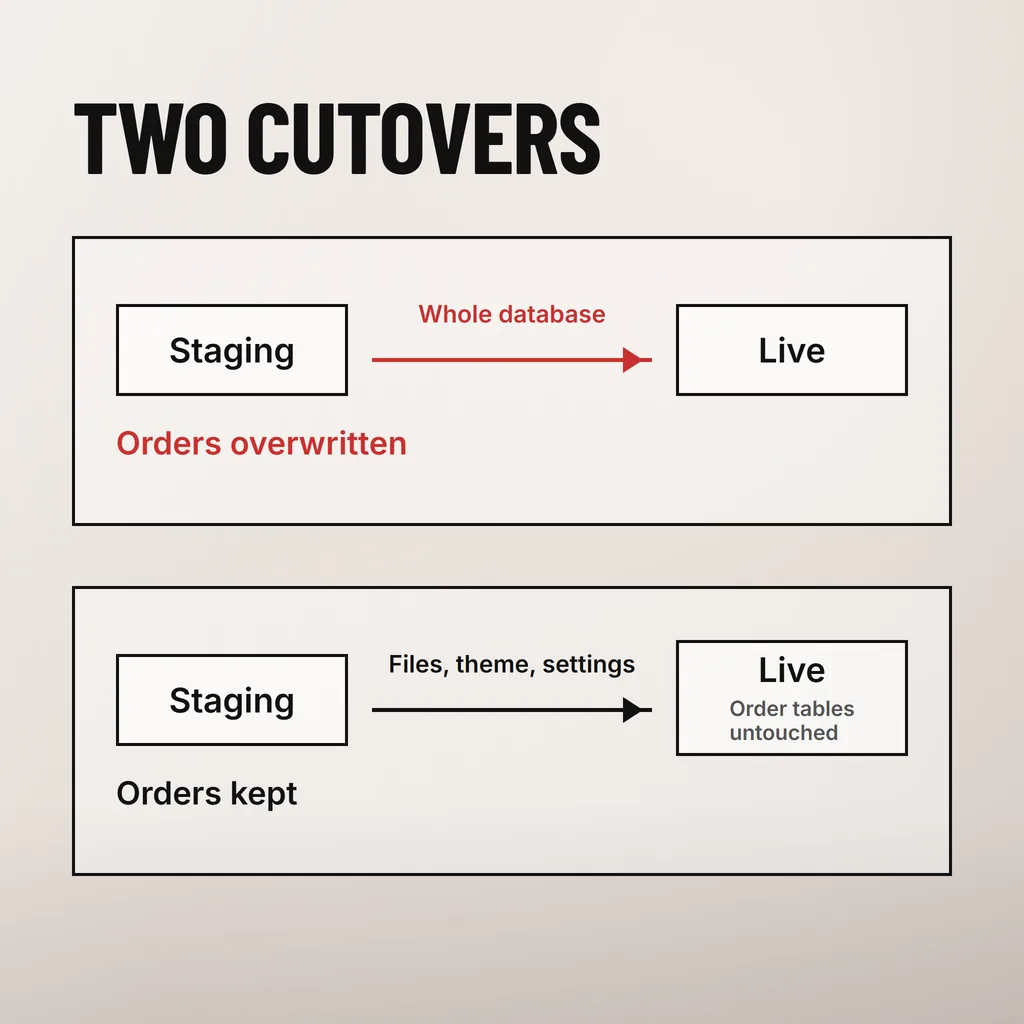
Move the build to the live store, never the live store’s data to the build. The order below does that: it takes a backup first, carries files and settings one way, leaves the four order tables untouched, and keeps the shop closed only for the few minutes when the two halves are briefly out of step.
That last check takes seconds and is the only one that proves what the client actually cares about. How much of this needs the store closed at all is the subject of our guide to revamping a website without taking it offline.
Changed product URLs need permanent redirects, or the sales that arrived through search stop arriving. A revamp that reorganises categories, renames product slugs or drops the /shop/ prefix changes the address of every affected product, and an address Google has indexed and a customer has bookmarked has to keep working.
Google’s site move with URL changes guidance is specific about how. It recommends “server side permanent redirects from the old URLs to the new URLs as you indicated in your mapping”, says to “avoid chaining redirects”, and tells you how long to hold them: “keep the redirects for as long as possible, generally at least 1 year”. For a store of ordinary size it also settles the staging question, recommending that small and medium sites move “all URLs on your site simultaneously instead of moving one section at a time”.
Build the mapping as a spreadsheet before the structure changes, with the old and new address for every product, category and page. Export the product list from the live store rather than typing it out, and keep the unchanged rows as proof nothing was overlooked. A bakery with eighty products can do this in an afternoon; reconstructing it after launch, from a crawl of a site that no longer exists, takes days.
Everything a customer touches between adding to cart and receiving a confirmation. A revamp changes the theme, the checkout template and often several plugins, and each sits in the path of a payment. These are the checks worth doing in the first hour, while someone is still watching.
Then watch the order flow for a week against the same week last month. A store that looks perfect and takes half as many orders has a problem somewhere in this list.
No, provided the cutover never writes to the order tables. Completed orders, their notes and refunds sit in tables a theme and plugin deployment does not touch. They are only at risk if someone restores a whole database over the live store, replacing those tables with a snapshot from when the build began.
Mostly, yes. The design and build happen on a staging copy while the live store keeps trading, so the only closed window is the cutover, and it need only cover shop, cart, checkout and My Account. Moving files first and settings second keeps that window short.
Not usually, and keeping them is the cheaper choice. URLs only need to change when the category structure is genuinely wrong or the slugs are unusable. Where they do change, every old address needs a permanent server-side redirect to its new one, mapped before launch rather than reconstructed afterwards.
Preferably not. A gateway change alters who holds your payment tokens, how callbacks arrive and what settlement reports look like, and doing it alongside a redesign makes a failed payment impossible to attribute. Launch the revamp, confirm a week of clean orders, then change the gateway as its own project.
When we revamp a WooCommerce store we write the cutover down as a sequence before the design is signed off, because that is the part with an order count attached. Our website revamp service covers the build, the deployment and the redirect mapping as one piece of work. If you are mid-revamp with someone else right now, ask them one question: which database tables does your go-live write to on the live store? The answer tells you whether this week’s orders are safe.