- Resources
Innovative Thinking


A website colour scheme works when every colour on the page has a job and keeps it: one colour for the page itself, one for body text, one for headings and rules, one for links, and a single accent held back for the thing you want clicked. Four or five is enough. The job most small business sites get wrong is the last one, because the accent has been spent on headings, icons, section backgrounds and a promotional banner, so the enquiry button has nothing left to stand out against.
A revamp rarely starts with a blank palette. It starts with a logo somebody signed off in 2014, one hex code in a brand document, a theme that shipped with its own blue, and a Hari Raya banner that has to go up next March. So the useful question is not which palette is beautiful. It is which parts of this page are readable, which parts look clickable, and whether the colours already fixed can do those jobs at all.
Assign jobs, then pick colours to fill them. A website colour scheme needs a page background, a body text colour, a heading colour, a link colour and one accent reserved for the action you want taken. Four or five colours cover an SME site, and each should earn its place by doing something no other colour on the page does.
| Job on the page | What it has to do, and how to pick it |
|---|---|
| Page | Carry long reading without glare. White, or a warm off-white. Decide this before anything else, because every ratio below is measured against it |
| Body text | Be legible at 16px on a phone in daylight. Near-black is the safe answer; mid-grey on white is where readability quietly goes |
| Headings and rules | Separate sections without shouting. Often the same colour as body text, one weight heavier, or a dark tint of the brand colour |
| Links | Look clickable inside a paragraph without colour doing the work alone. Underlined, or marked some other way as well |
| The action | Be the one thing on the screen wearing this colour. Buttons and nothing else: no headings, no icons, no section backgrounds |
Palette guides usually offer a proportion rule instead, most often 60-30-10: sixty per cent of the screen in a dominant colour, thirty in a secondary, ten in an accent. A proportion tells you how much of the screen a colour may cover. It does not tell you which element owns it, and the element is what the visitor is looking for.
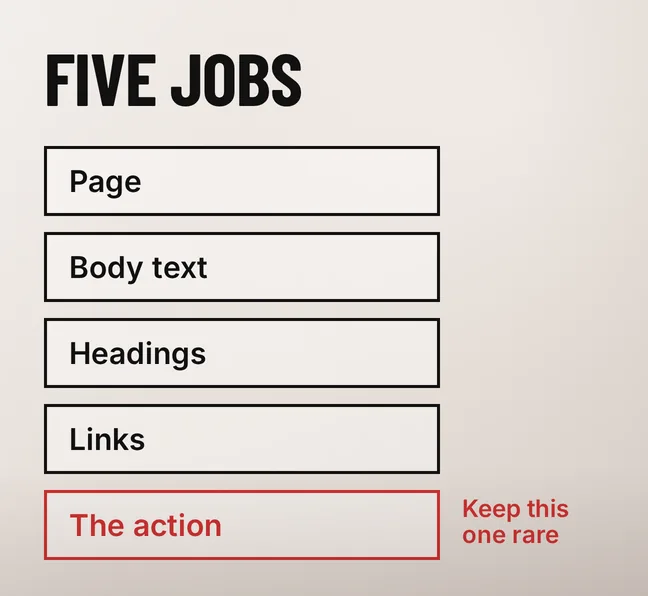
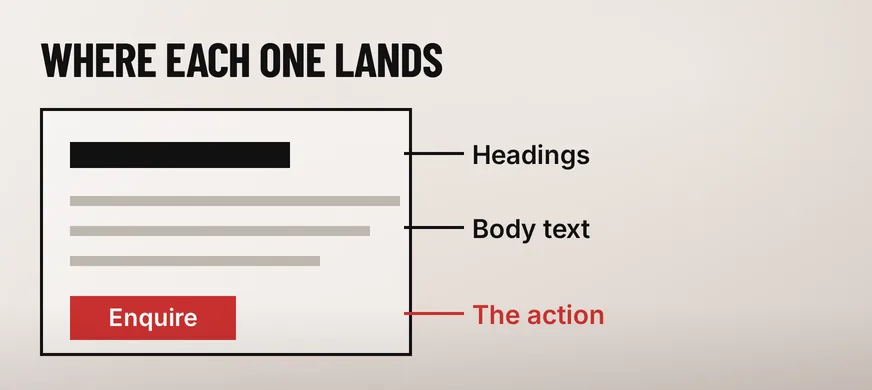
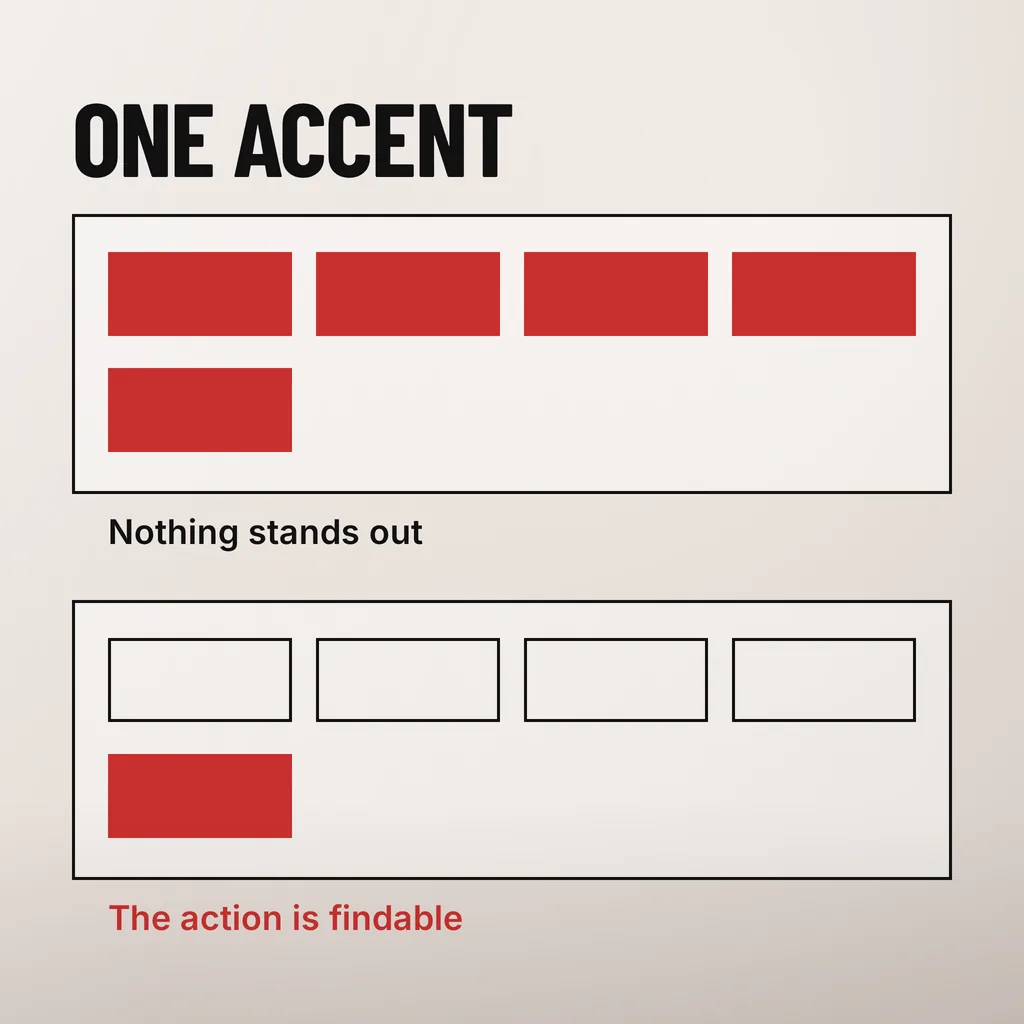
One thing: the action the page is asking for. Enquire, add to cart, call us, book an appointment. An accent colour works by being rare, so a page with a scarlet heading, scarlet icons, a scarlet section band and a scarlet button has no accent left. It has a theme colour, and the button now competes with everything else wearing it.
Secondary actions can share the colour without spending it. A filled button for the action you want, the same colour as an outline or a plain underlined link for the alternative, and nothing else on the page using it. That gives a visitor a visual order to read: this first, that if you prefer.
Malaysian sites have one extra constraint worth checking. A WhatsApp float button arrives with its own fixed green and sits over every page, so a green accent puts your enquiry button in direct competition with a floating widget most visitors already recognise. Pick an accent that does not collide with whatever is pinned to the corner of the screen.
For buttons, often yes. For body text, usually not. A logo may use any colour it likes — WCAG 2.2 exempts it in the Contrast (Minimum) criterion, which says plainly that “text that is part of a logo or brand name has no contrast requirement”. The moment that same colour carries sentences or marks a control, the exemption ends and it has a ratio to meet.
The fix is usually a shade rather than a different colour. Keep the hue from the logo and change its lightness: a darker version for headings and text, the original for the logo and the accent, a pale version for backgrounds and borders. A kopitiam chain’s brand yellow can read as cheerful on a signboard and still leave white button text unreadable; a darker brown-gold from the same family keeps the brand recognisable and passes.
Where a brand document specifies only one colour, derive the rest during the revamp and write them down: the tints and shades you used, their hex codes and the job each one holds. That list is what stops the next person adding a sixth colour because nothing recorded which five were in use.
Three numbers cover almost every decision. Body text needs a contrast ratio of 4.5:1 against its background and large text 3:1, both set by WCAG 2.2 Success Criterion 1.4.3 Contrast (Minimum). Buttons, form field borders, focus outlines and meaningful graphics need 3:1 against whatever sits next to them, under Success Criterion 1.4.11.
That third number is the one small business sites miss, and it is about colour rather than type. Success Criterion 1.4.11 Non-text Contrast requires that “the visual presentation of the following have a contrast ratio of at least 3:1 against adjacent color(s)”, and the first item on its list is “visual information required to identify user interface components and states”. In practice that means the pale grey border on a form field, the outline of a secondary button and the focus ring that shows where the keyboard is, all of which themes tend to ship too light.
Checking takes a browser and a minute: open the page, use the colour picker in the inspector on your body text, your button and a form border, and read the ratio it reports. The text-size half of the same question — what counts as large text, and how size and spacing interact with contrast — is covered in our guide to website font readability.
Part of your audience misses the message. WCAG 2.2 Success Criterion 1.4.1 Use of Color requires that “color is not used as the only visual means of conveying information, indicating an action, prompting a response, or distinguishing a visual element”, and states the reason in one line: “Not everyone sees colors or sees them the same way.”
The failures are ordinary and they cost enquiries. Required form fields marked only by a red label. Validation that turns a field red or green with no words. In-stock and out-of-stock dots on a product list with nothing written beside them. Links coloured but not underlined inside a paragraph, so a reader scanning for somewhere to click finds nothing. Each is fixed by adding a second signal: a word, an asterisk, an icon, an underline.
Lightness counts as that second signal when it is strong enough. The W3C notes that two colours differing in hue and in lightness pass where the difference in relative luminance gives a contrast ratio of 3:1 or greater, so a dark red against a light green is distinguishable in a way that a mid-red against a mid-green is not. If your status colours sit at the same lightness, pull them apart rather than adding another hue. Colour is one of several signals a visitor reads, which is the same ground our guide to whether everyone can use your website covers for keyboards, labels and tap targets.
Six checks on your own phone and laptop, in about twenty minutes. Each one looks for a place where a colour has been given a job it cannot do. Work through a page that carries a real enquiry rather than the homepage, because that is the page the result is worth something on.
A dental clinic that runs this on its appointment page usually finds two of the six: a grey-on-white form border nobody can see, and three different things coloured like the button. Both are stylesheet changes rather than a redesign.
Four or five, each with a stated job: page, body text, headings, links and one accent for the action. Tints and shades of those colours for borders, backgrounds and hover states do not count as extra colours, because they carry no new meaning. Once a sixth meaningful colour appears, a visitor has to learn what it signifies, and most never do.
Not directly. Google ranks pages on content, links and technical signals, and no search engine reads your palette. The indirect effect is real though: colours that make text hard to read or hide the button change what visitors do on the page, and Core Web Vitals measure layout and loading rather than aesthetics. Treat colour as a usability decision.
Only if you will maintain it. A dark mode is a second full palette, where every ratio has to be checked again and brand colours that pass on white often fail on near-black. For most Malaysian SME sites the better order is to get one palette right, then add dark mode at the next revamp if visitors ask for it.
When we revamp a site we write the palette down as a set of jobs, with hex codes against each one, so the accent stays on the button and the next person to touch the stylesheet knows which five colours are in play. Our creative design service includes that work and the contrast checks that go with it. If you only want one thing done this week, read the three ratios on your busiest enquiry page and fix whichever one fails.