- Resources
Innovative Thinking


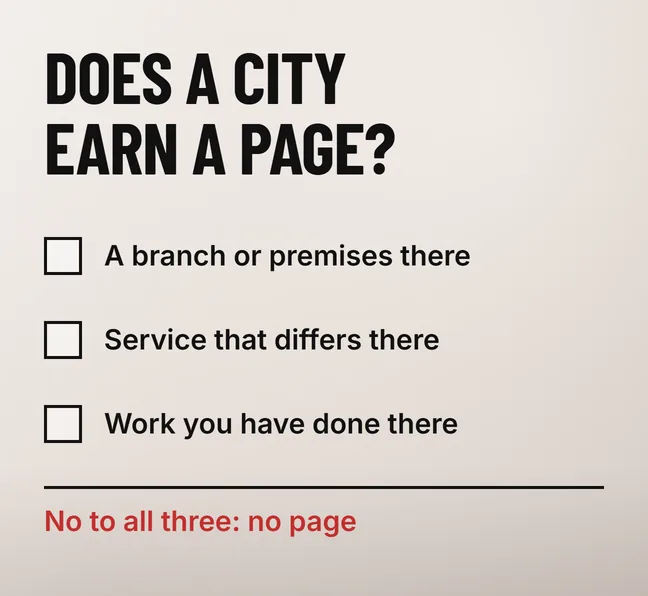
Only for the places where you have something true and specific to say. A page per city earns its place when you have a branch there, when the service genuinely differs there, or when you have done real work there that a customer in that city would recognise. Location pages SEO goes wrong when a page exists only because the city has searches: a template with the town name swapped in is the pattern Google’s spam policies call doorway abuse.
For most Malaysian small businesses working out of one premises, the honest answer is fewer pages than they were sold. One strong service page with a clear list of the areas you cover, plus a city page wherever you have local facts to put on it, is the safer setup and the one a customer can actually use.
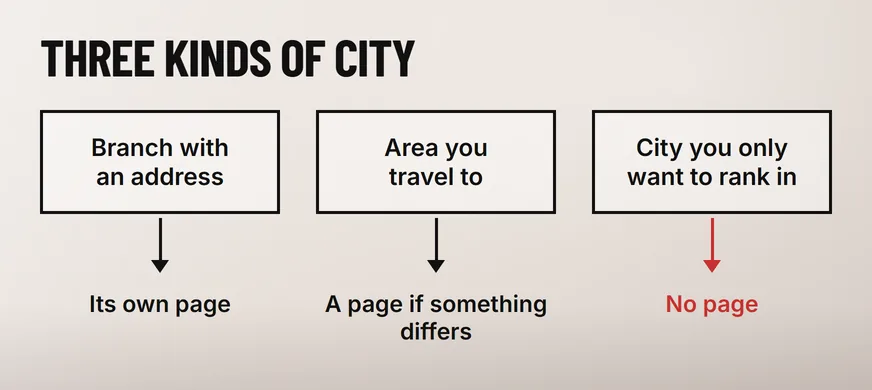
A page per city helps when the searcher in that city needs information your main service page cannot give them. A branch with an address, opening hours and its own phone number needs one. An area you travel to gets a page if something differs there. A city you only want to rank in, with nothing different to say, does not.
Three questions settle it for each city on your list. Answer them with what the business does today, not what it plans to do next year.
No to all three means no page. That city belongs in the areas-covered list on your main service page. An aircond servicing company based in Shah Alam that drives out to Klang and Subang Jaya can name both towns on its service page truthfully today, and it needs a Klang page only once it has something to say about Klang.
City landing pages become doorway pages when they exist to catch similar searches and hand the visitor on to somewhere else. Google’s spam policies for web search say doorway abuse “is when sites or pages are created to rank for specific, similar search queries”, and that “they lead users to intermediate pages that aren’t as useful as the final destination”.
The same policy names the city version directly. Its examples include “having multiple domain names or pages targeted at specific regions or cities that funnel users to one page”, and “creating substantially similar pages that are closer to search results than a clearly defined, browseable hierarchy”.
The quickest check is a swap test. Take two of your city pages, say Aircond service in Shah Alam and Aircond service in Klang, and paste one town’s name over the other. If nothing on the page now reads as wrong, you have one page published twice. Add Subang Jaya and the pattern is plain: only the town name changes, and every version sends the reader to the same enquiry form.
Writing the pages by hand does not rescue them. The same policy page describes scaled content abuse as “many pages are generated for the primary purpose of manipulating search rankings and not helping users”, and adds “no matter how it’s created”. Forty city pages generated from a spreadsheet and forty typed out one by one are judged the same way, by what they give the reader.
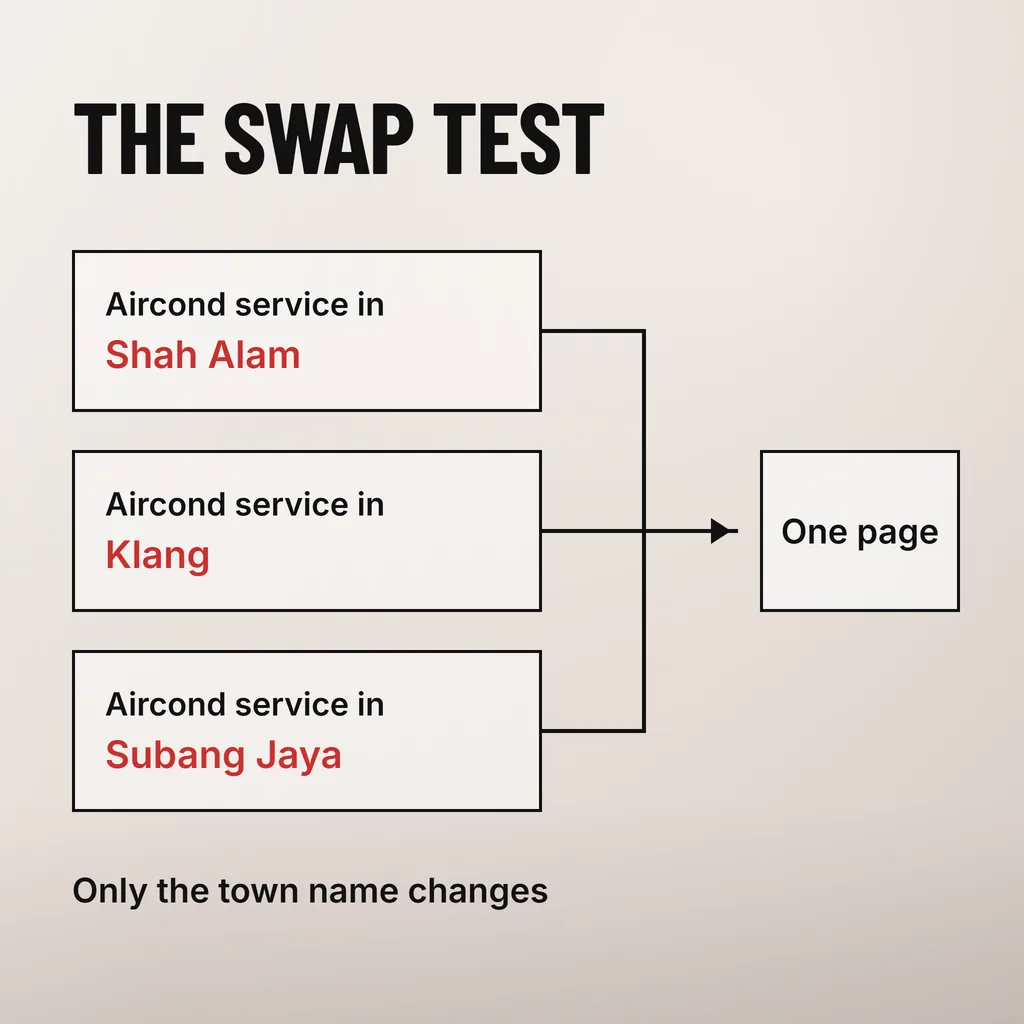
A genuine location page needs facts that are only true of that place, enough of them that the swap test fails. For a branch, that means its own address, hours, phone, directions and the people who work there. For a service area, it means what you actually do in that area, how far you go and what differs from your base.
| Element | Genuine location page | Doorway page |
|---|---|---|
| Heading | Names the place and the service | Names the place and the service |
| Address and hours | The branch’s own, or the areas covered from your base | Head office details, or none |
| Local detail | Parking, landmarks, which areas you cover, who answers the phone | The town name, repeated |
| Proof | Jobs done there, with your own photos | Stock images and the same testimonials as every page |
| Next step | WhatsApp or call that branch | The same form as every other page |
The heading is the one row the two share, which is why a doorway page looks fine in a search result and falls apart once someone reads it. Google’s guidance on creating helpful, reliable, people-first content asks whether a page shows it can “clearly demonstrate first-hand expertise and a depth of knowledge (for example, expertise that comes from having actually used a product or service, or visiting a place)”. A location page is the easiest page on your site to pass that test, because you have been there.
Length is no part of it. The same guidance lists writing to a particular word count as a warning sign, and answers its own question about whether Google has a preferred count: “No, we don’t.” A short branch page with a real address, real photos and a phone number that rings in that branch does more for a customer than 1,200 words on the history of Petaling Jaya.
Usually not, because the map results rank your Google Business Profile, and a page on your website does not change where your business is. Google Business Profile Help says “local results are mainly based on relevance, distance, and popularity”, and defines distance as “how far each business is from the customer who’s searching”.
Where a city page does have a chance is the ordinary web results below the map, for someone comparing providers who will come to them. Why the profile and the website so often rank differently is covered in our guide to why your Google Business Profile shows up when your website does not.
Run the swap test on every city page you already have, then sort them into three piles: keep the pages with real local content, rewrite the ones where you have something true to add, and fold the rest into your main service page with a permanent redirect. Deleting them outright throws away whatever links and bookmarks they have collected.
Retiring pages without breaking links is its own piece of work, and our guide to deciding which pages a website should lose covers the address-by-address decisions.
Usually one per branch, plus one for any service area where something genuinely differs. For a business with a single premises that can mean none beyond the main service page and a clear list of the areas it covers. Add a city page when you have facts about that city to put on it, and not before.
Yes, for the layout. The same sections in the same order help a visitor compare branches. What Google’s doorway examples describe is “substantially similar pages”, which is about the content, so what sits inside each section has to be specific to the place.
It can. Google’s spam policies say sites that violate them “may rank lower in results or not appear in results at all”, and that detection runs through automated systems and, where needed, human review that can lead to a manual action. Nobody outside Google can predict which, so merging near-duplicate city pages is cheaper than finding out.
When we look at a site’s local search setup, we start with the swap test across its city pages and the Business Profile behind each branch, then decide which pages stay, which get rewritten and which fold into the service page. Our SEO service covers that audit and the redirects that go with it. To try it yourself first, open your two most similar city pages and swap the town names: if neither page notices, you have your answer.