
- Resources
Innovative Thinking


Because WordPress built a page for every tag and every category you have ever used, published them alongside your posts, and nothing on your site told Google to leave them out. Tag pages SEO trouble almost always starts there rather than with a penalty, and rather than with anything you did wrong.
Most of those archives are harmless. The one worth your attention is the thin archive that turns up in the results in place of the article it lists — a page of two links where the searcher expected an answer. That is a problem with a simple fix, and it is not the fix the SEO trade press usually recommends first.
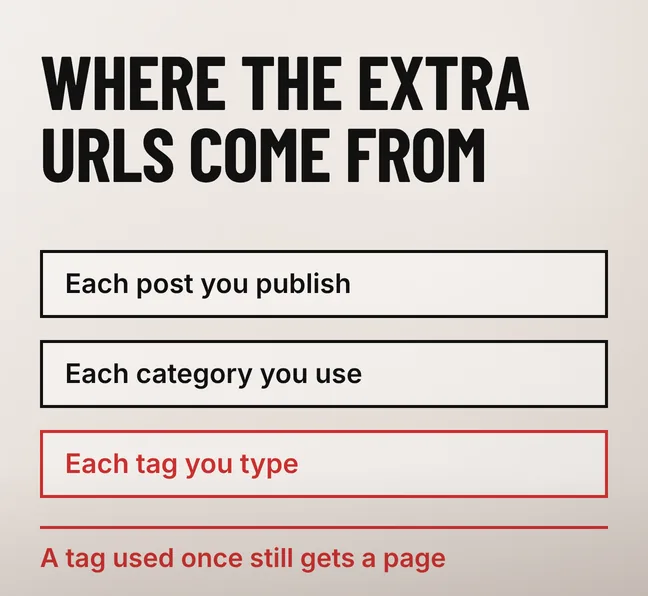
WordPress creates a separate archive page for every tag and every category the moment you use one, and those archives are ordinary public pages: linked beneath your posts, often listed in your sitemap, and reachable by any crawler that follows a link. Google indexes them because nothing on the site marks them as excluded.
The mechanism is documented by WordPress itself. The WordPress documentation for the Tags screen says “every post in WordPress can be filed under one or more Tags” and that “when someone viewing your blog clicks on one of these Tag links, a Tag archive page with all the posts belonging to that Tag, will be displayed”. It also notes the structural difference that matters here: “Unlike Categories, Tags have no hierarchy so there is no Parent->Child relationship like that of Categories.”
Categories are a filing system you designed. Tags accumulate. Take an example blog with sixty posts, five categories and eighty tags typed in over three years: that is eighty-five archive URLs on top of the sixty posts, and most of the eighty list one or two articles each. Nobody decided to publish them, and that is the point — they are a by-product of writing, not a choice.
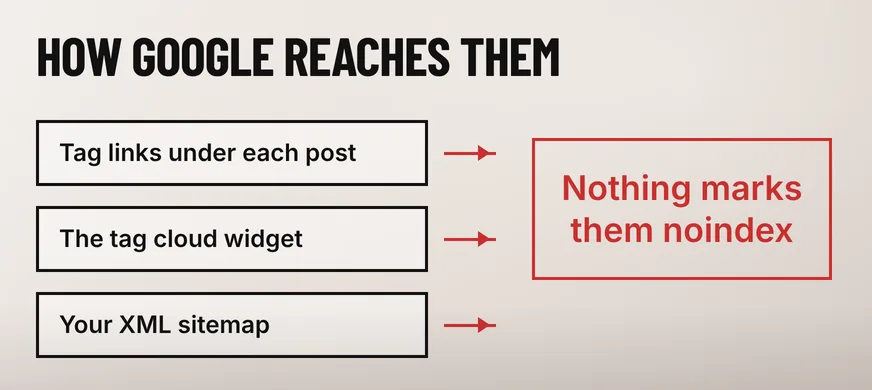
A tag archive hurts you when it reaches the search results in place of the post it lists. The searcher wanted the answer and gets a list of two links instead, then leaves. The archive and the post also compete for the same words, so Google picks one, and it does not always pick the page you would have chosen.
Picture a dental clinic in Petaling Jaya with three posts about braces. The clinic writes a proper guide to adult braces, then tags all three posts “braces”. Now two URLs answer to the same subject: the guide, and an archive page whose entire content is three headlines and three dates. When the archive is the one that shows, the enquiry does not come.
That is the same class of problem as Google showing the wrong page from your website, with one useful difference: here you do not have to choose between two pages you care about. The archive is a listing, so removing it from the results costs you nothing you wanted.
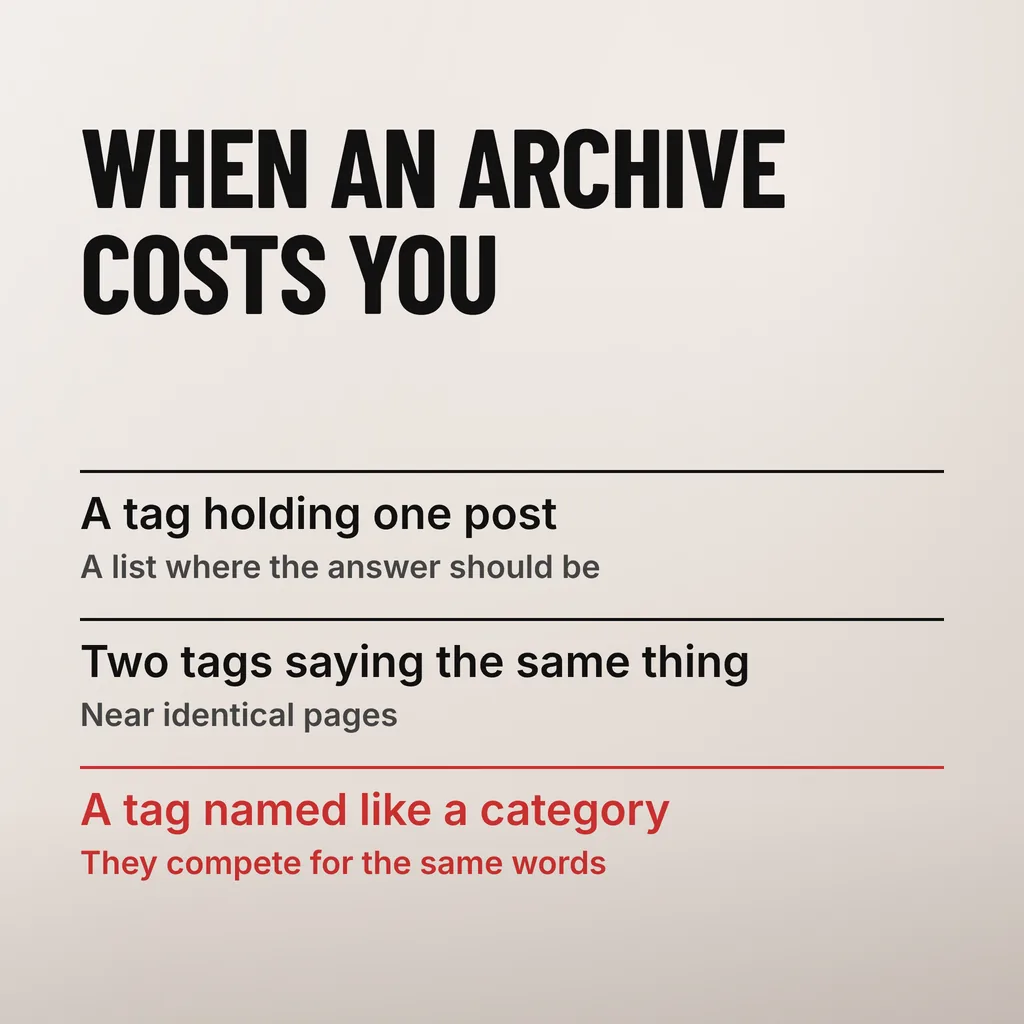
Three patterns cause almost all of it: a tag holding one post, where the archive is a worse copy of that post; two tags saying the same thing, such as “web design” and “website design”; and a tag named like a category, which puts two archives of the same material in front of the same query.
Crawl budget is almost certainly not your problem. Google’s crawl-budget guidance is written for very large sites and says so at the top, so a sixty-post blog with eighty tag archives sits nowhere near the scale at which crawling becomes a constraint. The reason to tidy your archives is what searchers see, not what Googlebot can afford.
Google’s “Large site owner’s guide to managing your crawl budget” addresses two kinds of site: “large sites (1 million+ unique pages) with content that changes moderately often (once a week)” and “medium or larger sites (10,000+ unique pages) with very rapidly changing content (daily)”. It calls those figures “a rough estimate to help you classify your site”, and for everyone below them it is blunt: if your site does not have a large number of pages that change rapidly, “you don’t need to read this guide”.
Crawl waste is the argument most pages on this subject lead with, and it is a real constraint on a news site with half a million URLs. On a Malaysian SME website it is a borrowed worry, and chasing it sends owners after the wrong fix — usually a robots.txt block, which makes things worse for the reason set out below.
Keep an archive indexed when you would happily link it from your own menu: a category holding ten or more posts, with a line or two of its own writing at the top. Set the rest to noindex, starting with tags that hold one post, pairs of tags that mean the same thing, and author or date archives on a one-author blog.
| Archive type | Keep it indexed when | Set it to noindex when |
|---|---|---|
| Category | It holds roughly ten or more posts, you link it from your menu, and it carries its own introduction | It holds one or two posts, or it overlaps another category almost entirely |
| Tag | You maintain it deliberately as a topic hub, with its own introductory text | It was typed once, lists one or two posts, duplicates another tag, or repeats a category name |
| Author archive | Several named authors write for the site and readers follow them | One person writes everything, so the archive repeats your blog index |
| Date archive | Almost never | By default — a monthly archive answers a question nobody searches |
The test in one line: an archive earns indexing when it is a page, and loses it when it is a list. A category with twelve posts and two sentences explaining what the category covers is a page someone could usefully land on. An archive with one post and no writing of its own is a detour on the way to the article.
WordPress core has no switch for this; the setting lives in your SEO plugin, under its taxonomy or archive options, where each taxonomy can be set to appear in search results or not. Change it there once and it applies to every archive of that type, which is why the decision is worth making deliberately rather than per page.
Google drops the archive from its results entirely once it recrawls the page, and your posts are untouched, because the archive was only a listing of them. Search Console then starts reporting those URLs as excluded by a noindex tag, which is the directive working rather than a fault that needs fixing.
Google’s documentation on blocking indexing with noindex is unambiguous about the effect: “Google will drop that page entirely from Google Search results, regardless of whether other sites link to it.” The rule can be served as a meta tag in the page head or as an X-Robots-Tag HTTP header, and the documentation says the two “have the same effect”.
One trap catches people who reach for robots.txt instead. Blocking an archive path from being crawled does not remove it from the index, because, as the same documentation puts it, “the crawler will never see the noindex rule, and the page can still appear in search results”. A page has to be crawlable for a noindex to be read. Disallow the path and you get the worst of both: still listed, and now uninspectable.
Give it weeks rather than days. Low-value archive pages are recrawled infrequently, which is exactly why they were never worth worrying about as a crawl cost in the first place.
Most of them, yes, but decide rather than switch everything off. Tags holding one or two posts, duplicate tags and tags that repeat a category name have nothing to offer a searcher and should be excluded. A tag you genuinely maintain as a topic hub, with its own introduction, is a page and can stay. The same test applies to categories.
No, provided the rule goes on the archive and not on your posts. The archive is a listing of posts that keep their own URLs, their own content and their own links. Google’s noindex documentation says the page is dropped from results entirely; it says nothing about the pages that archive linked to, because they are unaffected.
Delete the ones nobody will ever use, and noindex the rest. Deleting is safe for your writing — the WordPress documentation notes that deleting a tag does not delete the posts in that tag — but it removes a URL that may already be indexed and linked, so it is the heavier option. Noindex handles a hundred thin archives without touching a single post.
Indexed archives are usually a symptom: the site was built without anyone deciding what should be findable. Our SEO service starts by auditing what Google has actually indexed from your site, which is often the first time an owner sees the full list. One thing to do this week: search site:yourdomain.com/tag/ in Google and count what comes back.