- Resources
Innovative Thinking


A website care plan should say in writing how updates are tested, where backups are kept, how quickly someone responds and in which hours, how many changes the fee covers, what is excluded and what you keep if you leave. The updates themselves are the smallest part. WordPress now applies most of them on its own, and even undoes a plugin update that crashes the site. What it cannot do is notice that your enquiry form stopped sending on Tuesday, and that check is what you are really paying a person for.
Most plans are sold on a monthly price and a row of nouns: updates, backups, security, support. Two plans with the same nouns can be worth very different amounts, because the difference sits in what each noun leaves unsaid.
Less of the routine needs a person than it did a few years ago. WordPress has updated its own security releases automatically since version 3.7, and “starting with WordPress 5.6, new installations have automatic updates enabled for both minor and major core releases by default”. Plugins and themes followed. Since WordPress 5.5, an administrator can switch on automatic updates plugin by plugin, and WordPress then runs auto-updates twice per day.
Since version 6.6 there is a safety net as well. The release notes describe it as “the automatic rollback of plugin auto-updates upon detecting PHP fatal errors”. After updating a plugin, WordPress makes a loopback request to the homepage. If the homepage fails to load, it puts the previous version back and emails the administrator.
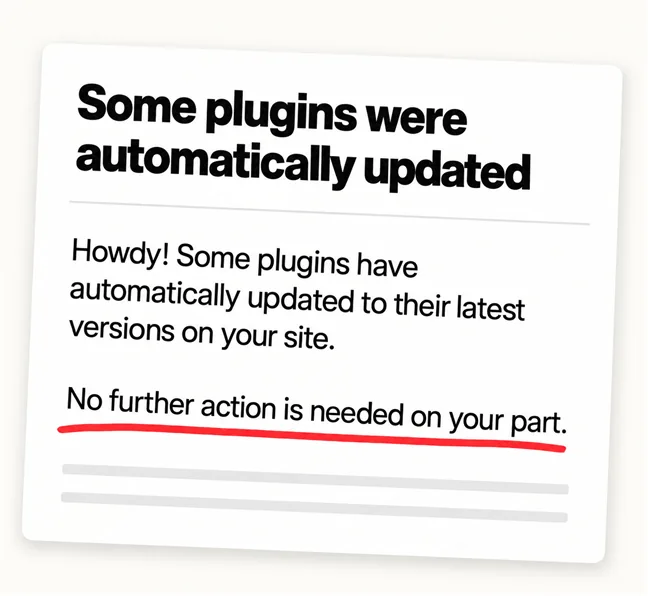
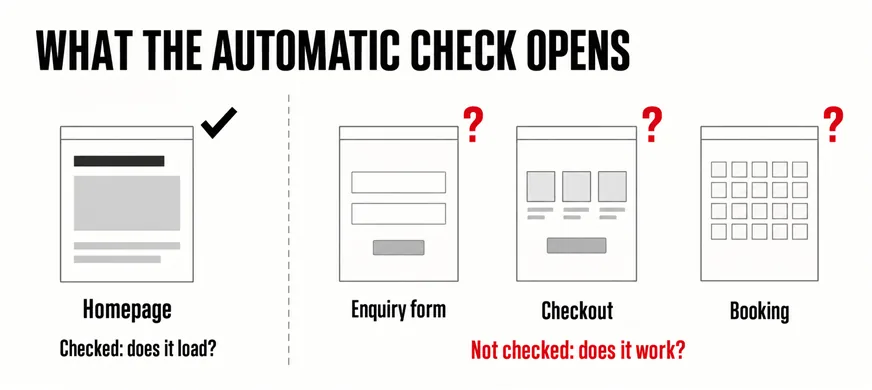
That test is narrow on purpose. It catches the update that takes the whole site down. It does not catch the quieter failure, where the site loads and looks normal while the enquiry form has stopped sending, the payment step fails on the last screen or the booking calendar shows no free slots. After a successful update, the email WordPress sends the owner says: “No further action is needed on your part.” After a failed one, it says: “Please check your site now. It’s possible that everything is working.” Either way, nobody has opened your contact page.
So a care plan is not buying the clicks on Update. It is buying what happens around them. A backup first: WordPress’s own upgrade guide opens with “Before you get started, it’s a good idea to back up your website”. A check afterwards that walks the paths that bring in business: a real test enquiry, a test order, a test booking. And a named person who fixes whatever that check finds. The upkeep work itself is listed in our article on why website maintenance should include more than plugin updates. This one is about the agreement on top of it.
WordPress can undo an update that crashes your site. It cannot tell you the enquiry form stopped sending.
A plan that lists nouns cannot be compared with another that lists the same nouns. A plan that answers questions can. The right-hand column shows what a specific answer looks like; its numbers are examples, not a standard to hold anyone to.
| Line | Says nothing | Says something |
|---|---|---|
| Updates | Regular updates | Weekly, tried on a staging copy first, then forms and checkout tested on the live site |
| Backups | Daily backups | Daily, kept outside the hosting account, with a test restore every quarter |
| Response | Priority support | Site down: a reply within an hour, back up or on a holding page within four hours, 8am to 10pm, every day |
| Changes | Minor changes included | Two hours a month; unused hours lapse; bigger jobs quoted before work starts |
| Security | Security monitoring | Firewall and weekly malware scan; hacked-site clean-up included, or its rate stated |
| Reporting | Monthly report | What was updated, what broke, what was fixed, and each form test’s result |
| Leaving | Usually missing | One month’s notice; logins, a full backup and licence details handed over |
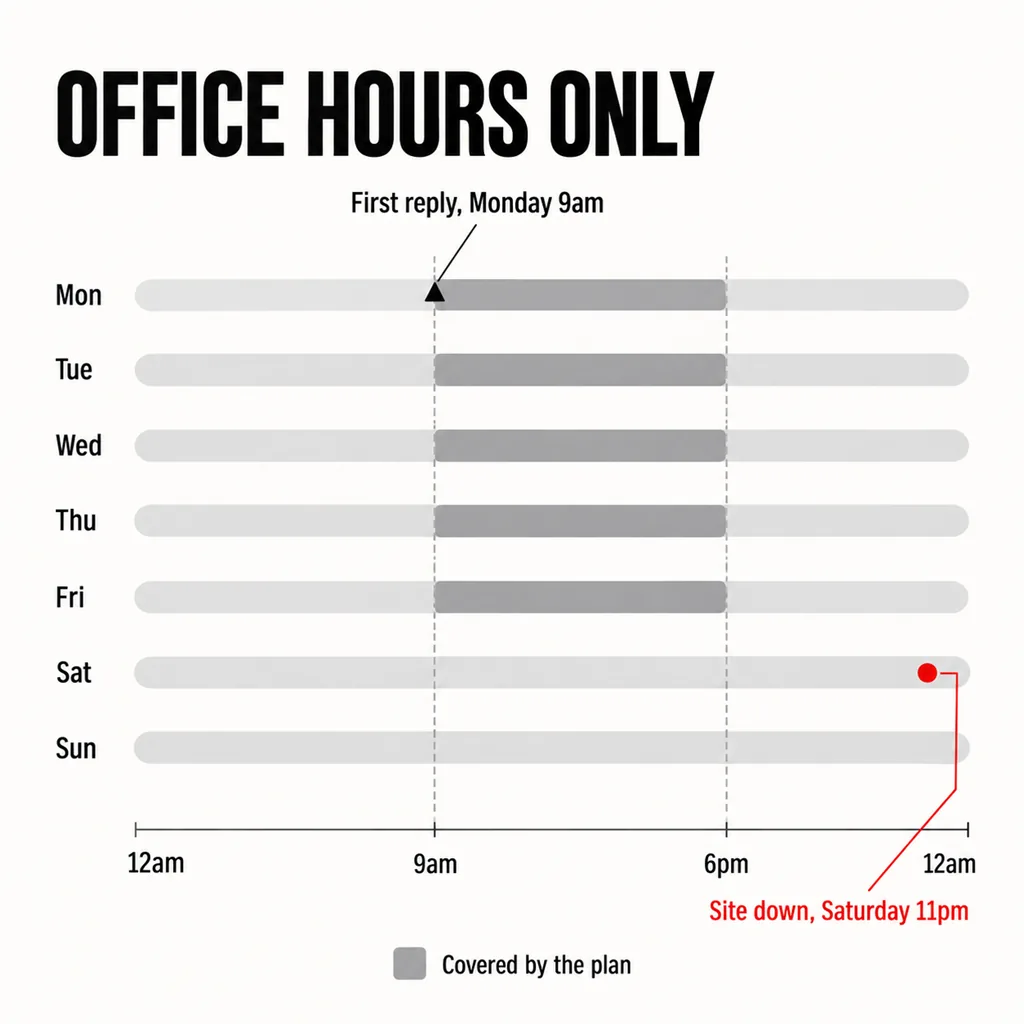
“We respond within one hour” often means someone acknowledges your WhatsApp message within the hour. Useful, but it is not a working website. Ask for two numbers: how soon someone replies, and how soon a site that is down is back or showing a holding page. Then ask which hours they cover. If the clock runs only from 9am to 6pm on weekdays, a form that breaks on Friday evening is first looked at on Monday. A shop that goes down over the Hari Raya or Chinese New Year break may wait until the agency reopens, in what can be its busiest week of the year.
“Minor changes included” starts more arguments than any other line. Swapping a photo, updating a price or adding a new member of staff is usually minor. A new landing page for a campaign usually is not. Ask how many hours a month the fee covers, whether unused hours carry over, and what the rate is beyond them. A plan with no change hours at all is not worse. It is a different product at a different price, as long as you know which one you are buying.
Exclusions are where two plans at the same price differ most, and where disputes start, because nobody reads them until something goes wrong. The usual ones:
The line most plans leave out is the exit, and it is the one to settle before signing rather than when you are unhappy. You should be able to leave with your website intact and running. That means:
Keeping those details in one place also matters on the day the site goes down, which our article on what should be in place before a website goes down covers. A plan that makes leaving hard is not necessarily dishonest. But part of what it charges for is how awkward it would be to go.
We are not going to quote a monthly figure here. The honest range is wide, because the price follows a handful of drivers rather than the name on the plan:
The practical method is to put both quotes into the seven lines of the table above. The blank cells usually explain the price difference. A cheaper plan is often cheaper because three of its lines say nothing, and a dearer one is only worth the difference if its extra lines are ones your site actually needs.
Once a plan is running, two checks take five minutes. Open Tools > Site Health in WordPress: among other things it reports when background updates are not working as expected and when the site runs an outdated version of PHP, and a care plan should have dealt with both before you see them. And send a test enquiry through your own form once a month. If the report says the forms were tested, your test should never be the first to find a fault.
In practice, yes. Care plan, maintenance plan, support plan and website retainer are names for the same arrangement, and none of them tells you what is inside. Compare the lines, not the label.
It needs the work, not necessarily a retainer. The software underneath keeps changing even when the content does not: plugins release security fixes and PHP versions reach the end of their support. If someone in the business can check updates, keep backups and test the form every month, a lighter arrangement or paying per incident can work. What does not work is nobody doing it.
You should be able to, provided the domain, hosting and licences are in your business’s name and the agreement sets out a notice period and a handover. Check those before signing. Finding out when you want to leave is how a business ends up unable to update its own website.
If you have been sent a care plan quote and cannot tell what it covers, the seven lines above are the questions we would ask of it. Sometimes the answer is that the site cannot be looked after as it stands: an abandoned plugin holding the layout together, a theme nobody can change, no staging copy to test on. Our website development and design service deals with that first, with a revamp that keeps the content and the URLs, and maintenance afterwards.