- Resources
Innovative Thinking


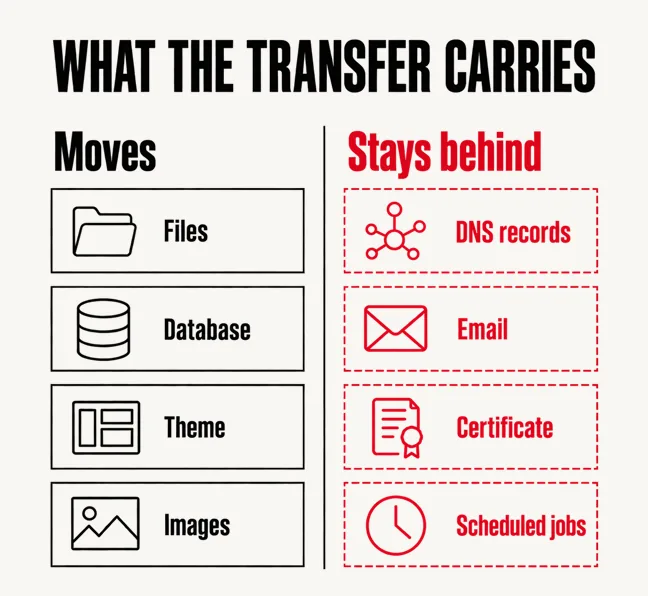
Copying a website to a new host is the part that rarely fails. Files, database, theme and images arrive intact, and most hosting companies will run the transfer for you at no charge. What breaks is everything that pointed at the old server without ever living on it: the DNS records, the email that quietly ran from the same cPanel account, the SSL certificate that does not travel with the files, and the scheduled jobs nobody wrote down. A useful website migration checklist is therefore mostly a list of things that are not inside your website.
The second half of the problem is timing. For some hours after the change, part of your audience reaches the new server and part still reaches the old one, and neither group can tell which. Plan for that window and nobody notices the move. Ignore it and you spend a Monday morning working out why an order exists on a server you were about to cancel.
Hosting is sold as a file transfer, and as a file transfer it generally works. The failures cluster in a short list of things configured against the old host rather than stored on it, which means they are invisible in any backup you take.
If the reason for moving is that the site keeps costing more to keep alive, the host may not be the whole story: a site that has become expensive to maintain carries problems that follow it to the new server.
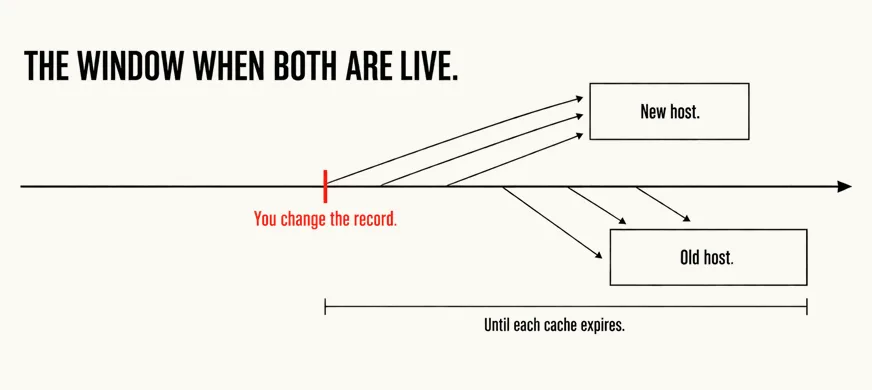
Then there is the window. A DNS change is not a switch being flipped; it is a cached answer being allowed to expire. Every network that looked your domain up recently holds the old address until its time-to-live runs out, so for a stretch afterwards some visitors land on the new host and some on the old one. Both are live, both accept enquiries, and only one has the database you intend to keep.
Google’s instruction is to shorten that window in advance: consider lowering the TTL to a conservative low value (for example, a few hours) at least a week in advance of the move. The numbers are ordinary — Cloudflare’s Auto setting is 300 seconds and a DNS-only record goes as low as 60 seconds — but the change has to be made early enough that the old, long TTL has itself expired everywhere first.
A DNS change is not a switch. It is an expiry, and until it finishes you are running two websites.
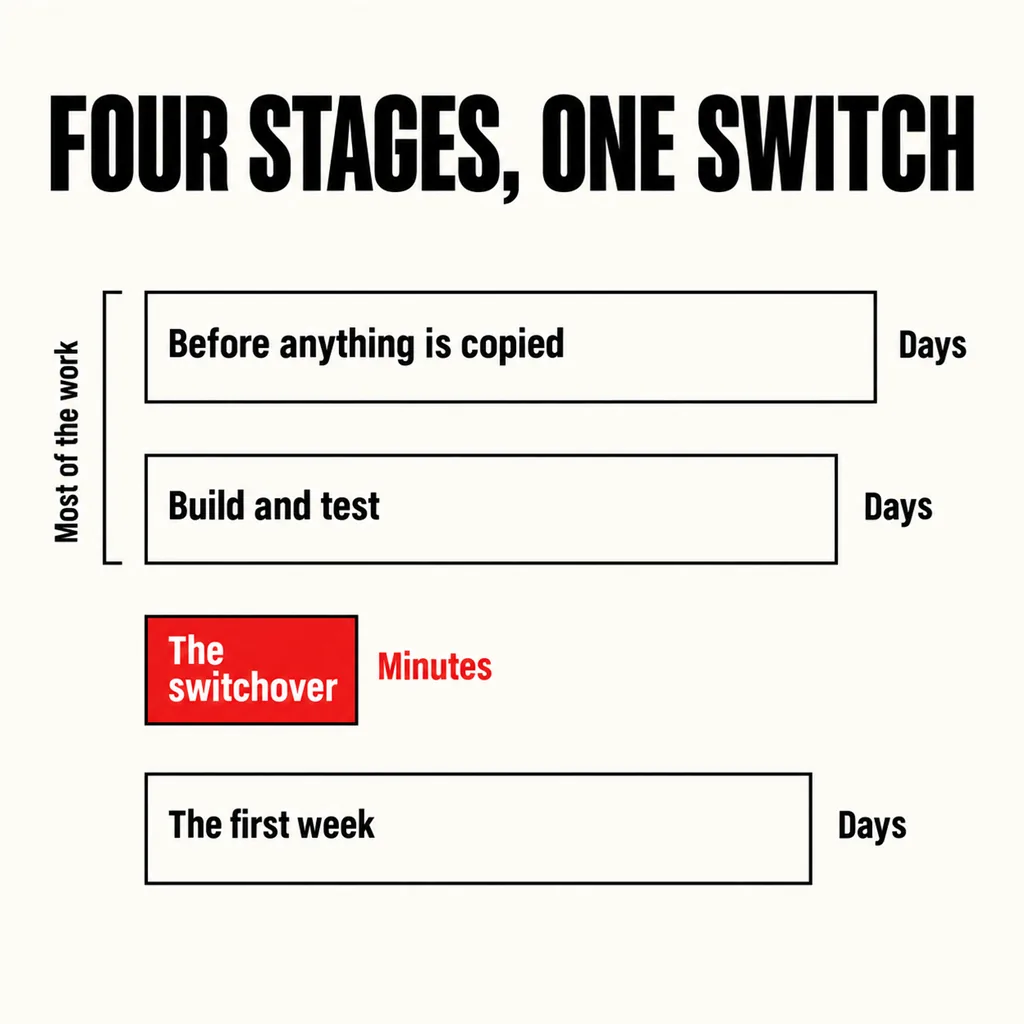
Four stages, in order. Almost all of the work belongs to the first two, which is why a move that is planned takes an afternoon and a move that is improvised takes a fortnight.
It will, occasionally, and the recovery is calmer if you have decided in advance what each failure means.
Rolling back is another DNS change, and it is exactly as slow as the one you just made. That is the real argument for a short TTL: not that the switch is quick, but that the mistake is quick to undo. If you must take the site down while you sort something out, Google’s instruction for a closure of a day or two is to return an informational error page with a 503 HTTP response status code — which says “come back” rather than “this is gone”. Do not serve that 503 for robots.txt, which blocks crawling of everything, and do not reach for a 403, 404 or noindex instead: those describe a page that has been removed.
Missing email is the failure that costs money, because nothing looks wrong: the site is up, the form submits, and the enquiries are landing in a mailbox on a server you are about to switch off. Send a test enquiry from an address outside the company on the day of the move, and again three days later.
The copy itself is usually an hour or two for an ordinary business site. The schedule is set by the DNS time-to-live you configured beforehand, which decides how long both servers stay in use, and by the week you should allow before that for lowering the TTL and testing. Plan a fortnight end to end and most of it will be waiting rather than working.
Not by itself, when the addresses stay the same. Google documents a temporary drop in crawl rate straight after a hosting change, followed by a recovery over the following days. Rankings suffer when something else breaks in the move — the site is slower than before, pages return errors, or a certificate warning stops people reaching it at all.
Only if it is hosted on the same account, which on Malaysian shared hosting it usually is. Check the MX records first. If email is already with Google Workspace or Microsoft 365 it is entirely separate from the website, and the only thing to do is leave those records exactly as they are.
A host move is a good moment to find out what a site has accumulated, because every one of those checks has to be made anyway. Most migrations we are asked to run turn into a shorter conversation about whether the new host fixes the actual complaint — a slow site is usually slow because of what it runs, not where it runs. Our website revamp and design service starts with that audit, and if the honest answer is that a straight move will do, we say so.