Guides to building a property website cover much the same ground: layout, lead capture, mobile speed, which platform to use. Almost none covers the thing that actually accumulates. An agency that lists forty properties a year has four hundred listing pages after a decade, and the overwhelming majority are for properties somebody else moved into years ago.
What happens to those pages decides a great deal about how the site performs, and there are only three correct endings for any one of them.
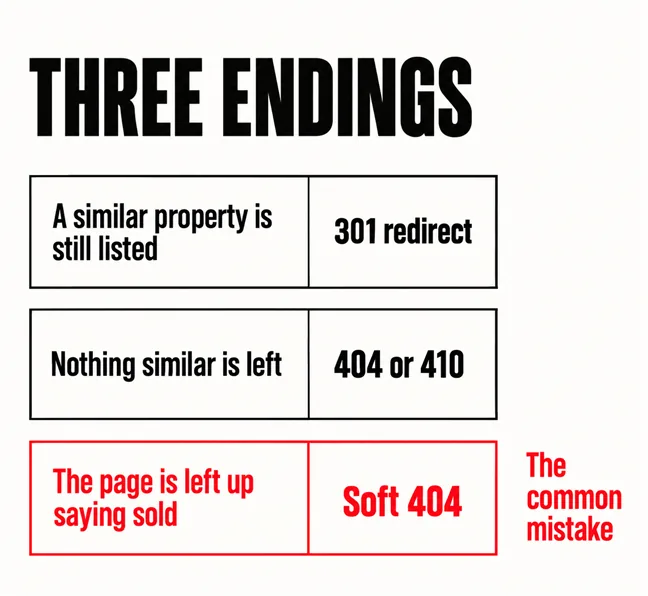
One of three things, depending on what is left. Google’s crawling documentation gives two of them directly. If the property has a clear replacement — a similar unit in the same development, the same building, the same street — the guidance is that “If your page has moved or has a clear replacement on your site, return a 301 (permanent redirect) to redirect the user”. If there is nothing similar, the same page says to return a 404 or 410 and is blunt about the simple case: return a 404 code when a page no longer exists.
The third ending is the one almost every agency site actually uses, and it is the wrong one: leave the page up, add the word SOLD across the photograph, and serve it with a success status. That is a soft 404 — a URL that tells the user the page does not exist while also returning a 200 success code. The documentation is unsentimental about the result: users may think the page is live and then meet an error, and “such pages are excluded from Search”.
A page that says SOLD and returns success is telling the visitor one thing and the crawler another.
| What is left | What to return | What the visitor gets |
|---|---|---|
| A similar property on your site | 301 redirect | The nearest live listing |
| Nothing comparable | 404 or 410 | A useful not-found page with search |
| You left it up marked sold | Soft 404 | A dead end, excluded from Search |
Neither 404 nor 410 is presented as better than the other in the documentation; they are treated the same way. Pick one and be consistent.
Two things, and it is worth being precise rather than alarming. The first is wasted crawling. Google’s crawl budget guidance states that “soft 404 pages will continue to be crawled, and waste your budget”, and recommends returning a 404 or 410 for permanently removed pages.
The honest caveat is that this guidance scopes itself to large sites — roughly a million pages, or ten thousand or more with very rapidly changing content — and says smaller sites do not need to read it. A ten-page agency site is nowhere near that. A long-established agency with thousands of listings turning over weekly can sit inside the second bucket, which is the point at which this stops being tidiness and starts being measurable.
The second cost applies at any size: a visitor who arrives from a search on a property that sold in 2023 and finds a dead end usually leaves. That is a lost enquiry regardless of crawl budget, and it is the same argument our article on having too many pages makes about index bloat generally. The difference for a property site is that nobody wrote these pages — they arrived automatically, which is why they go unnoticed.
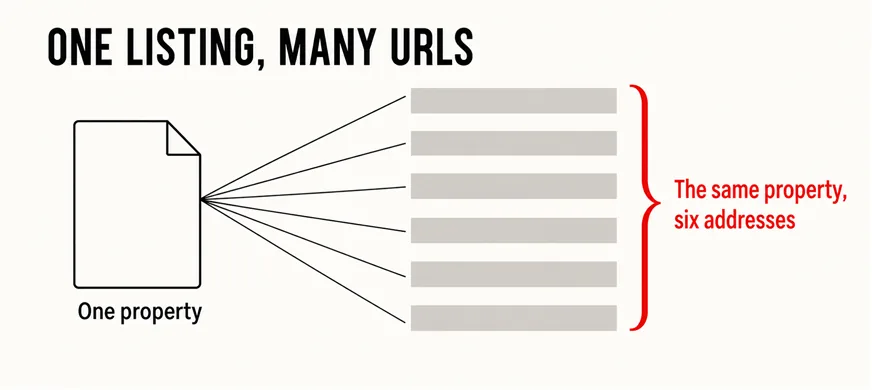
They are the other way a property site quietly multiplies. Every combination of bedrooms, price band and sort order can produce its own address, and Google’s canonicalisation documentation lists exactly this as a cause of duplication: “Site functions: for example, the results of sorting and filtering functions of a category page”.
Before anyone panics, the same page is reassuring about what this is and is not: some duplicate content on a site is normal, and it is not a violation of Google’s spam policies. Note the wording, because it is more precise than the version that circulates — Google does not describe duplicate content as a penalty; it describes it as normal and then explains the real downsides, which are a worse experience and harder measurement.
The practical fix is to settle on one address per property and tell Google which it is. The documentation is clear that this is a hint rather than an instruction — Google may still choose differently — so the stronger move is not to create the duplicates in the first place where you can avoid it. How pages are grouped and named in the first place is the subject of fixing structure rather than content.
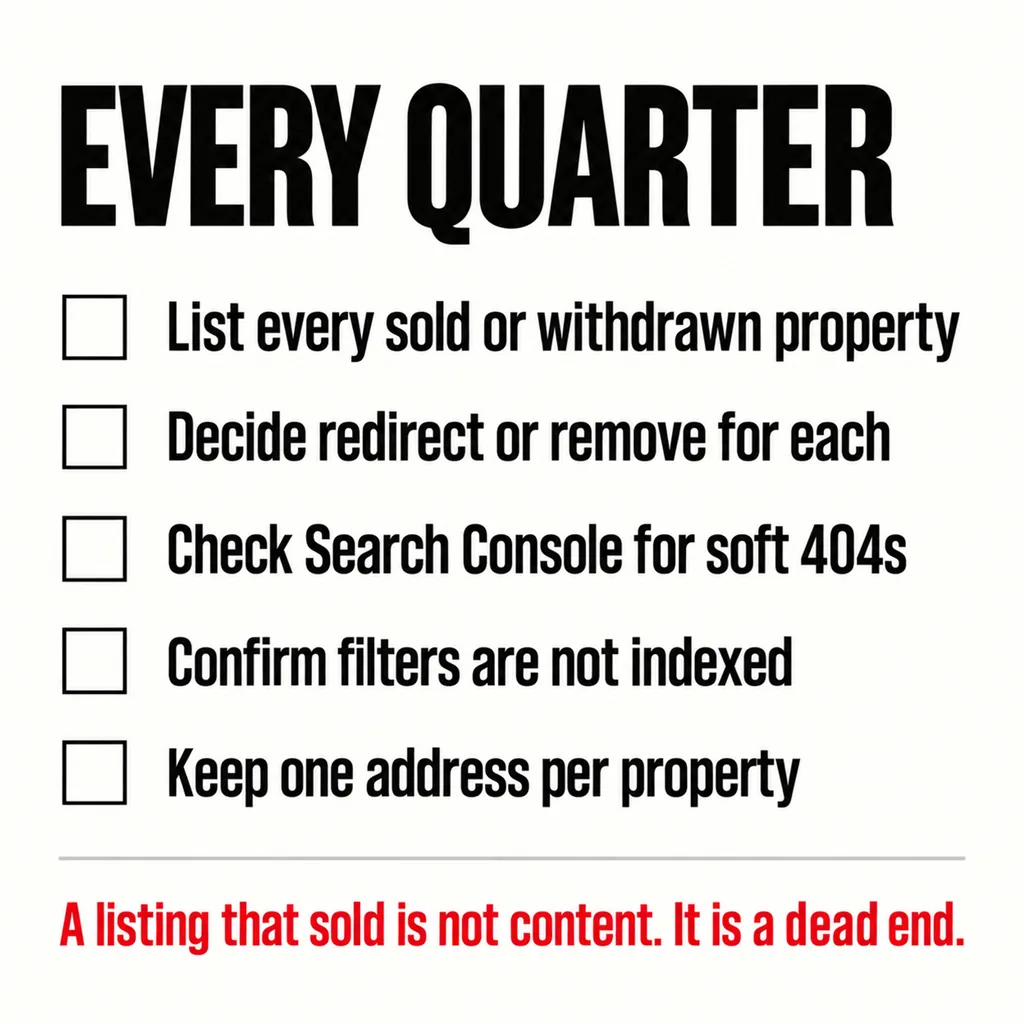
A quarterly routine, not a project. Most of this is twenty minutes once you have done it the first time:
If a site move is on the cards, do this before rather than after, because redirect chains built on top of an untidy URL set are where migrations go wrong — see migrating a website without breaking it. And a newly launched agency site will not rank for any of this immediately in any case, which how long a new website takes to show up covers.
The ordinary things, done properly. Listings are browsed on a phone, usually standing in a car park, so speed and thumb usability matter more here than almost anywhere — whether three seconds is really the limit and is your website easy to use on a phone both apply directly. Agency choice is a trust decision, so the credentials and proof covered in website trust signals do real work. And if a smaller agency with a plainer site is outranking yours, the reasons are usually unglamorous and are worked through in why a competitor with a worse website can outrank you.
Deleting is fine as long as the URL then returns a 404 or 410 rather than redirecting everything to the homepage. A blanket redirect to the homepage is treated as a soft 404, because the visitor asked for a specific thing and got something unrelated. Delete, let it 404, and make the not-found page useful.
Not inherently, and for some agencies the sold record is genuine proof. The distinction is whether the page is presented as a current listing. A clearly labelled past-transactions section, separate from live listings, is a reasonable thing to publish. A sold property sitting in the live listings with a SOLD sticker is the case that causes problems.
Yes, and often more so, because the feed creates and removes pages without anyone watching. Ask whoever built the integration what happens to a URL when the feed drops a property: if the answer is that the page stays and shows a message, that is the soft 404 case. It is usually a one-line change in how the template handles a missing record.
On a property website the thing that needs fixing is rarely the design. It is what the site does automatically with hundreds of pages nobody is looking at. Our web development and design service checks how a site retires a listing before suggesting anything cosmetic, because that is where the lost enquiries usually are. If it turns out the listing system itself is the constraint, our guide to choosing between a revamp and a full rebuild sets out how to tell.