- Resources
Innovative Thinking


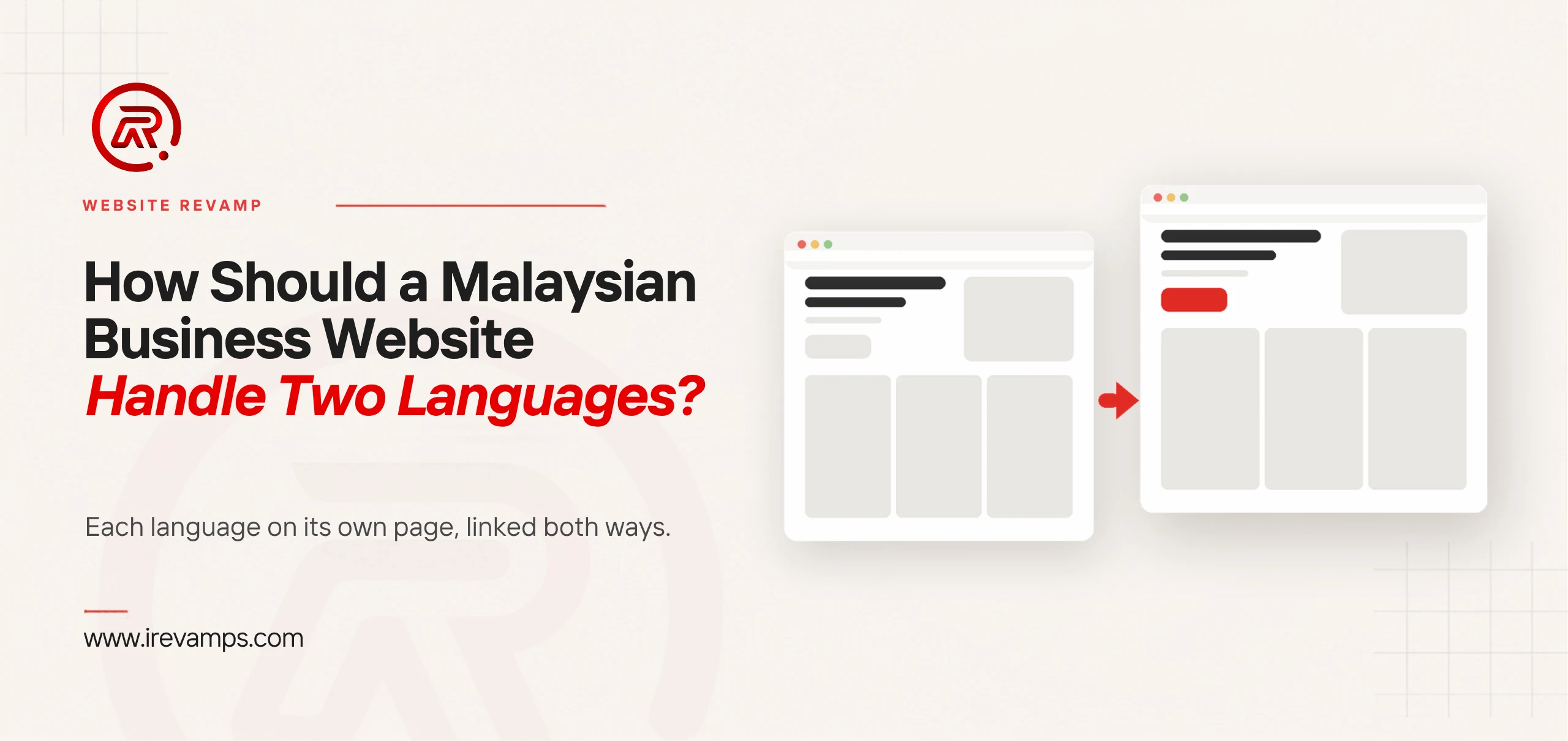
Give each language its own pages. A Malaysian business website in English and Bahasa Melayu, or English and Chinese, works best as two matching sets of pages at separate addresses, each written wholly in one language, joined by a switch that leads to the same page in the other language and by hreflang tags that tell Google which page partners which. Translate the pages that lead to an enquiry first, not the whole site. And add a language only if someone in the business can reply in it.
Search for multilingual website Malaysia and most of what comes back debates whether you need one. The harder questions come after you decide: how the pages are built, which get translated, and who keeps them current. That is where bilingual sites go wrong, and nearly all of it can be fixed without a rebuild.
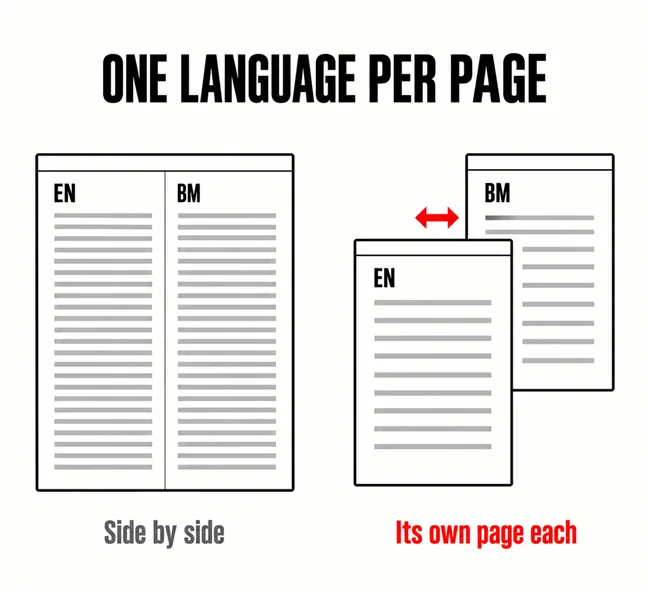
Yes. Google’s guidance for multilingual sites is direct: it “recommends using different URLs for each language version of a page rather than using cookies or browser settings to adjust the content language on the page”. A page at /services/ in English and another at /ms/perkhidmatan/ in Bahasa Melayu can each be found, indexed and shown to someone searching in that language. A page that swaps language inside the visitor’s browser exists only once, as far as Google can tell.
Three common set-ups fail that test:
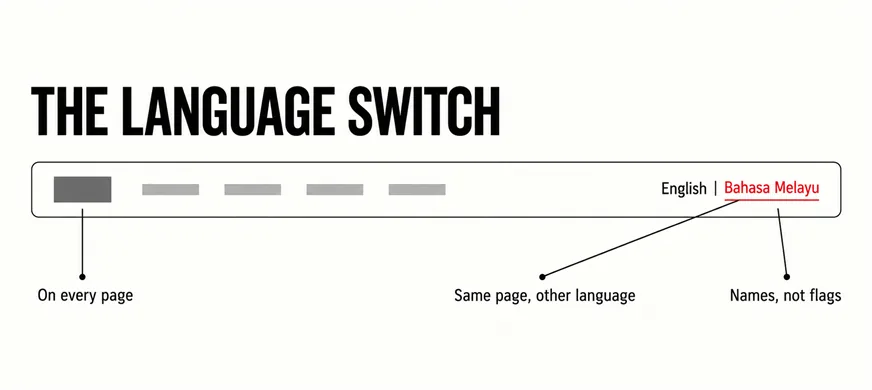
On every page, in the same place, leading to the same page in the other language. Google suggests sites “consider adding hyperlinks to other language versions of a page”. A switch that drops someone on the other language’s homepage makes them hunt for their page again. Name each language in its own words, Bahasa Melayu and 中文 rather than BM and CN, and leave the flags out: a Malaysian flag does not say Malay, and a Union Jack beside English suggests a British company.
For the addresses, a subfolder such as /ms/ on your existing domain is the simplest choice for most businesses. Google’s own comparison lists subdirectories as “easy to set up” and “low maintenance (same host)”, and marks URL parameters such as ?lang=ms “not recommended”. If the English pages already rank, leave their addresses alone and add the new language beside them; moving them means redirects, as our guide to redesigning a website without losing SEO rankings explains.
Two languages means two pages, each wholly in one language, each pointing at the other.
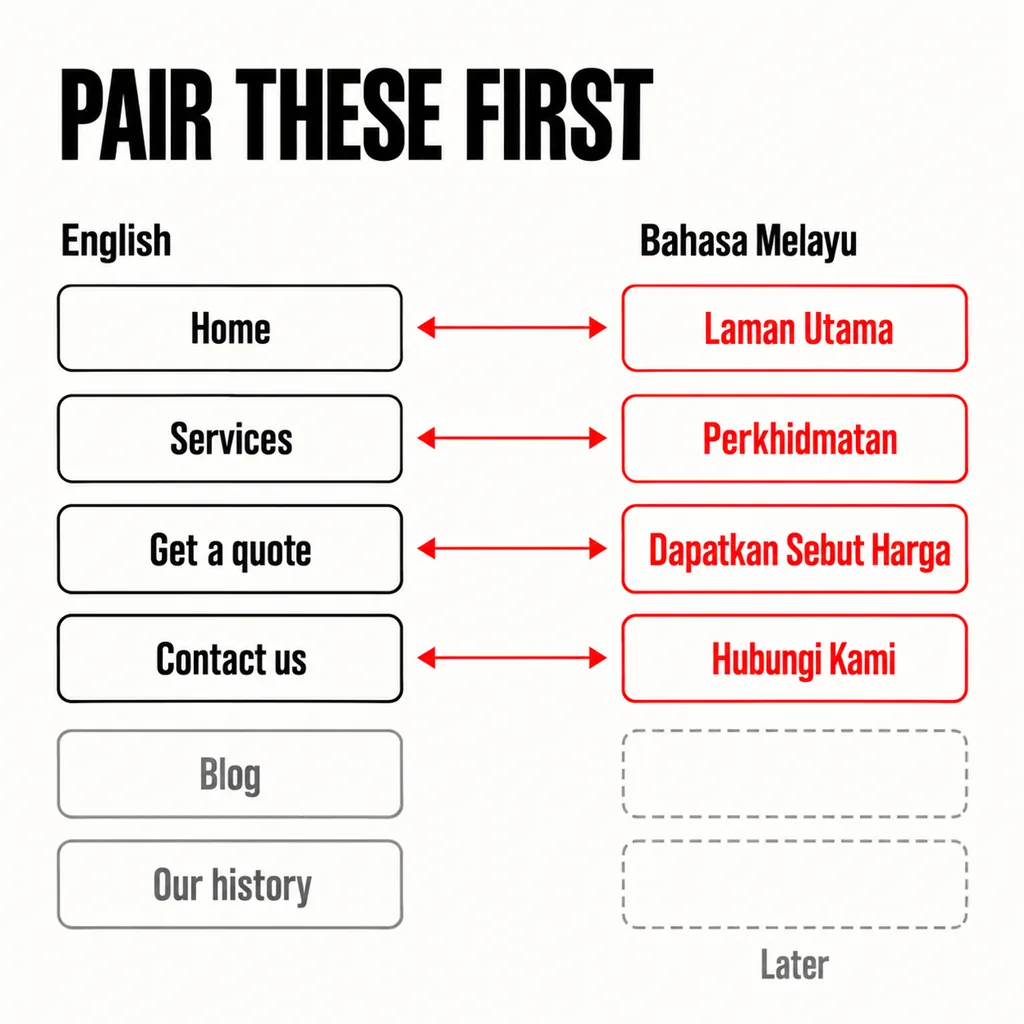
Not all of them. A fifteen-page site with forty blog posts does not need fifty-five translations to serve Malay-speaking customers. It needs the pages a customer passes through on the way to an enquiry, translated well, with the English site behind them:
Google allows for this. Its hreflang documentation says that if a full set of links for every language becomes hard to maintain, “you can omit some languages on some pages”, and adds that new language pages should be linked both ways with the original. What does not work is the opposite half-measure: translating the menu and footer while the page itself stays in English. Google warns that translating “only the boilerplate text” of a page can “create a bad user experience” when the same content turns up in search under different languages.
Blog posts come last, and only the ones people still read. A site with more pages than anyone could translate may simply have more pages than it needs; see our guide to deciding which pages should go. And a muddled English menu, translated, is two muddled menus, which is why fixing the structure comes first.
As a first draft, often. As the published page, rarely. Google does not penalise translation as such. Its spam policies list, among examples of scaled content abuse, pages generated through “automated transformations like synonymizing, translating, or other obfuscation techniques” where “little value is provided to users”. Five service pages translated with care are nowhere near that. Fifty old blog posts pushed through a plugin overnight are closer than most owners would like.
The bigger risk is the reader. Check that the Malay is Malaysian: it shares most of its grammar with Indonesian but not all of its vocabulary, so a car is a kereta, not a mobil, and a Malaysian reader notices the wrong one at once. Chinese pages for Malaysia use simplified characters. Then check prices, dates and anything legal, which tools translate word for word.
Who checks it matters more than which tool wrote it. The person who answers your phone in that language often makes a better reviewer than a translator who has never seen the product. Ask them to read each page aloud; stiff phrasing sounds wrong before it looks wrong.
Hreflang is the tag that tells Google two pages are the same content in different languages, so it can show each searcher the right one. It does not translate anything, and it does not tell Google what language a page is in: the Search Central page on localised versions says “Google doesn’t use hreflang or the HTML lang attribute to detect the language of a page”. Google reads the page for that. The tag’s only job is the pairing.
Three rules on the same page decide whether it works. “Each language version must list itself as well as all other language versions.” Alternate URLs “must be fully-qualified”, starting with https://. And “if two pages don’t both point to each other, the tags will be ignored”. Most multilingual plugins write the tags for you. The errors creep in later, when someone adds a page in one language and never links its partner.
Malaysian sites have one trap of their own. The language code comes first, and Google warns that “you can’t specify the country code by itself”. Malaysia’s country code is MY, but in the ISO 639-1 list of languages, my is Burmese. Malay is ms.
| Code | What it means | Use it for |
|---|---|---|
| my | Burmese | Never, on a Malay page |
| ms | Malay | Bahasa Melayu pages |
| ms-MY | Malay, for users in Malaysia | Bahasa Melayu pages aimed at Malaysia |
| zh-Hans | Chinese, simplified script | Chinese pages written in simplified characters |
| en | English | English pages |
| x-default | No other version matches | The page for everyone else, usually English |
A second language is a promise: that the page is current, and that someone will reply in the language the customer wrote in. A Bahasa Melayu service page that ends in a WhatsApp reply in English, or an English auto-reply, breaks that promise at the moment it matters. Our article on what happens after someone submits your contact form covers that last stretch; with two languages, every step in it exists twice.
Cost follows the same shape. We do not put a ringgit figure on translation here, because no single range would be honest across sites, but the drivers are easy to list:
If that is more than the business can carry, one language kept well beats two kept badly. A Malay page still showing last year’s prices tells the reader the business stopped thinking about them. The second language belongs in the same website care plan as the first.
Usually not. The WordPress documentation notes that WordPress “currently does not support a bilingual or multilingual blog out-of-the-box”, so a multilingual WordPress site relies on a plugin, and the documentation describes four kinds. For most business sites the right kind keeps one language per page, linked to its translation, which is what Google asks for anyway. The existing site carries on around it.
Two cautions from the same documentation. “Installing a multilingual plugin is a big change for any site”, so try it on a copy first and back up the database; our guide to revamping a website without taking it offline covers working on a staging copy. And translation multiplies the database: its example is a WooCommerce shop with 100,000 products that “will have 500,000 records after translating to 5 languages”. For a ten-page company site that is irrelevant; for a shop with thousands of products, it is a hosting question.
A rebuild is the honest answer only when the platform cannot give each language its own address, or cannot switch the forms and emails with the pages. Check that before paying for any translation; if it fails, our guide to choosing between a website revamp and a full rebuild sets out how to weigh the two.
Whichever language your paying customers use when they decide, and your own records show that better than national figures. Look at the language of the WhatsApp messages and emails that turned into work over the past year, and at whether any Malay or Chinese queries already appear in Search Console. If neither shows a need, a second language may not be the next job.
It gives you pages that can appear for searches in that language, which an English-only site cannot. Do not expect it to lift the English pages; the new pages still have to answer the search better than other pages in that language. Treat them as new pages, which also means they take time to be found, as our article on how long a new website takes to show up on Google describes.
No. A subfolder such as /ms/ on your existing domain is the simplest to run. Separate domains suit separate countries, and Google treats a country-code domain such as .my as a strong signal that the site is meant for that country, whatever language it is written in.
Adding a language is a revamp job, not a rebuild. The site keeps its platform, its addresses and its English pages, and gains a second set of pages built to the rules above. Our website revamp service starts with two lists: the pages worth translating, and the people who will answer in each language. Translation is paid for only once both are settled.