

- Resources
Innovative Thinking



Most small business websites in Malaysia are sold more hosting than they will ever use, and less of the part that decides whether the site feels fast. A forty-page WordPress site with a contact form and a photo gallery will not come close to filling the disk space on an entry plan. What it can run out of, on the afternoon a Raya promotion goes out on WhatsApp, is the number of requests the server handles at once. Web hosting Malaysia plans are advertised on storage and bandwidth, and neither is usually what breaks.
So the short answer is: less disk than you are paying for, a PHP version still receiving security fixes, enough simultaneous request capacity for your busiest ten minutes, and a restore you have tested. The rest of this article is how to check each against your own site, and what to do when one is genuinely too small.
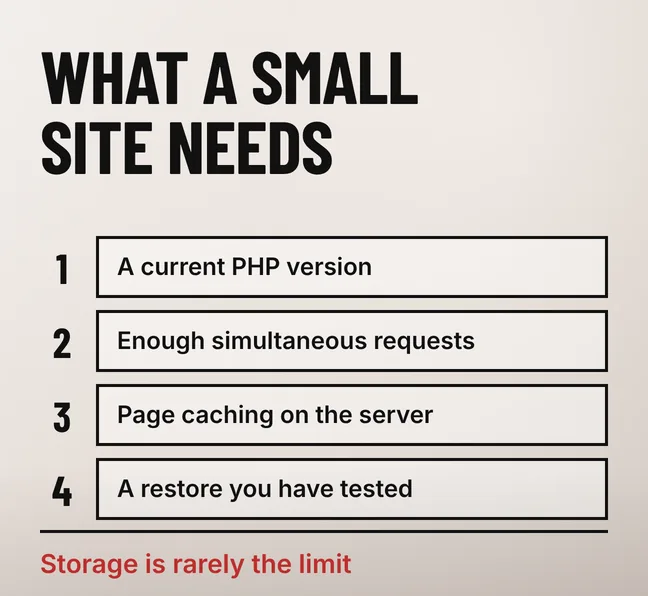
A small business website on WordPress, up to roughly forty pages with a contact form and no shop, needs a server running a current PHP version, enough simultaneous request capacity to cover its busiest minutes, and page caching so that most visitors never wait for PHP at all. Storage is rarely the limit. Bandwidth almost never is.
Which specification binds first depends on what the site does, so name yours before reading any plan comparison. A brochure site and a WooCommerce store sit happily on the same shared plan and fail in completely different ways: the brochure site serves nearly every visit from cache, while a logged-in shopper bypasses the cache and goes straight to PHP and the database.
| What the site does | What runs out first | What to size for |
|---|---|---|
| Service or brochure site, no shop | Simultaneous requests during a promotion | Worker capacity and page caching, not disk |
| Blog publishing weekly | Database queries on archive and search pages | A current PHP version and object caching |
| Image-heavy portfolio or gallery | Storage and outbound bandwidth | Disk headroom, image compression and a CDN |
| WooCommerce store | Uncacheable logged-in pages hitting PHP | Worker capacity and CPU, by a wide margin |
This article names no provider and quotes no plan price: the Malaysian ranges in circulation sit on affiliate review pages, and we have none of our own to publish. If the site is already slow and you are asking whether the server is to blame, our guide to whether your hosting is the reason your website feels slow separates the two before you pay for anything.
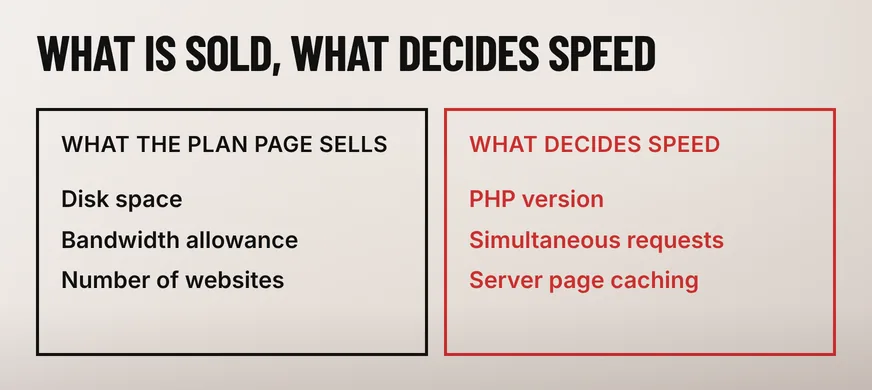
Three specifications decide how a WordPress site performs on a given plan: the PHP version, the number of PHP requests the plan will serve at the same time, and whether the host runs page caching at server level. Disk space, bandwidth allowance and the number of websites allowed affect what you pay, not how fast the site answers.
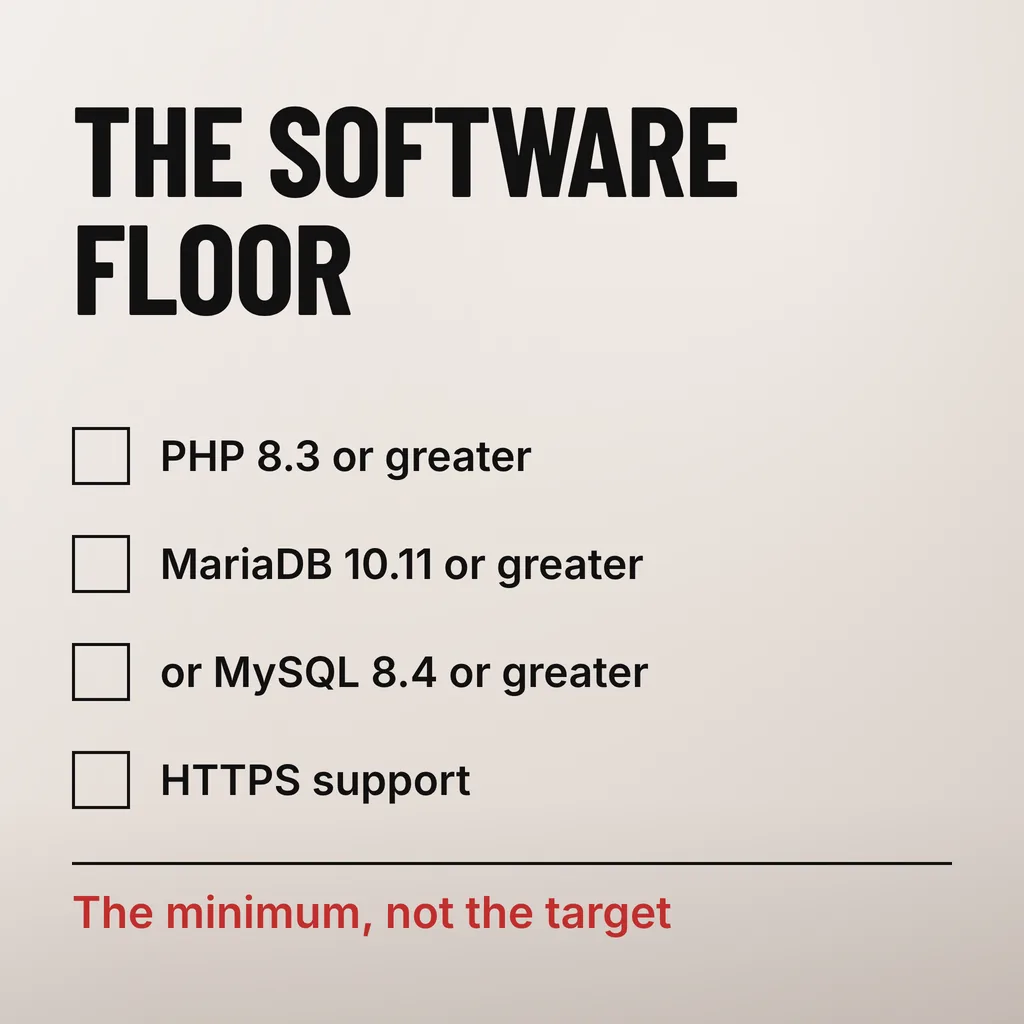
WordPress.org publishes the floor, not the ideal. Its hosting requirements page recommends PHP 8.3 or greater, MariaDB 10.11 or greater or MySQL 8.4 or greater, and HTTPS support. The minimum, not the target: a plan whose newest available PHP version has already passed its own security support window is telling you how often that provider updates anything, which is a more useful signal than any price.
Server-level page caching matters more than anything else on the plan page. With it on, a visitor to your homepage is handed a stored HTML file and never touches PHP or the database. With it off, every visit runs the full WordPress stack, and the worker limit below starts to matter on an ordinary Tuesday. A cheaper plan with caching regularly beats a dearer one without it.
The ceiling is set by the plan’s PHP worker count, not by its monthly visitor allowance. Each worker handles one request from start to finish, so a plan with four workers serves four uncached requests at once and queues the rest. The monthly traffic figure on a plan page describes billing, not capacity.
PHP’s own documentation is plain about the setting. Of pm.max_children, the FPM configuration manual says it is “the maximum number of child processes to be created when pm is set to dynamic or ondemand”, and that “this option sets the limit on the number of simultaneous requests that will be served”. Most shared plans do not publish that number. Ask how many PHP workers the plan allows and what happens when they are all busy: the honest answers are a queue or a 503 error page.
You can watch the queue from outside, with no access to the server. web.dev’s Time to First Byte guidance says good values are 0.8 seconds or less and poor values are greater than 1.8 seconds. If your Time to First Byte is comfortable at midnight and crosses 1.8 seconds whenever a campaign lands, workers are running out; if it is poor at all hours, the stack is the problem rather than the crowd.
Unlimited plans are limited by the resources they do not advertise: CPU seconds, concurrent processes, inode counts and database queries, written into the acceptable use policy rather than the pricing table. Storage is sold as unlimited because a small business website was never going to use it; the resources the site genuinely consumes are the capped ones.
Read the policy, not the table. The caps that bite are usually called entry processes, CPU time or inodes, and an account that crosses them is throttled or suspended rather than billed. We have not measured those limits across Malaysian providers; know which clause to look for before committing to a year paid up front.
Bandwidth is the one unlimited figure that occasionally does bind, almost always on an image-heavy site serving large photographs straight from the origin server. Moving static files off the origin is the fix, and our explanation of what a CDN does for a Malaysian website covers when that is worth setting up.
Move when the symptoms are server-shaped and caching is already dealt with: the admin stays slow while cached pages are fast, errors cluster during campaigns rather than at random, backups fail because the site outgrew the backup tool, or you need staging and command-line access the plan does not offer. A slow page on a quiet server is not one of them.
For a brochure or service site the sequence is caching first, PHP version second, worker capacity third, and a different kind of hosting only when one of the symptoms above is true.
Far less than entry plans advertise. A forty-page WordPress site with compressed images, one theme and a dozen plugins occupies a small fraction of even the cheapest plan. The exceptions are video served from your own server and uncompressed photography, and both belong elsewhere. Check your usage in the hosting control panel before paying for more.
Not directly, and only when the server was the bottleneck. A faster server improves the response time that feeds Core Web Vitals, one ranking input among many, so the gain is real but modest. If pages are slow because of unoptimised images or a heavy page builder, a bigger plan changes nothing a visitor or a crawler would notice.
Daily is the sensible floor for any site taking enquiries, plus a manual backup before every plugin or theme update. Frequency matters less than restore: an untested backup is a file, not a safety net. Ask how long a full restore takes and whether you can trigger one without opening a support ticket.
Hosting is the part of a website most often bought once and never looked at again, which is why so many business sites sit on a plan chosen for a company three sizes smaller. We check the PHP version, the caching layer, the worker ceiling and the restore path as part of our website maintenance service, and we will say so when the plan is fine and the pages are the problem. If you cannot currently find those four numbers for your own site, finding them is the next step.