

- Resources
Innovative Thinking



A website CDN earns its place when your visitors sit a long way from your server, or when your traffic arrives in bursts your host cannot absorb. If your buyers are in Malaysia and your site is hosted in Malaysia or Singapore, a content delivery network wins you little and costs you a new moving part, and the money usually buys more somewhere else.
The pages that come up for “website CDN” mostly explain what one is. That is the easy half. The harder question is whether yours is the kind of site that gets something back, and the answer turns on two things you can check this afternoon: where your visitors are, and whether your pages are slow for everyone or only for people far away.
A content delivery network keeps copies of your files on servers spread around the world and answers each visitor from the nearest one. Three costs shrink as a result: the time to open a connection, the distance a cached file travels, and the number of requests your own server has to handle at all. Nothing about the page itself changes.
Google’s Chrome team documents the mechanism plainly in its guide to content delivery networks and web performance. “CDN servers are located closer to users than origin servers”, and “terminating the new connection as close to the user as possible eliminates unnecessary connection setup costs”. On the files themselves: “Caching resources on a CDN’s servers eliminates the need for a request to travel all the way to the origin.”
That last sentence contains the catch. The saving applies to what the network already holds a copy of, so a request for something uncached still travels to your own server and still waits for it, with the CDN’s hop on top. The same guide notes that “CDNs can also improve the delivery of uncacheable content”, because the connection terminates nearby, but the gain is far smaller than the one people picture when they buy one.
The measure of whether it is working has a name. The guide defines it: “Cache hit ratio is defined as the number of cache hits divided by the number of total requests during a given time interval”, and sets the target at “A CHR of 90% is a good goal for most sites.” A WordPress site passing images through a CDN while serving every page from the origin sits nowhere near that, which is the usual state of a plugin switched on and left alone.


Not much, if your server is also in this region. The gain from a CDN is the distance it removes, so a visitor in Penang loading a site hosted in Kuala Lumpur has almost no distance to remove. The same visitor loading a site hosted in Frankfurt or Dallas has a great deal, and that is the case worth paying to fix.
| Your situation | What a CDN changes | Worth buying first? |
|---|---|---|
| Buyers in Malaysia, host in Malaysia or Singapore | Little; the trip is already short | No |
| Buyers in Malaysia, host in Europe or the United States | Removes most of the distance | Yes |
| Buyers across Southeast Asia or further afield | Evens out the slowest markets | Yes |
| Launches, Raya promotions, anything that spikes | Absorbs the burst instead of your host | Yes |
| Pages heavy with uncompressed images | Delivers the same weight from closer by | No, fix the weight |
Check where your server is before assuming anything, because a Malaysian hosting company can sell you space on hardware in another country. Your host’s control panel names the data centre, and so does any server-location lookup. The burst is the other case: a promotion sent to a WhatsApp group arrives as a few hundred requests inside a minute, which shared hosting handles badly and a cache absorbs without touching your host.
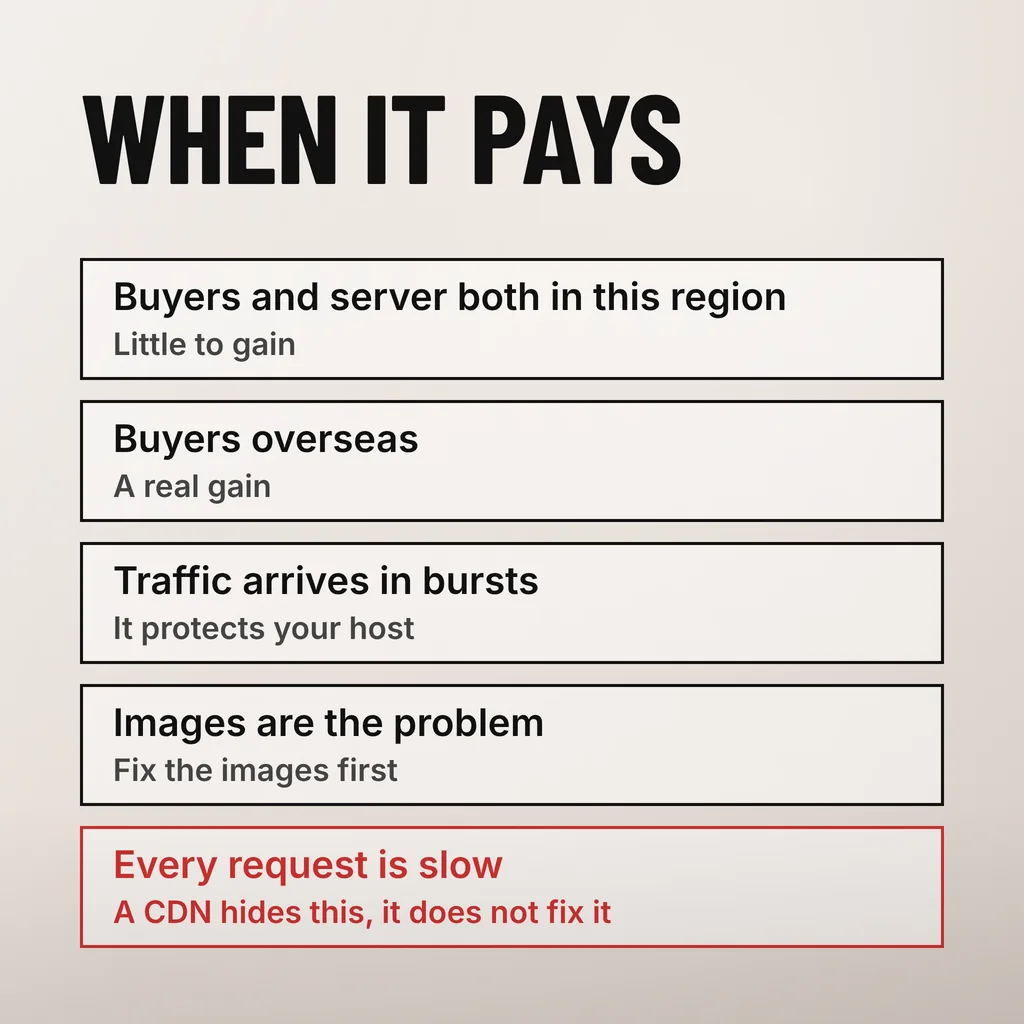
Load the same page from two places and compare the first byte. If a visitor nearby gets a fast response and one far away waits, the problem is distance and a CDN addresses it. If both wait, the problem is your origin, and putting a network in front of it hides the symptom on cached pages while leaving everything else exactly as slow.
There is a published number for this. web.dev’s reference on Time to First Byte, by Barry Pollard and Jeremy Wagner, sets the bar: “Good TTFB values are 0.8 seconds or less, and poor values are greater than 1.8 seconds.” Time to First Byte is the wait before the first byte of the page arrives, so it is the part of the load a CDN can touch and the part your hosting decides.
Write both figures down before changing anything. A server returning 1.5 seconds to everyone is not a distance problem; that is the kind of result that points at your hosting, and no amount of edge caching improves the pages a logged-in customer or a form submission waits on.
A CDN delivers what you give it faster. It does not make it smaller. Oversized images, a theme loading a dozen stylesheets, plugins injecting scripts into every page, a slow database query behind a product filter: every one of those costs the same after the move, and the ones that cannot be cached cost slightly more.
This ordering matters because the cheap work is usually the work that moves the number. We have written about what a three-second load time is actually made of, and on most Malaysian SME sites the largest single item is images nobody compressed. Doing that first also tells you something: if the page is quick afterwards, the CDN question answers itself.
Most small business sites run on a provider’s free tier, so the cost lands somewhere other than the invoice: a second system between your visitors and your site, with a DNS change, a certificate to keep valid, a cache that can serve something stale and one more place to look when a page misbehaves. Price scales with traffic, bandwidth and the extras you switch on.
Five drivers set the price: data served each month, how many requests can be cached at all, whether you need a firewall or bot filtering, how many regions you want covered, and whether images are converted at the edge. A brochure site sits at the bottom of all five; a store running video promotions sits higher on every one.
The part that surprises people is how little a CDN is allowed to cache by default. RFC 9111, the HTTP Caching standard published in June 2022, defines a shared cache as “a cache that stores responses for reuse by more than one user”, and the private directive “indicates that a shared cache MUST NOT store the response”. WordPress marks logged-in and cart responses that way for good reason, so a store’s most important pages stay uncached unless somebody configures otherwise, carefully.
Stale content is the other cost, and it is a people problem. Change a price and the old page keeps being served from the edge until the cache is cleared, so whoever edits the site has to know that the clear-cache button exists and when to press it. Otherwise the first report comes from a customer.
Add one when the measurement says distance is costing you, or when your traffic arrives in bursts. Sort the two cheaper things first: compress the images and confirm your host returns a first byte inside 0.8 seconds. If the site is still slow for visitors far away after that, a CDN is the right next purchase rather than a precaution.
The order matters more than the provider. Bought out of order, a CDN is a monthly line item that makes a slow site slightly faster while the page your customers actually wait on stays untouched.
Usually, yes. A free tier from a reputable provider covers caching for static files and pages, a certificate and basic protection, which is the whole of what a brochure site or small store needs from a CDN. The paid tiers buy image handling at the edge, firewall rules, analytics and support response times. Start free, and upgrade when a specific need appears rather than on principle.
Only indirectly, and only if it makes your pages faster for real visitors. The Chrome team’s documentation says “sites should strive to have Largest Contentful Paint of 2.5 seconds or less”, measured at the 75th percentile of page loads. A CDN that moves that measurement helps; one caching a few images on an already-nearby server changes nothing Google can see, and speed is one input among many.
It can, and the usual causes are caching a page that should never have been cached and a misconfigured DNS or certificate during the switch. Both are avoidable: move the site over outside business hours, test logged-in pages, the contact form and checkout immediately afterwards, and keep the previous DNS settings written down so the change can be reversed.
Plenty of sites do not need a content delivery network at all. What they need is their images compressed, a host that answers quickly and somebody watching the numbers month to month, which is what our website maintenance service covers. One thing to do this week: test your homepage from a region near your buyers and one far from your server, and keep the two Time to First Byte figures.