- Resources
Innovative Thinking


On most small business websites, what happens after form submission is almost nothing. The page reloads, a thin grey line says the message was sent, a notification email drops into an inbox somebody opens twice a day, and the person who wrote the enquiry cannot tell whether it arrived at all. The form works. The minute after it was never designed.
Pressing Send is a handover, not an ending. Three things should happen at that moment: the visitor is told the message arrived, the visitor keeps something that proves it, and a person in your business finds out. Plenty of sites manage a weak version of the first and nothing else — one of the quieter ways a site that does attract enquiries still loses the work. Our article on why a website with visitors generates no enquiries covers everything before the click.
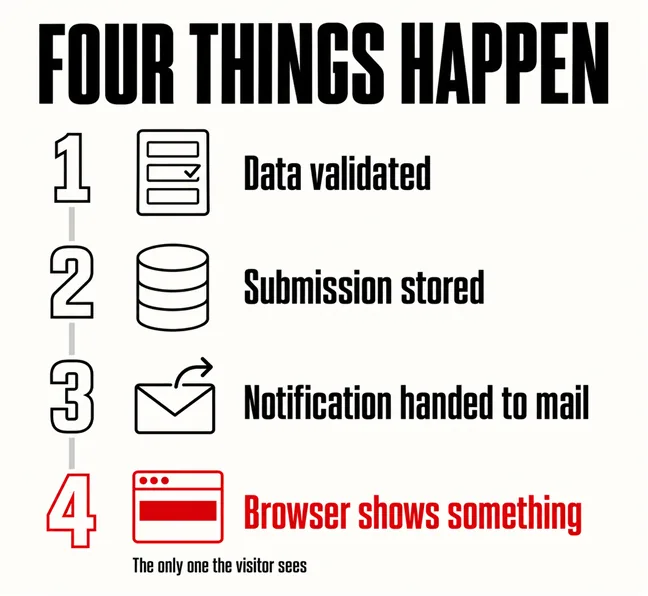
Four things run in quick succession when someone submits a contact form, and only one of them is visible to the person who pressed the button.
A form that submits successfully and tells nobody is a form that works and a business that does not.
Nielsen Norman Group put this near the foundation of interface design: appropriate feedback for a user action is perhaps the most basic guideline of user-interface design. A contact form is the one place on a small business site where somebody hands over their details and gets nothing tangible back, and the same article makes the commercial point plainly: predictable interaction builds trust in the brand, not only in the mechanics of the site.
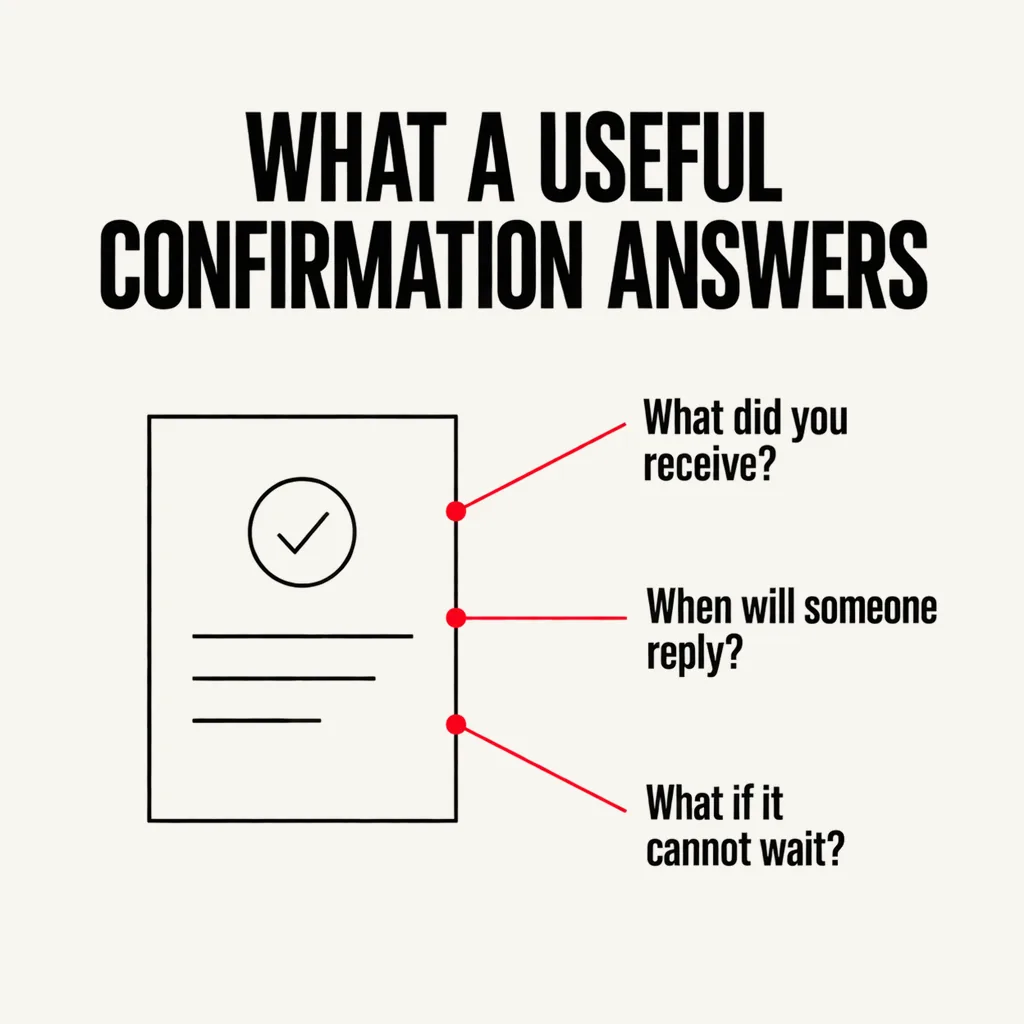
A default confirmation says the message was sent. A useful one answers the three questions the visitor actually has:
Then decide where that confirmation lives. Replacing the form in place keeps the visitor where they were and is the quicker change. A dedicated thank-you page costs a little context and buys you an address, which matters if any traffic is paid: Google’s conversion tracking setup asks you to identify the exact conversion page URL where the tag fires, like the confirmation page URL. Without one, enquiries from ads are hard to count and campaigns get judged on clicks. Keep that page out of search results, and do not leave it blank — someone who has just contacted you is a fair audience for the reassurance covered in our piece on what visitors notice before they contact you.
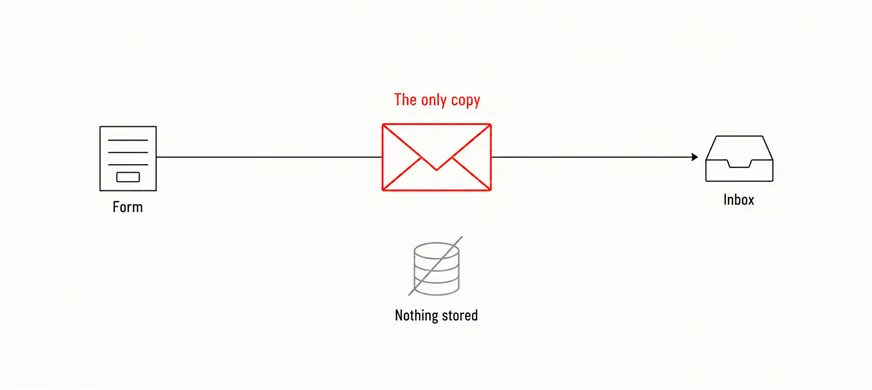
This is the failure nobody sees, because a form that delivers nothing looks exactly like a form nobody used. Your site sends that notification from your own domain, usually through the hosting server, and mailbox providers now check whether it is entitled to. Gmail states that starting February 1, 2024, all email senders who send email to Gmail accounts must meet the requirements it sets out, among them SPF or DKIM authentication for the sending domain. Mail that fails those checks, Google says, might be marked as spam or rejected outright.
Most Malaysian SMEs read business mail in Gmail or Microsoft 365, so this is not a large-sender problem happening elsewhere. Four things make the difference:
Faster than you think, and the bar set by other businesses is low. Workato submitted demo-request forms to 114 B2B companies and published the results in March 2026: more than 99% did not respond within five minutes, the average first email reply took 11 hours and 54 minutes, and nearly one in five never replied by email at all. That is a test of software companies rather than Malaysian SMEs, and a demo request is not a roof leak, so read it as the shape of the problem rather than your own numbers.
The local version is simpler. Someone who fills in your form on Saturday evening has usually messaged two competitors on WhatsApp by Sunday lunchtime, and the business that answers first is often just the business that answers. The practical question is not how fast you can reply on a good day but which channel gets watched on a bad one — for most small teams, honestly, WhatsApp rather than email. Route the notification somewhere it will be seen, then promise only the window you can hold.
None of these needs a developer, and each either passes or exposes something worth fixing.
Either works for the visitor. An in-place message is quicker to set up and keeps people in context; a separate page has its own address, which is what conversion tracking needs to count an enquiry, so it is the better choice if any traffic comes from ads.
It covers one of the three jobs: giving the visitor something to keep. It does not cover the human reply, and an auto-reply promising a response within an hour makes a slow one worse rather than better. Write it to match the window you can genuinely hold.
Usually not. The plugin hands the message to the mail system, which sends it in a way the receiving provider cannot verify: no SPF or DKIM for the domain, or the visitor’s own address used as the sender. Both are configuration rather than the form, and both are fixable in an afternoon.
When we audit a site that is “not getting enquiries”, a fair share of the time the form is fine and the minute after it is not: no confirmation worth reading, notifications going to spam, no record of what was submitted, nobody owning the reply. Those are small separate fixes rather than a redesign, and they are usually the first thing we do. If you do not know what your own form does after someone presses the button, start with the five checks above — and if you would rather someone walked the whole path for you, ask us for an enquiry-path review.