- Resources
Innovative Thinking


Fix the homepage when the homepage is the problem. Revamp the site when the same problem turns up on every page behind it. That is homepage redesign vs full website redesign in one line, and it is a question of evidence rather than budget: a new front page on a site whose service pages, mobile behaviour and enquiry path are all failing buys you one good page and a dozen bad ones.
The homepage-only project is real work and it costs a fraction of the alternative. It is also the easiest thing to say yes to, which is not the same as the right thing to say yes to. The evidence that settles it is sitting in reports you can open this afternoon.
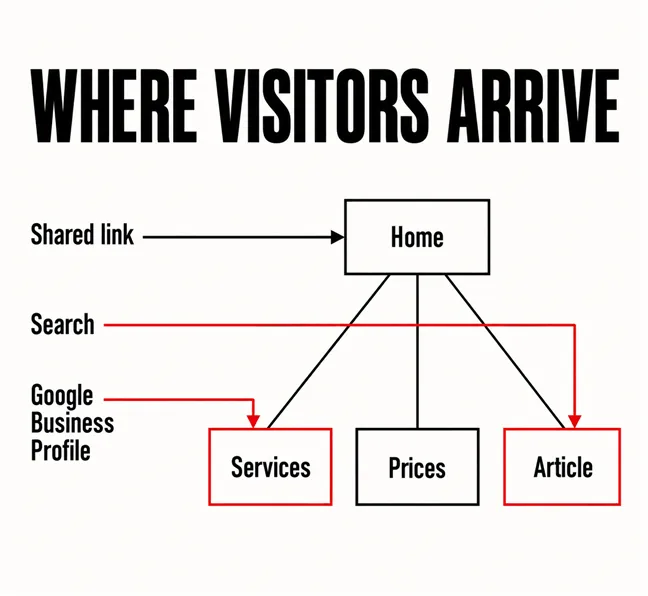
Start here, because the answer decides most of what follows. The homepage is not the door most people use. Nielsen Norman Group puts it without hedging: most users enter websites through an interior page and bypass the homepage entirely. Search delivers people to the page that answers their question, and that is rarely the front one.
You do not have to take that on trust for your own site. Open Search Console, set the range to the last twelve months, switch the performance report to Pages and read the top twenty. Then open the landing-page report in your analytics, which catches what search does not: the link in an Instagram bio, the Google Business Profile listing, the URL pasted into a WhatsApp group.
Two patterns come back, pointing in opposite directions.
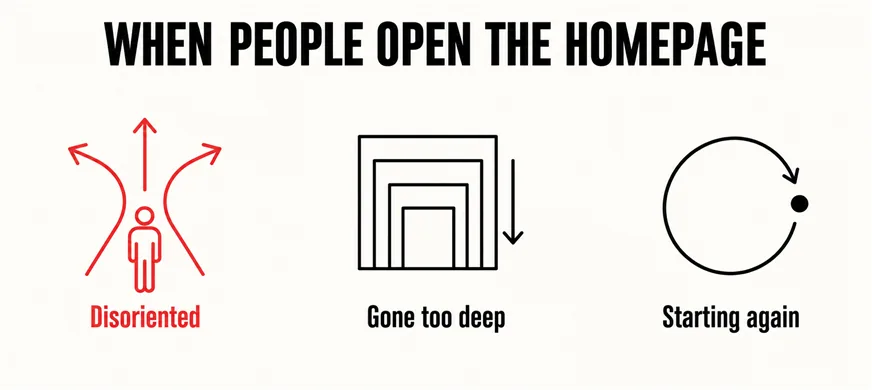
The homepage still matters in the second case; it simply has a different job. People go to the homepage when they’re disoriented, they have gone too deep into a site, or they’re ready to start a new task. That makes it the recovery route rather than the entrance, and a recovery route needs navigation that works and a plain statement of what the business does, not a new hero video.
The question is not whether your homepage is weak. It is whether your homepage is the only thing that is weak.
A homepage-only project reaches the first screen, the way the business describes itself, the main call to action, and whatever sits in the header and footer. That last item deserves a pause, because the header and footer appear on every page: change the menu while redesigning the homepage and you have changed it everywhere — either a useful bonus, or the moment a homepage project quietly became a site project on a homepage budget.
What it cannot reach is anything living in a template or in the structure. Nielsen Norman Group draws that line precisely: the information architecture (IA) is not part of the on-screen user interface (UI) — rather, IA informs UI. A new homepage changes the interface. How pages are grouped, what they are called and which ones exist at all sits underneath it, untouched — and that is usually what visitors mean when they say they cannot find anything.
Speed behaves the same way. Search Console groups URLs in its Core Web Vitals report on an explicit assumption: these groups have a common framework and the reasons for any poor behavior of the group will likely be caused by the same underlying reasons. If the homepage is slow because the theme loads three animation libraries before anything renders, every page on that theme is slow for the same reason, and compressing the homepage banner fixes one page out of forty.
So the honest list of what a homepage-only fix leaves exactly as it was:
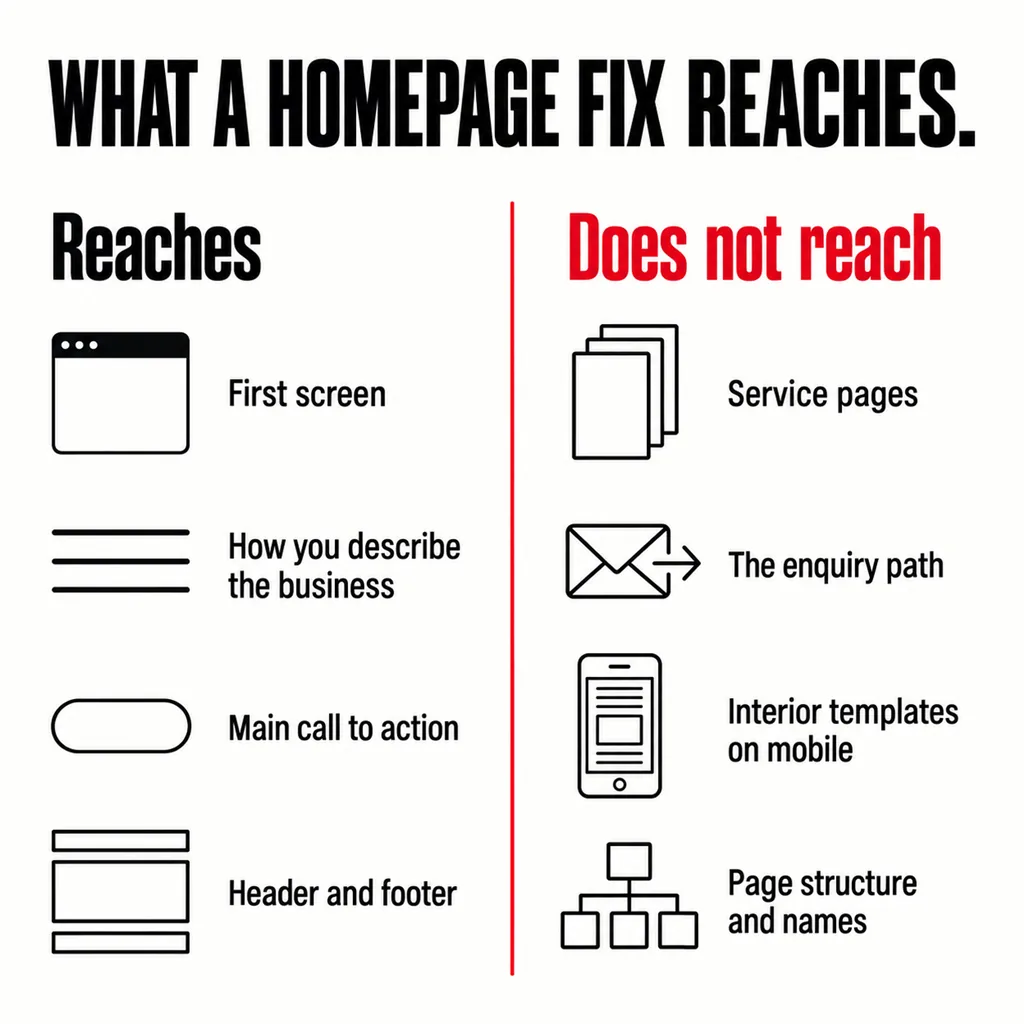
None of these needs a tool or a budget. They need somebody willing to write down what they actually find.
Plenty of the time it does, and saying so is not a lesser piece of advice:
That last point is where most of the money goes missing. A homepage built as stage one of a revamp whose later stages are already agreed costs less than the same homepage built alone and revisited a year on, because the header, the template system and the content decisions are paid for once. Agree the sequence before the first invoice, even if stage two has no date yet. Left open-ended instead, the site sits in the most expensive state there is: two design systems on one domain, a front page raising an expectation the second click disappoints, and no pressure left to fix anything behind it.
What belongs on that first screen, once you have decided to work on it, is a separate question we answered in our guide to what visitors should see first on a homepage. And if the real doubt is whether the site can be revamped at all rather than replaced, the revamp-or-rebuild comparison settles that first.
Yes, and it is often the sensible order, on one condition: agree the later stages before the first one starts. The header, template system and content decisions get made during the homepage work whether or not anyone admits it, and paying for them twice is how a phased project outruns the cost of the whole job.
Usually, and the effect is small either way, because the addresses do not change and the homepage is rarely the page ranking for your most valuable searches. The risk sits in the details rather than the design: internal links dropped from a new menu, a heading structure flattened for looks, a hero image that pushes load time up. Check those three after launch.
Less than owners expect as a share of the work. It takes the most discussion and the most revisions, but the template system, the content on every other page, the enquiry path and the migration of what already ranks are where the hours go.
We are asked for a new homepage far more often than for a revamp, and a fair share of the time the homepage is not where the fault is. Our website revamp and design service starts by reading the arrival data and testing three interior pages before anyone quotes a design, so the scope follows what the site is actually doing rather than which page you happen to look at most. Bring the last twelve months of landing pages and the answer is usually obvious within the hour.