
- Resources
Innovative Thinking


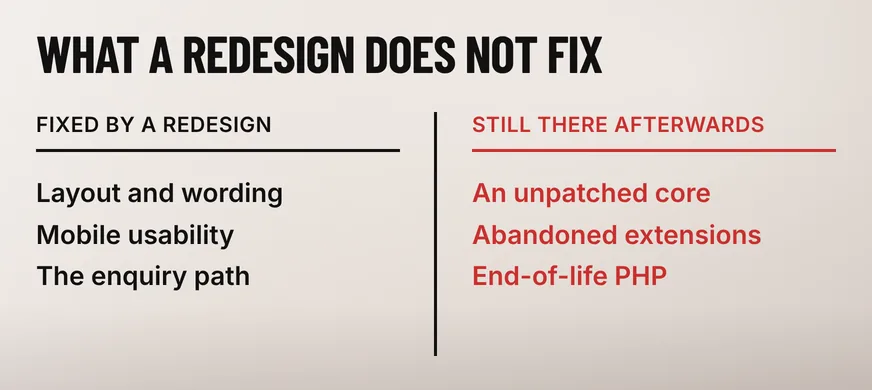
Upgrade the platform first, then redesign on top of it. A Joomla website revamp on a site still running Joomla 3 is two projects in a fixed order, because the Joomla project ended official support for the 3.x series on 17 August 2023 and no amount of new design changes what that means underneath.
The half owners ask about is the design. The half that decides the risk is invisible on screen: a core that no longer receives security releases, extensions whose authors have moved on, and a PHP version with its own expiry date. A site in that state can look perfectly tidy and still be the softest thing on your server.
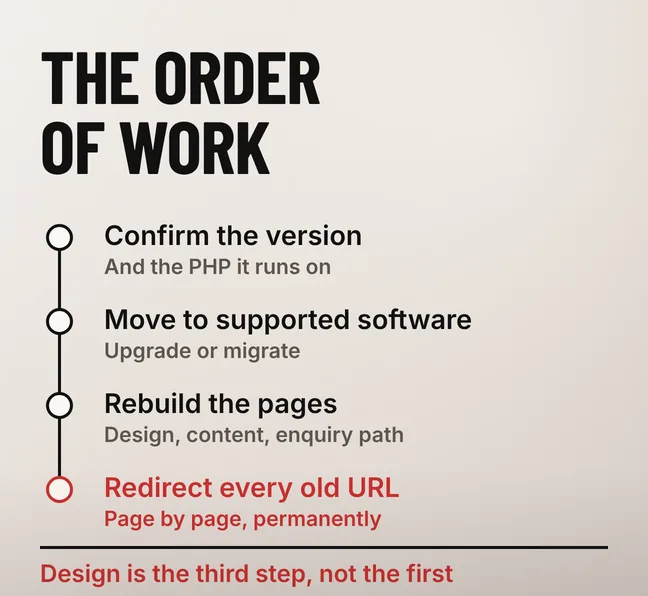
Both, and the upgrade comes first. On an end-of-life version, a Joomla website revamp means getting the site onto software that still receives security patches, then rebuilding the design, the content and the enquiry path on that foundation. Redesign first and the new pages sit on a core nobody maintains.
Which half is larger depends on what the administrator screen reports. Joomla 4 and 5 are current software, so the work there is a redesign in the ordinary sense. Joomla 3 and anything older is a migration with a redesign attached, and the two are hard to separate: what makes an old site hard to move is the template and the extensions, which are exactly the parts a visitor sees.
The order matters because the alternative is paying twice. A redesign delivered onto an unsupported core has to be redone the moment the platform finally moves, and the second pass is the expensive one.
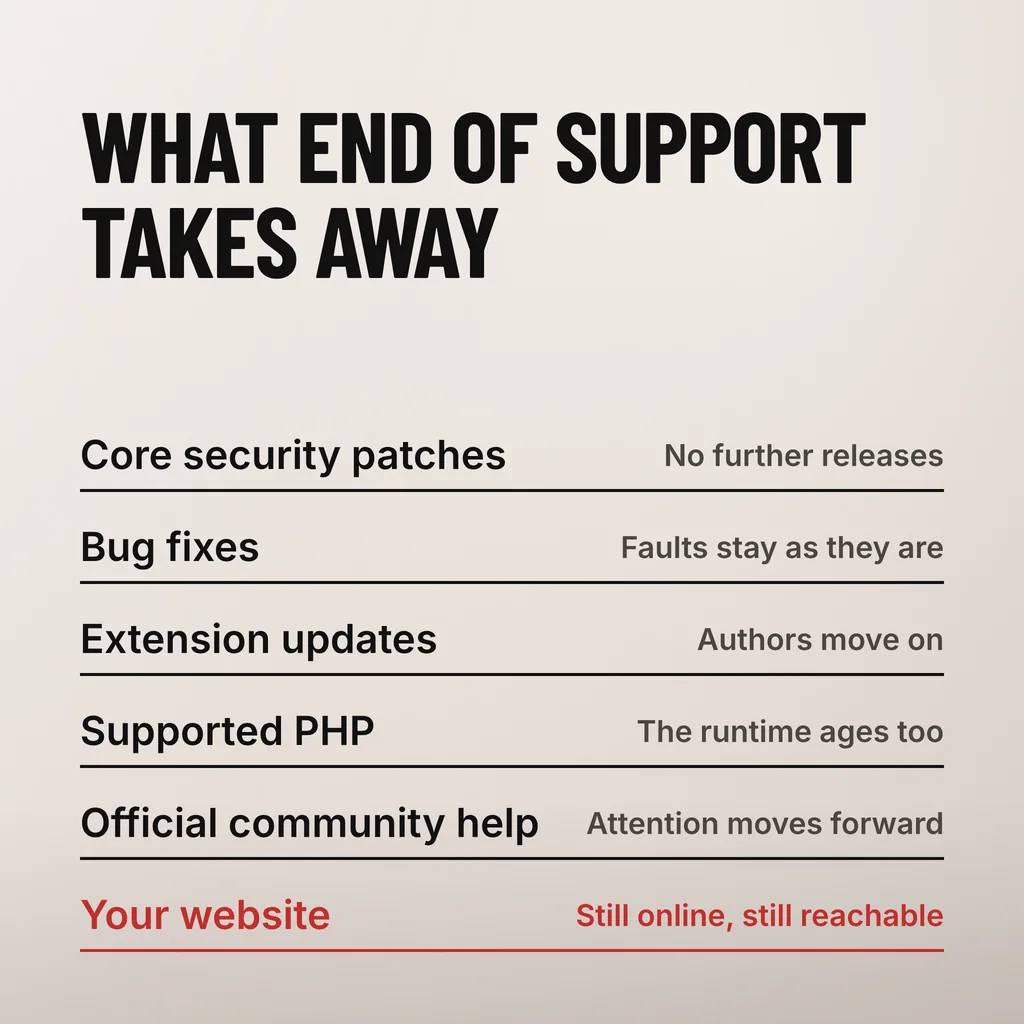
Three things stop arriving: security patches for the core, bug fixes, and the compatibility work that keeps extensions running. End of support removes maintenance, not function. That distinction is why an unsupported site feels fine from the outside while the distance between it and a patched site grows every month.
Joomla said it plainly. The project’s end-of-support announcement for Joomla 3, published on 17 August 2023, marks “the end of official support from the Joomla Volunteer Community for Joomla! 3” and quotes the notice that appears in the administrator of a 3.10 site: “Support has ended for your version of Joomla 3.10. Migrate to Joomla 4 as soon as possible.” It also names what keeps sites stuck — “mission-critical extensions that have not migrated yet” or a site with “extensive customisation”.
| What stops | What it leaves you with |
|---|---|
| Core security patches | A flaw published after the cut-off stays open on your site |
| Bug fixes | Faults you report are not fixed upstream, only worked around |
| Extension updates | Authors move to the current version and stop releasing for yours |
| Compatibility work | Newer PHP, newer MySQL and newer browsers are no longer accounted for |
| Official help | Documentation and forum answers describe a version you are not running |
Paid extended support exists for sites that genuinely cannot move yet, and the same announcement points them to the project’s Extended Long Term Support programme. Treat it as a holding measure for a site that already has a migration date, rather than a way to stay where you are indefinitely.
More exposed than the CMS version alone suggests, because the whole stack ages together. Underneath Joomla sits PHP, which retires each of its branches on a published four-year schedule, and the PHP project is direct about what that means for anyone still running one of them.
The PHP supported-versions page sets the rule plainly: “once the four years of support are completed, the branch reaches its end of life and is no longer supported”, and its definition of that state is addressed to users rather than developers — “Users of this release should upgrade as soon as possible, as they may be exposed to unpatched security vulnerabilities.” The oldest branch still listed as supported is PHP 8.2, whose security support runs to 31 December 2026, so a site held on PHP 7.x to stop an old extension breaking is two full generations past that line.
The realistic risk is not that someone targets your business by name. It is that a published flaw in a widely installed component gets scanned for indiscriminately, and an unpatched install answers. We have not measured how often that happens to Malaysian SME sites, and nobody should quote a number at you for it.
If you want to know where you actually stand before committing to a project, the once-a-year website security check covers what to look at and in what order. Run it before the quotes arrive, not after.
Yes, provided every address is mapped before the move. Old CMS installations carry their own URL shape — query strings on index.php, numeric article ids, a /component/ path — and no new platform reproduces it by accident. The addresses survive because someone redirects each old URL to the page that replaces it.
Google treats this as a site move with URL changes. Its Search Central documentation recommends “HTTP permanent redirects if possible, such as 301 and 308”, says to keep them “for as long as possible” and generally at least a year, and states that 301 and other permanent redirects “don’t cause a loss in PageRank”. On timing it offers no comfort: it “can take a few weeks or more for Google to gradually start showing the new URLs”. It also asks that internal links be rewritten from that mapping, which on an old CMS means the menu modules as well as the body text.
Two shortcuts cause most of the damage. Pointing every old address at the new home page throws away whatever each page had earned, and it looks tidy right up to the traffic report a month later. Building the mapping from memory instead of a crawl misses the pages nobody remembers, which are usually the ones with links pointing at them.
One thing worth doing deliberately: if the old addresses are query strings, change them for readable ones now. You are redirecting everything anyway, so the clean-up is nearly free here and costs a second migration later.
Stay on Joomla if the site is a straightforward brochure or catalogue and somebody you can reach already knows it. Move if the extensions you depend on have no maintained equivalent, or if hiring anyone locally to touch Joomla has become the bottleneck. Once the version is end of life, both routes are migrations.
That last point is the one owners are rarely told. Moving from Joomla 3 to Joomla 5 is not an update in place; the template and the extensions get rebuilt or replaced either way, which is precisely what the project’s own announcement acknowledges about the sites that stayed behind. Once that is true, the real question is which platform you can keep maintained for the next five years, not which migration looks cheaper this quarter.
The trade-offs in that decision — who can edit the site afterwards, what the extensions cost, how easily you could leave again — are worth settling before any design work starts, and whether a revamp should change platforms at all goes through them.
Not without paid extended support. Joomla’s official support for the 3.x series ended on 17 August 2023, so core security patches are no longer published for it, and the administrator notice the project quotes tells 3.10 users to migrate as soon as possible. The site keeps working; what it stops getting is maintenance.
Not permanently, as long as every old URL gets a permanent redirect to the page that replaces it. Google’s site-move guidance states that 301 and other permanent redirects do not cause a loss in PageRank, and asks that redirects be kept for at least a year. It does warn that results stay unsettled for a few weeks or more while the new URLs are recrawled.
Technically yes, but the front end rarely survives untouched. The Joomla project’s end-of-support announcement names the two things that kept sites on 3.x: mission-critical extensions that had not migrated, and extensive customisation. Both live in the part of the site visitors see, so an upgrade reopens the design anyway — which makes it the cheapest moment to improve it.
On an end-of-life CMS the design is the last decision, not the first. Our website revamp service takes the site onto supported software, maps every old address to its replacement, and rebuilds the pages and the enquiry path once that groundwork is in place. One thing to do this week: open your administrator screen and write down two numbers — the CMS version and the PHP version it reports. Those two decide what your revamp actually involves.