
- Resources
Innovative Thinking



A website traffic spike rarely takes a site down in one go. The pages sitting in a cache keep answering, and the ones that have to be assembled for one person at a time give way first: the cart, the checkout, the enquiry form, the internal search. Those are the pages the campaign was paid for.
Readiness, then, is a question about a handful of URLs rather than about the home page everyone looks at. Before the next 11.11 blast goes out, before the Raya promotion and before a reseller posts your link to a 40,000-member Facebook group, it is worth knowing what your current plan does when fifty people arrive in the same minute instead of across the same afternoon.
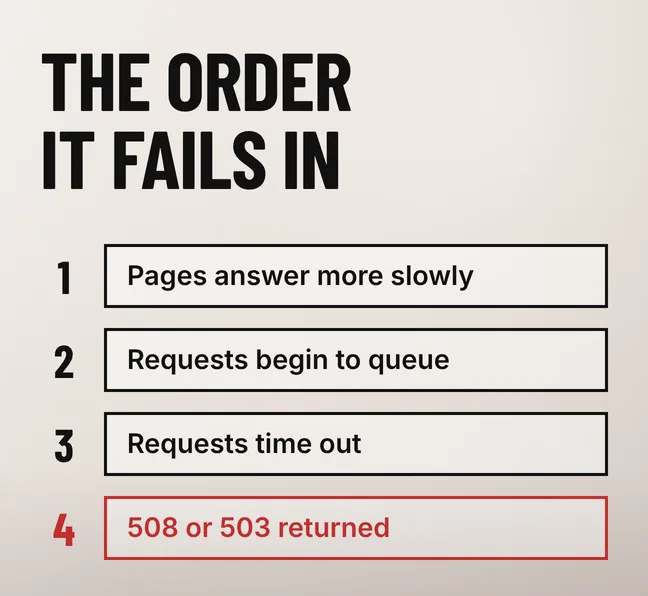
A website traffic spike degrades a site in stages rather than switching it off. Cached pages carry on being served while every request that needs PHP and the database waits its turn, and the WordPress project’s own performance optimisation handbook describes where that queue ends: performance “will slow to a halt as additional page requests come in and stack up”.
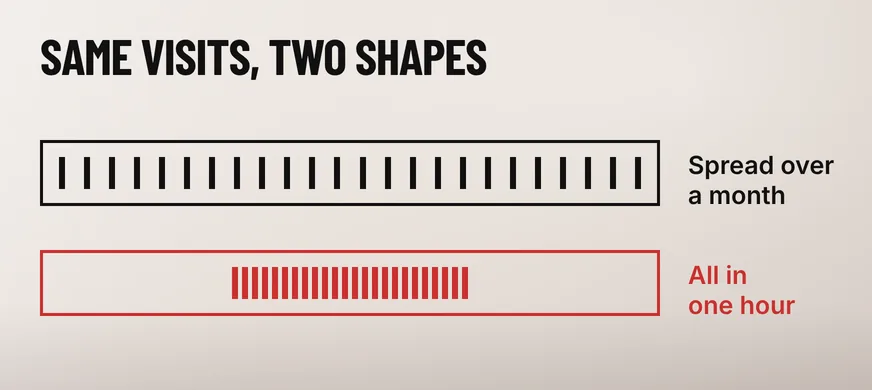
The number that decides this is concurrency, not monthly visits. Thirty thousand sessions spread over a month is roughly one person at a time and nothing at all to a small server. The same thirty thousand arriving between 8pm and 9pm on 11.11 is a different machine entirely, and a monthly figure in Google Analytics will never tell you which of the two you are about to get.
The database is usually the first shared resource to run out. The same WordPress handbook warns that without a persistent object cache the extra database trips can “quickly overwhelm your database server during traffic spikes”, which is why a site can look fine on a speed test at 3pm and stop answering at 8pm with no code having changed.
Shared hosting makes the ceiling lower and harder to see, because the processor time, memory and simultaneous processes on the plan are capped and shared. Two signs show up in the logs before customers complain: a 508 Resource Limit Is Reached page, and a 503 Service Unavailable where the server gave up rather than queued. Your host’s own plan documentation is where the actual numbers live.
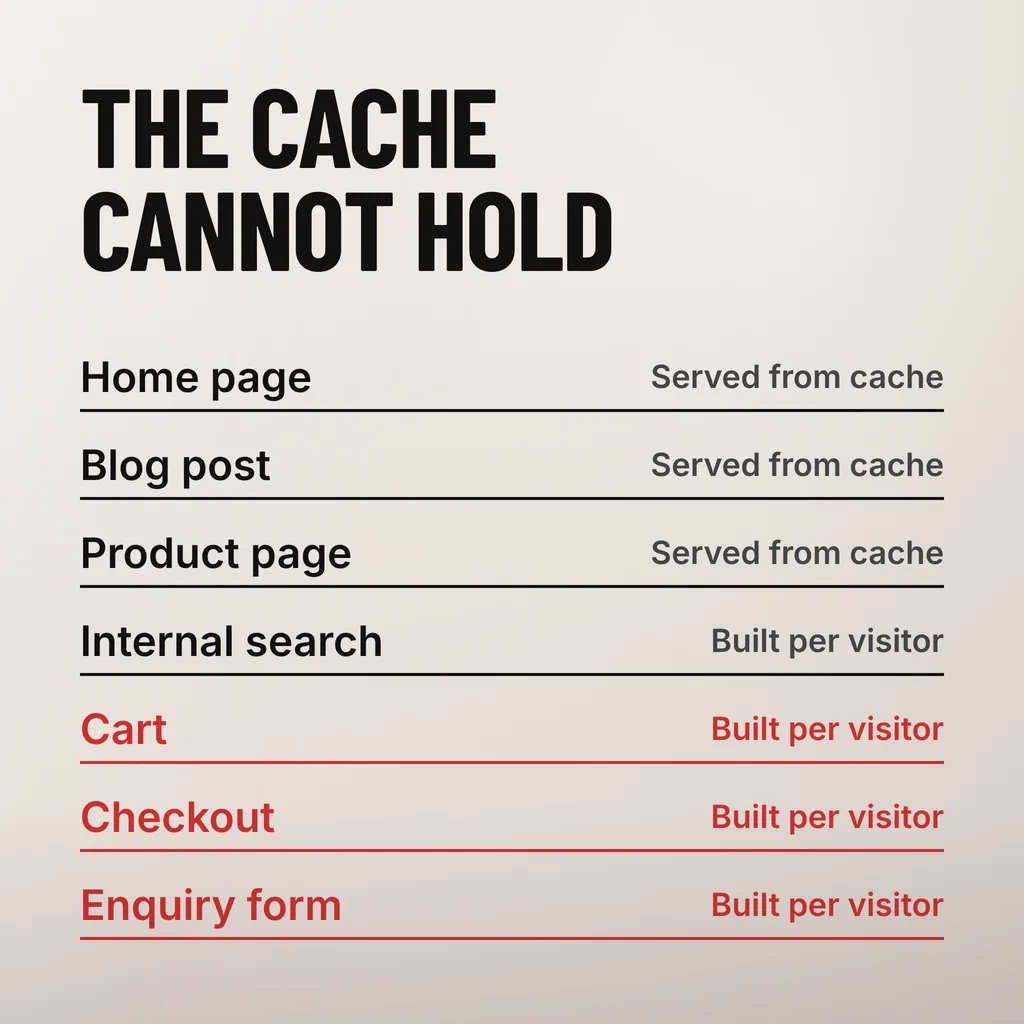
Page caching protects anything that can be byte-for-byte identical for every visitor, which is most of a brochure site. It cannot serve a cart, a checkout, a logged-in session, an internal search result or a form submission, because each of those has to be built for one named person. A sale runs through exactly those pages.
The WordPress handbook puts the mechanism plainly: “caching plugins can be easily installed and will cache your WordPress posts and pages as static files”. A static file costs the server almost nothing. Everything outside that set still costs a full PHP request and several database queries, however good the cache plugin is.
| Page | Served from cache? | What a surge does to it |
|---|---|---|
| Home page, service pages, blog posts | Yes | Keeps answering, and a CDN can absorb most of it |
| Product listing | Usually | Holds, unless stock or price is shown live per visitor |
| Internal search results | No | A full database query for every search box submission |
| Cart and checkout | No | Queues, then times out, often mid-payment |
| Enquiry and WhatsApp forms | No | Submissions slow down and some are lost silently |
| Logged-in customer account | No | Bypasses the cache entirely on every page view |
Two Malaysian details belong on that list. An FPX payment leaves your site for the bank and comes back to a return URL, so a checkout that times out on the way back can take a paid order with it. And when the enquiry route is a form that fires a WhatsApp message, the form handler is an uncached request like any other.
A content delivery network helps with the top half of the table and not the bottom. The handbook says a CDN “can greatly reduce the load on your website”, which is true of images, stylesheets and cached HTML, and leaves the cart exactly where it was.
Measure the same two URLs at a quiet hour and again at your busiest hour, and compare them. web.dev rates a Time to First Byte of 0.8 seconds or less as good and anything above 1.8 seconds as poor, and says the metric “helps identify when a web server is too slow to respond to requests”. The gap between your two readings is the headroom you have left.
Take one cached page and one uncached page, because they answer different questions. A cached page that slows down at 9pm points at the server or its neighbours. A cached page that holds steady while the cart crawls points at PHP and the database, which is the pattern a campaign will hit hardest.
Two further readings cost nothing. Your hosting control panel keeps a resource-usage graph showing processor time, memory and process counts against the plan limit, and a week of it tells you how close to the ceiling an ordinary Tuesday already runs. The server error log, filtered for 503 and 508, says whether the ceiling has been touched before.
Interpreting those numbers is also where a diagnosis can go wrong in the other direction, so it is worth separating a capacity problem from a page that was always heavy: we went through that split in whether your hosting is the reason your website feels slow. The WordPress handbook is reassuring on the general case: “if configured properly, most hosting solutions can handle very high traffic amounts”.
Check the path the campaign actually sends people down, end to end, on the device most of them will use. A landing page that loads in a second is no use if the third step of the checkout fails, and the week before is when a bad step is still cheap to fix. Six checks cover most of it.
Keep a static holding page ready as well, with your phone number and WhatsApp link on it, so there is somewhere to send people if the site is unreachable for twenty minutes. The wider version of this list, for outages rather than surges, is in what to have in place before your website goes down.
Make the server refuse requests honestly instead of letting them hang. RFC 9110, the HTTP standard, defines 503 Service Unavailable as the response for a server “currently unable to handle the request due to a temporary overload or scheduled maintenance, which will likely be alleviated after some delay”, and allows a Retry-After header to say how long.
That matters for search as well as for customers. Google’s Search Central documentation on HTTP errors says “5xx and 429 server errors prompt Google’s crawlers to temporarily slow down with crawling” and that “already indexed URLs are preserved in the index, but eventually dropped” if the errors persist; once the server answers normally again, “Google gradually increases the crawl rate for the site”. A short, correctly signalled overload is survivable. A week of it is not.
Then take work off the server rather than adding visitors to it. Switching off internal search, related-posts widgets and any plugin that runs on every page view frees processor time for the checkout, and a temporary upgrade to the next hosting tier is reversible in a way that a lost sale is not.
One thing not to do mid-surge: restore a backup. A site that is slow because it is busy will come back as soon as the traffic eases, and a restore started under pressure can overwrite the orders that did go through.
Only if the plan is what ran out. A larger plan raises the processor, memory and process limits, which helps when the resource graph already sits near its ceiling at an ordinary peak. It does nothing for a checkout that is slow because thirty plugins run on every request, and nothing for a cart that cannot be cached by design. Read the resource graph before buying the upgrade.
No honest number exists for that question, because it depends on how much work each visit costs your particular site. A cached brochure page is close to free to serve; one checkout can cost more than a hundred cached page views. Measure it instead: watch Time to First Byte and the resource graph at your busiest hour, and treat the gap to the plan limit as your capacity.
No. Turning off page caching during the busiest hour of the year removes the one thing keeping the site answering. Exclude the cart, checkout and account pages from the cache, which every serious caching plugin does by default, and shorten the cache lifetime on the product pages where stock is shown instead.
Most sites that fall over during a campaign were never measured before it, so the work is a measurement and a short list of fixes rather than a rebuild. Our website maintenance service reads the resource graph and the error log, checks what the cache is actually serving, and walks the checkout or enquiry path on a phone before the campaign goes out. One thing to do this week: time your own cart page at your busiest hour, and compare it with the same page at breakfast.