
- Resources
Innovative Thinking



Keep it. A revamp is a reason to rebuild the pages on a domain, never a reason to move to a new one. Change domain name website guides all explain how to make the move; the question worth settling first is whether to make it, and that turns on one test. Is the name still right for the business? If it is, the domain stays.
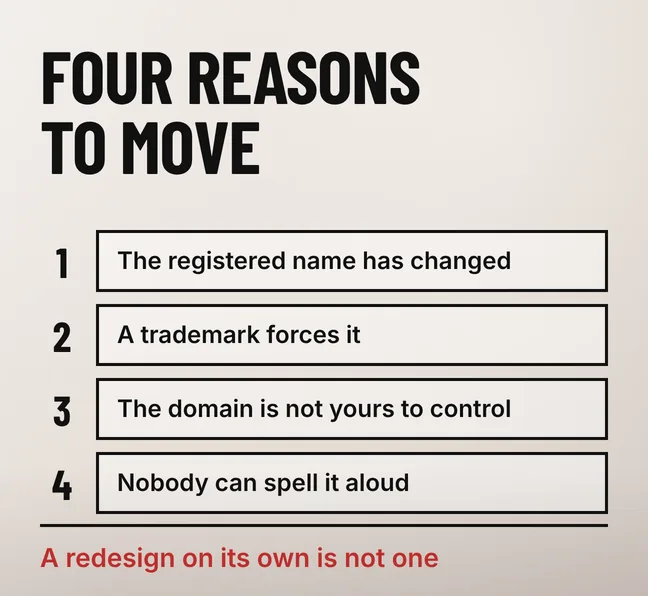
Four situations justify a move, and all four are about the name rather than the website. Everything else that pushes owners towards a new domain — a shorter spelling, a keyword in the address, a fresh start after a bad year — buys weeks of unsettled search results and a second renewal bill that never ends.
Move when the name itself has stopped working: the registered business name has changed, a trademark holder has objected, the domain sits in an account you cannot get into, or the name has to be spelled out letter by letter on every call. Those four are about identity and control, not about design.
A redesign triggers none of them. If the name on the door is still the name of the business, a revamp is repainting rather than moving house. The temptation usually arrives with a rebrand, and if the brand really is changing then the order of the two projects matters more than either: whether to revamp before or after a rebrand is its own decision.
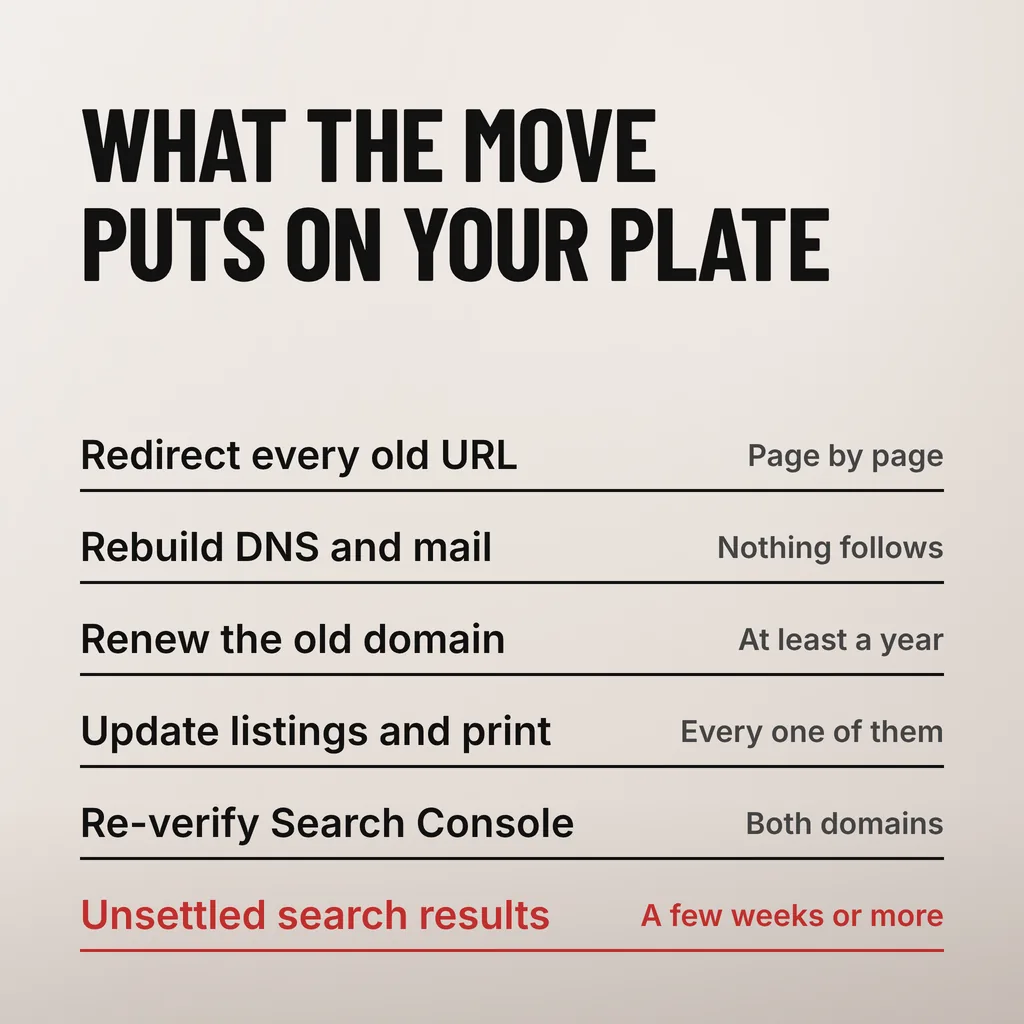
A domain change is six pieces of work, not one. Every old URL needs a permanent redirect, the mail setup has to be rebuilt, the old domain has to stay renewed, every listing and printed item carrying the old address needs updating, both properties need verifying in Search Console, and search results stay unsettled while Google recrawls.
| The work | What it involves | How long it stays with you |
|---|---|---|
| Redirect map | One permanent redirect per old URL, to the page that replaces it | Built once, kept for years |
| DNS and mail | New mail records on the new domain; old mailboxes kept reachable | Weeks of parallel running |
| Old domain renewal | The old name has to stay registered for the redirects to answer | Google advises at least a year |
| Listings and print | Google Business Profile, directories, invoices, signage, name cards | Until the last item is reprinted |
| Search Console | Verify the new property, submit the new sitemap, file a Change of Address | A day, then monitoring |
| Unsettled results | Rankings move while both sets of URLs are being recrawled | A few weeks or more |
The renewal line is the one owners forget. A redirect only answers while the old domain is still registered and still pointing at a server, so the old name becomes a permanent small cost rather than something you stop paying on launch day.
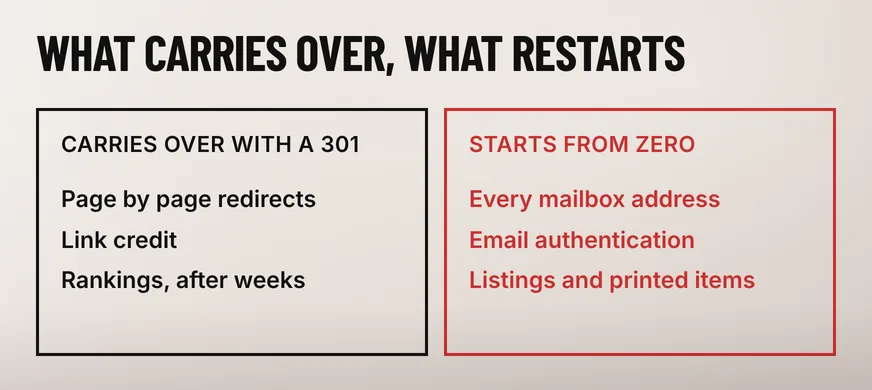
Email does not follow a redirect. Every mailbox address changes with the domain, and the records that prove your messages are genuine are published in the DNS of the sending domain, so the new name starts with none of them. RFC 7208, the Sender Policy Framework specification, describes compliant senders as publishing “Sender Policy Framework (SPF) records in the DNS specifying which hosts are permitted to use their names”.
Two consequences follow. Mail sent from the new domain in its first weeks carries no sending history, which is the profile spam filters trust least. And mail to the old addresses keeps arriving for years, from customers, suppliers and whoever printed your details in a directory in 2019, so those mailboxes have to keep working too.
The mechanics of moving mail safely are the same whether or not the domain changes, and they are set out in what happens to business email during a revamp. What is specific to a domain change is the addresses themselves: every signature, every saved contact and every login tied to one has to be changed by the person who uses it.
Google treats a domain change as a site move with URL changes and asks for three things: permanent server-side redirects, a Change of Address filed in Search Console, and patience while signals transfer. On the fear behind most of these questions it is unambiguous. The link credit survives the move.
The Search Central site-move documentation lists “domain name changes such as example.com to example.net” as this kind of move, recommends “server side permanent redirects from the old URLs to the new URLs”, says to “keep the redirects for as long as possible, generally at least 1 year”, and states that “301 and other permanent redirects don’t cause a loss in PageRank”. What it will not promise is speed: “it can take a few weeks or more for Google to gradually start showing the new URLs instead of the old ones”.
Use a 301 rather than a 302. RFC 9110, the HTTP specification, defines 301 as meaning “the target resource has been assigned a new permanent URI and any future references to this resource ought to use one of the enclosed URIs”, which is the statement you want a crawler to read. And redirect page to page: pointing every old address at the new home page throws away whatever ranking each page had earned, and nothing reveals it until the traffic report arrives a month later.
Not automatically. A .com.my is restricted to registered Malaysian entities, so the new trading name has to exist on paper before the matching domain can be held. That is the step which catches rebrands: the name is chosen, the logo is drawn, and the SSM registration behind the domain has not been filed.
MYNIC’s Registrant Policy, effective 26 May 2025, states at paragraph 8.2.1 that for a “.com.my”, “.net.my” or “.org.my” name, “applicants must meet at least one of the following criteria” — the first two being a company “incorporated under the Companies Act 1965 or the Companies Act 2016” and “a business registered with the Registrar of Business pursuant to the Registration of Businesses Act 1956”.
The same MYNIC policy sets out what happens when the old domain stops being paid for: an auto-renew grace period of up to 45 days, then 30 days of redemption grace in which “the domain name will become suspended (server hold) and other services associated with the domain name such as the website and email address will cease to function”, then five days of pending delete, after which it “becomes publicly available for new registration on a first-come, first-served basis”.
Your redirects therefore stop answering on the day the old name is suspended, not the day it is deleted, and once it is gone anyone may take it — with every inbound link and every email still addressed to it. An old domain is infrastructure, not a loose end to tidy up later.
Not instantly, but the loss is temporary when the move is done properly. Google states that 301 and other permanent redirects do not cause a loss in PageRank, so link credit survives. What it does not promise is timing: its site-move guidance says it can take a few weeks or more before the new URLs replace the old ones in results.
At least a year, and in practice longer. Google’s site-move guidance advises keeping redirects in place for at least one year, and a redirect only answers while the old domain is registered and pointing at a server. Mail is the reason to keep it after that: messages to old addresses arrive for years, and once the name lapses anyone may register it.
No. MYNIC’s Registrant Policy sets eligibility by who the applicant is rather than by what the name says: a company incorporated under the Companies Act, or a business registered under the Registration of Businesses Act 1956, may hold one. The policy does reserve the right to reject an application that infringes a trademark, so a name someone else owns is a separate problem.
A domain change is a project of its own; a revamp on the address you already hold is a smaller one. Our website revamp service rebuilds the pages, the structure and the enquiry path without touching the address, which keeps the search history, the email and the printed name cards intact. One thing to do this week: check who the registrant of your domain actually is, and when it next expires.