- Resources
Innovative Thinking


Yes. A website redesign without downtime is the normal way this work is done, not a premium option you have to ask for. The new site is built on a private copy while the existing one carries on taking enquiries, and the changeover at the end costs minutes rather than days.
So the useful question is not whether your site goes dark for a fortnight. It is what happens in the hour either side of the switch, because that is where the risk sits: a half-copied database, a certificate never issued for the new server, an enquiry form quietly posting to a mailbox nobody opens any more.
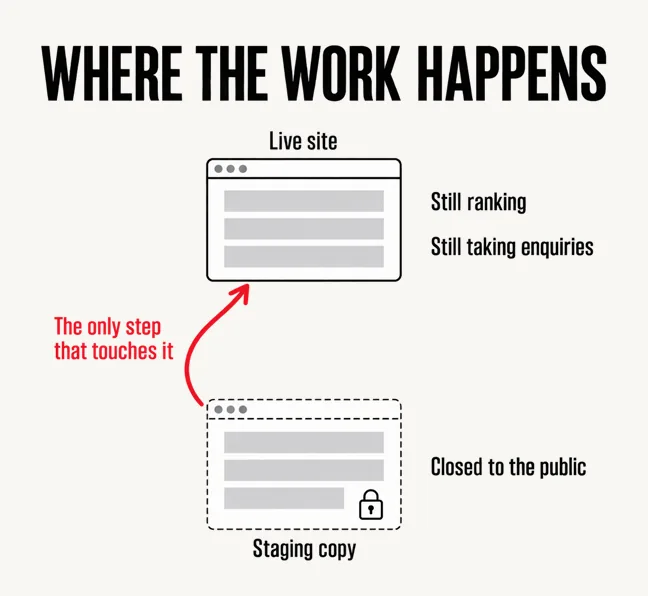
The whole approach rests on one idea: the new site is never built on the address your customers use. It is built on a working duplicate — a staging copy — that lives somewhere else and is closed to the public. Most Malaysian shared hosting plans now include a one-click staging feature that clones the site into a hidden subdomain; failing that, an agency runs the copy on its own server.
Everything then happens over there: templates built, service pages loaded, the enquiry form wired up, speed tuned, and you reviewing the result on a real phone. The live site stays exactly as it was, still ranking, still receiving WhatsApp enquiries, still taking FPX payments if it does that. A revamp could run for three months in that state and a visitor would notice nothing.
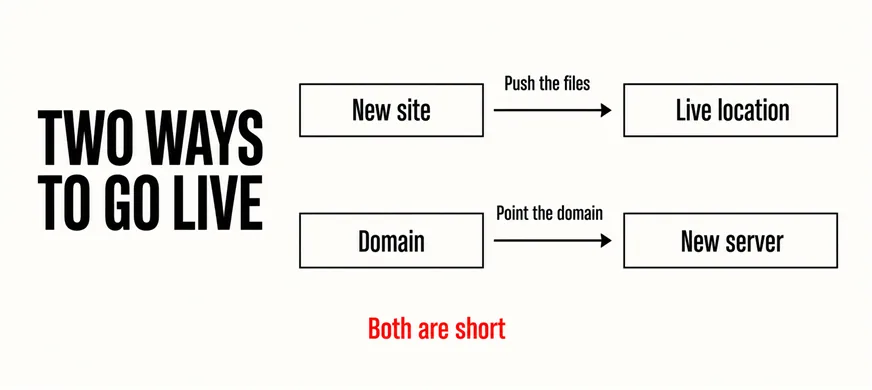
Only the final step touches the live site, and it takes one of two forms: the finished files and database are pushed into the live location, or the domain is pointed at the new server. Both are short. Working through a website revamp checklist beforehand is what keeps them short, because everything unresolved gets found while the old site is still standing.
The live site is not the workshop. It is the shopfront that stays open while the workshop is busy.
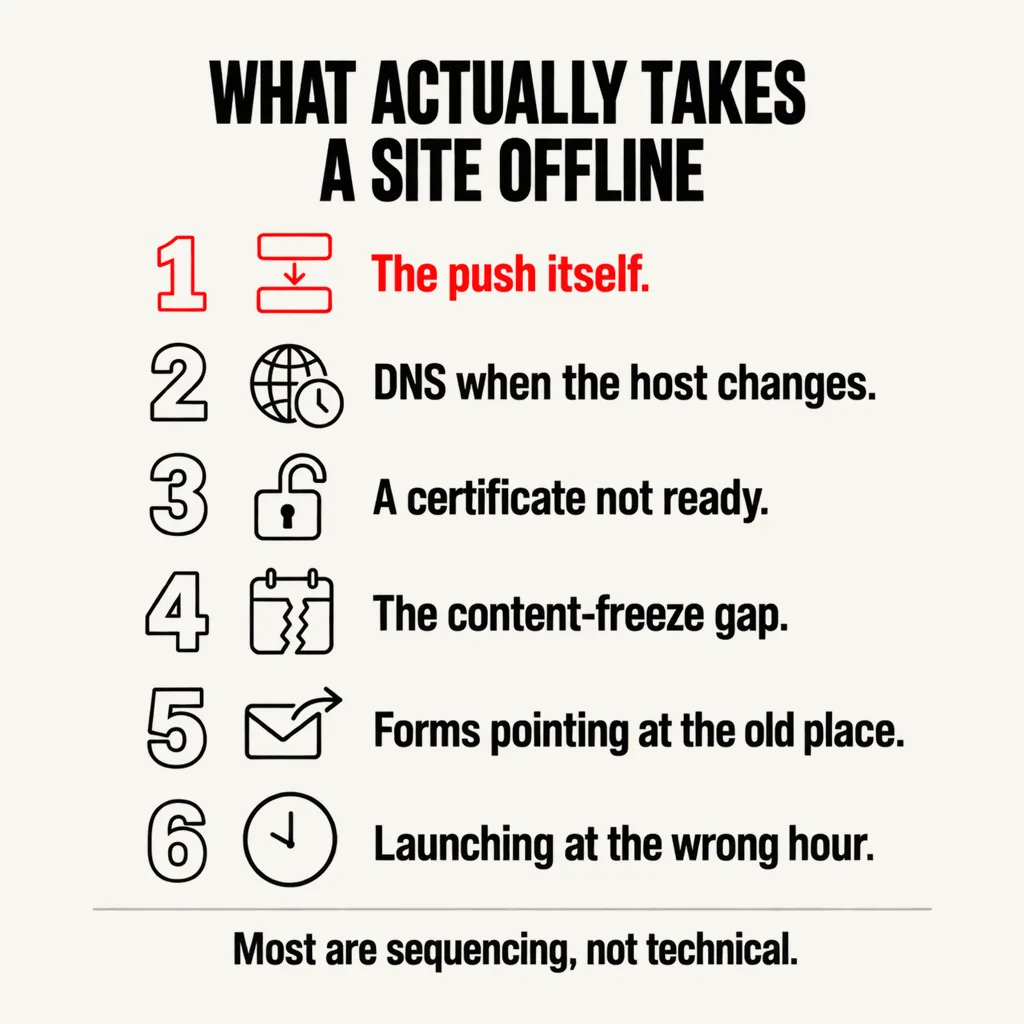
Sites do go down during badly run launches, almost never because of the redesign itself. These are the causes, roughly in order of how often they bite.
Note how few of those are technical failures. Most are sequencing mistakes, which is why a launch runs on a written order of operations rather than on the day’s enthusiasm.
A staging site is a complete, public-facing duplicate of your business sitting on a different address. Left open, search engines will find it, and you end up competing with yourself for your own brand.
The usual attempt at a fix is the one that does not work: adding a Disallow line to the staging site’s robots.txt. Google’s documentation is explicit that for a noindex rule to take effect, the page must not be blocked by a robots.txt file and must otherwise be accessible to the crawler. Block crawling and the crawler never sees the instruction not to index, so the page can still turn up in search results, discovered through a link from somewhere else.
The reliable answer is to put the whole staging copy behind HTTP authentication, so a username and password are required before anything is served. There is then nothing to crawl and nothing to index. Any host offering a staging feature offers this alongside it, usually on by default. Delete the copy once the new site is live, too — an abandoned duplicate of your business is an unpatched site sitting on the open internet.
A launch nobody notices follows roughly this order. Freeze edits on the live site and carry across anything added since the copy was made. Take a full backup, reachable without the hosting panel. Make the switch. Then immediately: load the homepage and three deep pages, submit a real test enquiry and confirm it arrives, check that old URLs redirect, and confirm analytics is recording.
If URLs have changed, the redirect map is the whole job, and keeping rankings across a redesign is a discipline of its own. Google Search Central asks you to keep the redirects for as long as possible, generally at least 1 year, and warns that for medium-sized websites it can take a few weeks or more before the new URLs replace the old ones in search results. A dip in week two is the re-crawl in progress, not proof the launch failed.
One detail from that same page is regularly missed and does cause outages: Google will temporarily crawl the new site more heavily than usual, so it needs the capacity to absorb that. A site moved onto the cheapest available plan on launch day can fall over under crawling rather than under customers.
One honest exception. If something genuinely forces the site down — a migration that cannot be staged, a compromised install being rebuilt — do not leave visitors on a broken page. Google’s guidance for urgently disabling a site for a day or two is to return a 503 status with an informational page and a retry-after header, and specifically not to return 503 for the robots.txt file, because that blocks crawling altogether. A planned revamp should need none of it.
Four questions settle most of this at the quotation stage, while changing the answer is still free.
None of these require you to understand the technical work. They require the person doing it to have decided how the day will go before it goes.
On a site staying with the same host, seconds to a couple of minutes while the files and database are replaced. If the domain is being pointed at a different server there is no single dark moment at all: visitors reach the old server or the new one depending on what their resolver has cached, which is why both should be serving a working site during the changeover.
Yes, and most businesses have to. Agree up front who records those changes, because the staging copy was made from a snapshot and will not know about them. Keep a running list, apply it to the new site shortly before launch, then freeze edits for the last day or two.
For visitors, yes. For search engines it depends on what the server returns underneath the page: a holding page served with a normal 200 status tells Google this is the site now, while a 503 tells it to come back later. That distinction only matters for genuine outages, because a properly staged revamp never shows one.
Every revamp we run is built on a staging copy with a login you can use from the first week, so you review the real thing on your own phone rather than approving screenshots. Our website revamp and design service treats the changeover as its own scheduled task, with the redirect map, the certificate and the rollback point settled before the day. If you have been putting off a revamp because you cannot afford for the site to disappear, that was never what it was going to cost you.